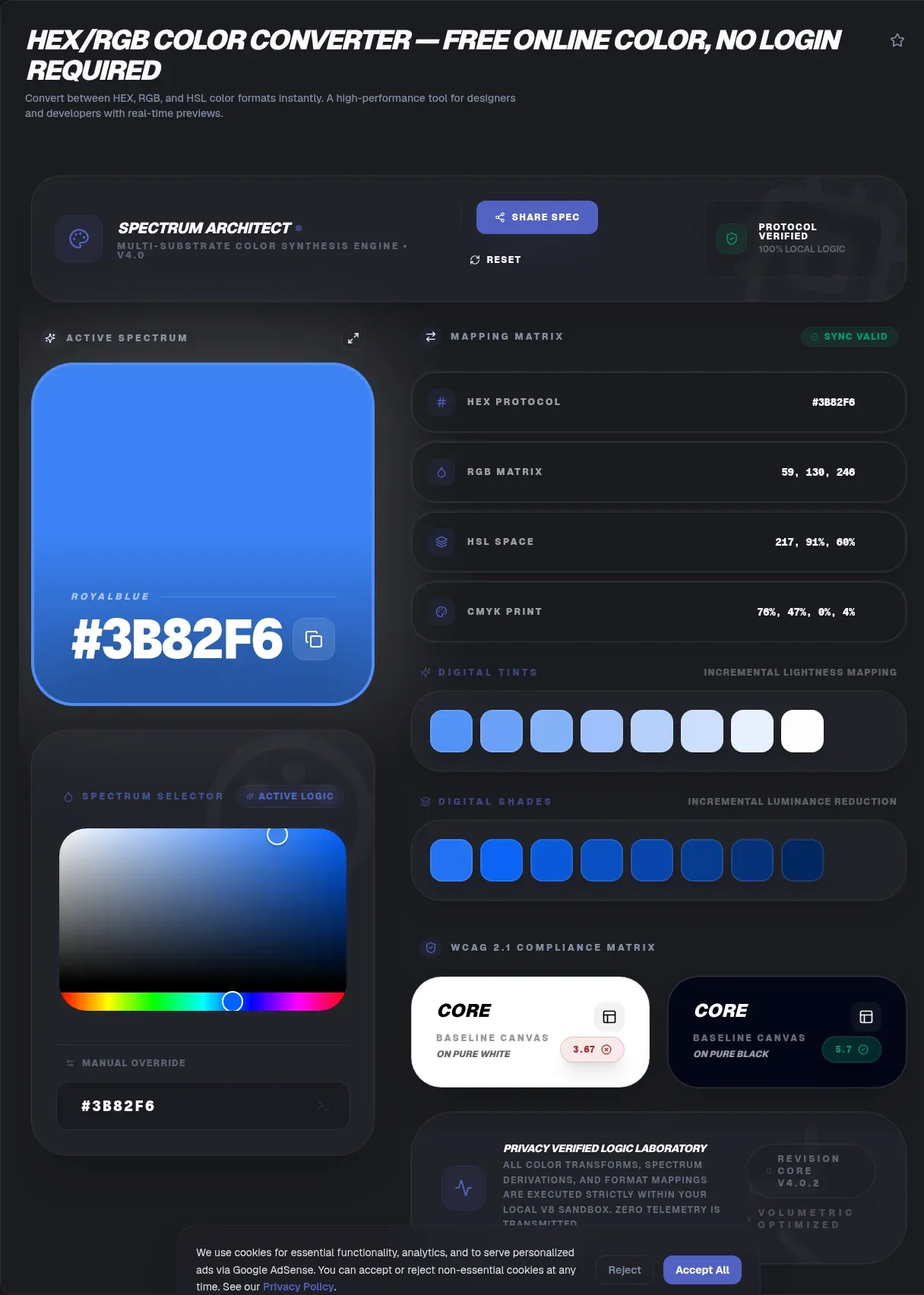
A hex to rgb converter bridges design files and stylesheets, turning compact codes like #1E90FF into the rgb(30, 144, 255) notation CSS understands. Every calculation happens right in your browser, so results land instantly with no waiting on a server round trip. The 24-bit sRGB palette you are converting across holds exactly 16,777,216 distinct colors (RapidTables), and every one of those colors can be written several equally valid ways.
ToolSura built its converter so the math never leaves your device: it documents a verified 100 percent client-side setup with zero data transmission to servers, and no login is required. Paste a code, read the answer, copy it, move on. This guide explains what conversion actually does, how to run the math yourself, and which notation fits each job.
Key Takeaways
- Hex and RGB describe identical sRGB colors: #1E90FF equals rgb(30, 144, 255), converted by splitting the code into pairs and reading each in base 16.
- CSS Color 4 defines 8-digit hex (#RRGGBBAA) and modern space-separated rgb() syntax, giving both formats native alpha support.
- Manual conversion takes seconds: each hex pair works out as (first digit times 16) plus the second digit.
- Tiny HSL differences between converters reflect rounding conventions, not broken math; the CSS spec itself warns about cumulative round-trip errors.
- ToolSura's converter runs entirely client-side, so sensitive palettes stay on your machine while you convert.
What Is a Hex to RGB Converter?
A hex to rgb converter rewrites one color between two notations without changing a single pixel value. Within sRGB, hex and rgb() are interchangeable descriptions of the same coordinates, exact up to stored-decimal rounding (W3C CSS Color Module Level 4). Think of them as two spellings of the same word: the meaning survives every translation intact.
Two formats persist because different workflows favor each one. Hex packs neatly into design handoffs, palette files, and documentation. Functional rgb() notation reads clearly inside conditional JavaScript, supports percentage and fractional input, and lets scripts adjust a single channel programmatically. MDN maintains a complete guide to every accepted CSS color syntax (MDN) if you ever need the full grammar.
How Does Hex Notation Work?
Hexadecimal is base 16 counting: digits run 0 through 9, then letters A through F stand for 10 through 15. Each two-digit pair spans 0 to 255, which maps perfectly onto one byte of color data. CSS Color 4 defines valid hex lengths of 3, 4, 6, or 8 digits, and the 4- and 8-digit forms carry an alpha channel (W3C CSS Color Module Level 4).
Decoding a pair takes one multiplication. FF means (15 times 16) plus 15, which equals 255, the brightest any channel gets. The CSS named-color table is worth knowing too: it lists 148 color keywords including rebeccapurple, though roughly 140 unique names survive once synonyms like aqua and cyan collapse (W3C CSS Color Module Level 4). Keywords skip conversion entirely for common shades.
How Do You Convert Hex to RGB Manually?
Split the six-digit code into three pairs, then convert each pair from base 16 to decimal. For #1E90FF: 1E equals (1 times 16) plus 14, or 30; 90 equals 144; FF equals 255. The result is rgb(30, 144, 255), better known as dodger blue (MDN).
The full recipe has three steps:
- Split the code into pairs: 1E, 90, FF.
- Multiply and add: each pair equals (first digit times 16) plus the second digit, reading letters as 10 through 15.
- Wrap the three decimals in rgb(): rgb(30, 144, 255).
Three-digit shorthand doubles every digit before converting. #F0F expands to FF00FF, which decodes to rgb(255, 0, 255). After a handful of manual passes the pattern sticks, and you will find yourself decoding codes at a glance forever after.
How Do You Convert RGB Back to Hex?
Run the division in reverse: divide each channel by 16 and read the quotient and remainder as hex digits. Channel 209 divides as (13 times 16) plus 1, giving D1. RapidTables summarizes the packed-integer shortcut as RGB = (R times 65536) plus (G times 256) plus B (RapidTables), handy for spreadsheet work.
Scripting the conversion pays off at scale:
const hex = '#' + (r << 16 | g << 8 | b).toString(16).padStart(6, '0');
Number.prototype.toString() performs the base-16 rendering, while padStart() guards leading zeros (MDN).
hex_code = f'#{r:02x}{g:02x}{b:02x}'
Python's format mini-language handles padding for you: :02x renders each channel as exactly two lowercase hex digits (Python docs). Both snippets output #1e90ff for dodger blue.
Is Hex the Same as RGB?
Yes, and the equivalence is mathematical rather than cosmetic. #FF0000 and rgb(255, 0, 0) produce the identical red because both encode the same three byte values. Neither notation is more accurate. Choose hex for brevity and copy-paste friendliness; choose rgb() when code computes channel values on the fly.
Two refinements sharpen the picture. First, rgba() is formally an alias of rgb() under CSS Color 4, and an omitted alpha always defaults to fully opaque (W3C CSS Color Module Level 4). Second, interchangeability holds inside sRGB. Conversions toward wider gamuts such as display-p3 can land out of gamut and require gamut mapping toward a similar-looking, lower-chroma result; the spec demonstrates this with a coordinate reaching 1.0844 (W3C CSS Color Module Level 4).
What Does the 8-Digit Hex Alpha Channel Mean?
CSS Color 4 defines the 8-digit form #RRGGBBAA, where the final pair sets opacity: 00 is fully transparent and FF is fully opaque. The four-digit form #RGBA is its shorthand. Alpha travels inside the color string itself, so one value carries hue and transparency together (W3C CSS Color Module Level 4).
Decode the alpha pair exactly like a color pair. In #1E90FF80, the trailing 80 equals decimal 128, and 128 divided by 255 lands near 0.502, so dodger blue renders at roughly half opacity. Modern syntax writes the same color as rgb(30 144 255 / 0.5), another CSS Color 4 addition. Before depending on 8-digit input, confirm your converter accepts it, because support varies noticeably across free tools.
Why Does HSL Exist Alongside Hex and RGB?
Because humans and machines sort colors differently. The CSS Color 3 spec puts it plainly in section 4.2.4: the advantage of HSL over RGB is that it is "far more intuitive: you can guess at the colors you want, and then tweak" (W3C CSS Color Module Level 3). Designers reason in hue, saturation, and lightness, not three independent beam intensities.
The cylinder geometry makes relationships visible. Hue is an angle: red sits at 0 degrees, green at 120, blue at 240. Saturation and lightness behave as percentages: 100 percent saturation means full color, 0 percent means gray, 50 percent lightness is the normal shade, and the extremes collapse to black or white (W3C CSS Color Module Level 3). Lock hue and slide lightness, and matched tint families fall out for free.
Why Do Different Converters Give Slightly Different HSL Values?
Rounding conventions explain nearly every mismatch; broken math explains almost none. The transformation equations are standardized, yet implementations differ in how many decimals they carry, whether hue rounds to whole degrees, and which direction ties break. Dodger blue surfaces as hsl(209.6, 100%, 56%) in one tool and hsl(210, 100%, 56%) in another.
The specification anticipates exactly this. CSS Color 4 warns implementers against cumulative round-trip errors, mandates identical chromaticity constants throughout calculations, and notes numerical noise can leave extremely small chroma rather than precisely zero (W3C CSS Color Module Level 4). Round-toward-positive-infinity applies only as a fallback convention. Treat a one-point channel wobble or 0.1 percent saturation drift as normal, and judge converters on features instead of the third decimal.
Why Do Color Channels Run From 0 to 255?
Each channel stores one byte, one byte holds 8 bits, and 8 bits allow 256 values numbered 0 through 255. Three bytes per pixel therefore encode 256 times 256 times 256 combinations: the 16,777,216-shade true-color palette that six hex digits serialize so compactly (RapidTables).
Binary makes the ceiling obvious, since 255 reads as 11111111 with every bit switched on. Hex mirrors that hardware reality: one hex digit carries exactly four bits, one pair carries eight. Prefer seeing coordinates as geometry? Picture every color as a point inside a cube, where the three channels act as the x, y, and z axes and corners mark the primaries.
Where Did sRGB Come From?
The story opens with a 1996 proposal titled "A Standard Default Color Space for the Internet," authored by Michael Stokes and Ricardo Motta at Hewlett-Packard alongside Matthew Anderson and Srinivasan Chandrasekar at Microsoft, released as Version 1.10 on November 5, 1996 (W3C-hosted sRGB document). International standardization followed as IEC 61966-2-1 in 1999.
Its transfer function proved the enduring contribution: an effective gamma of 2.2, implemented as a gamma curve with a small linear segment near black so integer math stays invertible. Every hex code you convert silently assumes this shared space, which is why #1E90FF looks consistent across browsers and operating systems instead of drifting monitor to monitor.
How Popular Are JavaScript Color Libraries?
Download statistics reveal color conversion as quiet infrastructure. color-convert logged 336,894,712 weekly downloads for the week of 2026-08-16 through 2026-08-22 (npm registry API), though that count is inflated by transitive installs through chalk, yargs, and thousands of CLI toolchains, so it measures ecosystem footprint rather than direct converter usage.
Purpose-built libraries post smaller but telling totals for the same week. tinycolor2 drew 13,878,369 downloads (npm registry API), confirming durable demand for manipulation utilities. culori, favored for wide-gamut and perceptual-space math, reached 1,842,305 (npm registry API). Millions of build pipelines lean on these conversions daily, which is why precision arguments never quite die.
What Should You Look for in a Color Converter?
Feature depth separates useful converters from toy widgets, and so does candor. Several popular free tools leave their processing location unstated on their pages; one describes its image picker as uploading images without stating where processing occurs. Where code runs deserves the same scrutiny as what it outputs, especially for unreleased client palettes.
Use this checklist when comparing options:
- Full hex coverage: accepts 3-, 4-, 6-, and 8-digit input.
- Syntax toggle: switches between rgb(30 144 255) and legacy rgb(30, 144, 255).
- HSL alongside: reveals the human-tweakable view without extra clicks.
- Documented processing model: states plainly that conversion runs client-side.
- Rounding honesty: acknowledges or minimizes precision drift.
- Perceptual output: offers OKLCH for gradient and palette work.
If a candidate fails the transparency line, treat the rest as negotiable. Proprietary palette work has no business entering an undocumented pipeline when local options exist.
What Is OKLCH and Should You Care?
OKLCH addresses a flaw HSL pretends not to have: equal numeric steps rarely look equally bright. Bjorn Ottosson introduced OKLab on December 23, 2020 after observing that yellow, magenta, and cyan appear much lighter than red and blue in HSV-style ramps (Bjorn Ottosson). His introduction, refreshed in 2025, reports adoption as Photoshop's default gradient interpolation and inclusion in CSS Color Levels 4 and 5 with support from major browsers.
Everyday hex-to-RGB work can ignore it safely. Gradients, data visualizations, and accessibility-driven palettes benefit from rotating hue while perceived lightness stays constant. Because dedicated OKLCH output remains rare among free converters, weigh it as a bonus criterion rather than a baseline requirement when choosing tools.
How Do You Convert Colors With ToolSura's Converter?
Three moves finish a conversion. Open the tool page, paste a hex code (hash optional) or fill the three boxes labeled R, G, and B, then copy whichever output your stylesheet needs. Results update as you type, and every displayed value is ready for the clipboard.
The privacy posture is stated rather than implied: a verified 100 percent client-side badge, zero-knowledge architecture wording, and an FAQ confirming nothing is stored on servers. No account wall interrupts the flow. If a project depends on 8-digit hex input or OKLCH output, verify current capabilities on the tool page first, since documented support is the only kind worth betting on.
How Do You Put Converted Colors to Work?
Conversion sits midway through a workflow, not at the end. Gradients reward stops sharing a hue family, which HSL exposes directly: lock hue, slide lightness. Shadows and glows want rgba() forms so blurred edges fade predictably. Contrast checking belongs in the loop as well, because an attractive hex pairing can still fail readability thresholds for body text.
Adopt one house habit: settle palettes in whatever notation your design tool exports, convert once into CSS custom properties, and reference those variables everywhere. One conversion pass creates one source of truth, and future theme adjustments touch a single block instead of scattered literals across a dozen components.
Related Tools
- Color Picker & Palette Generator: pick colors visually, then read off their hex and RGB values.
- CSS Gradient Generator: turn converted stops into live CSS gradients.
- Color Contrast Checker: confirm your hex pairings pass accessibility ratios.
- CSS Box Shadow Generator: feed alpha-aware RGB values into shadow presets.
- Image Color Palette Extractor: pull candidate colors from images before converting them.
- 3D Color Cube Visualizer: see the RGB cube your three channels act as coordinates in.
When you need quick, private notation swaps between any of these, the hex to rgb converter stays one tab away.