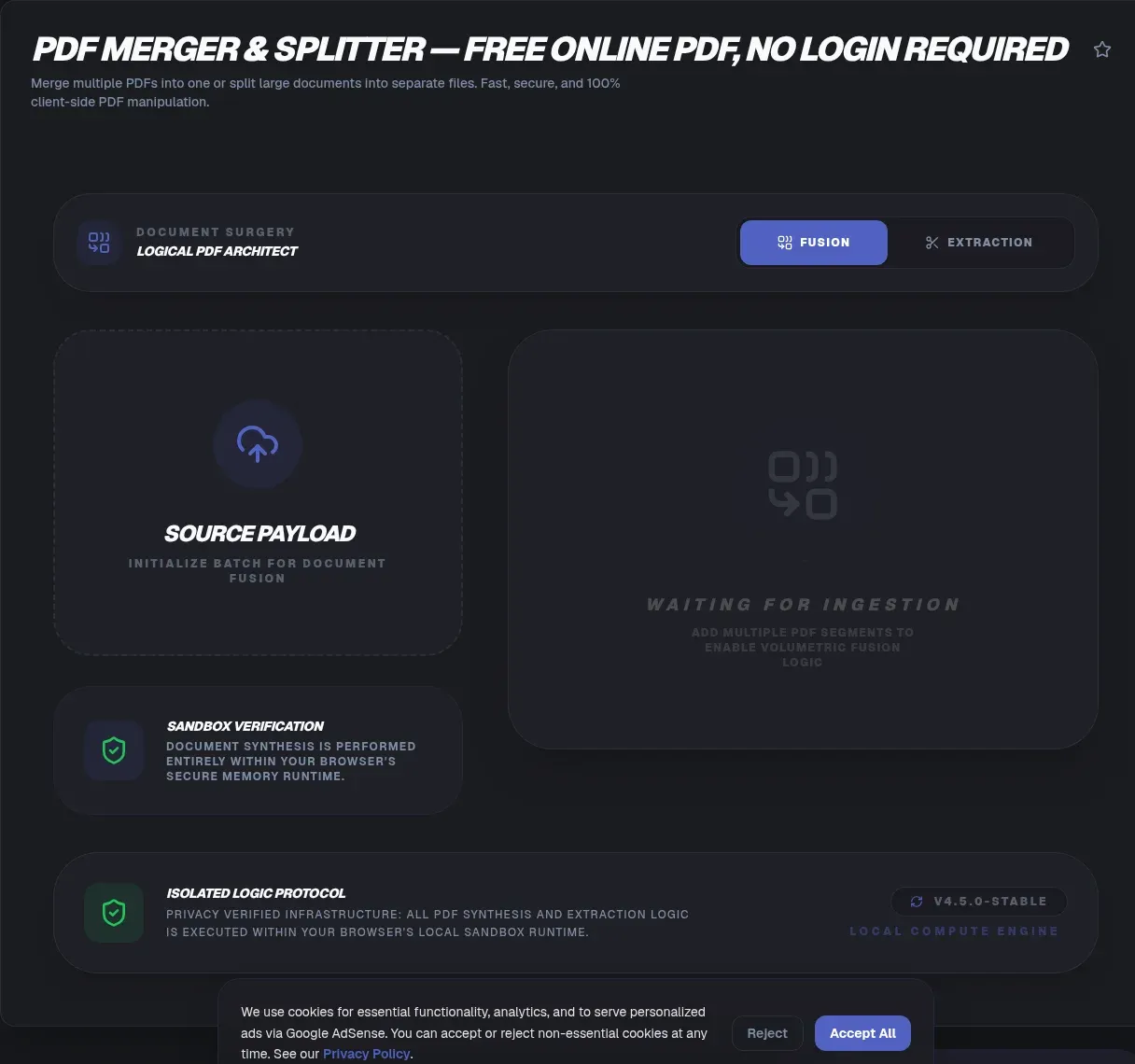
Court portals want one file, email servers choke on fat attachments, and upload sites park documents on remote disks for an hour or more. This tool ends all three: drop your PDFs onto the page and combine or split them entirely in your browser, with no accounts, no quotas, and no upload progress bar.
Nothing is uploaded, which resets the risk math: no retention countdown to trust, no storage bucket waiting to leak, no deletion policy to squint at. Below you'll find how merging works at the format level, why merged files bloat elsewhere, and what honestly survives a split.
Key Takeaways
- ToolSura merges and splits PDFs entirely in your browser: parsing and assembly happen on your device, so nothing is uploaded
- US courts require single-PDF filings: 50 MB CM/ECF entries and 300-page Ninth Circuit exhibit volumes (US Courts)
- Naive per-page copying duplicated embedded fonts and turned a 1.9 MB file into 44 MB (pdf-lib issue #393)
- Upload rivals hold files for 1 to 2 hours (Smallpdf); zero-upload processing leaves no window to expire
- Pages copy losslessly, so quality never drops, though catalog-level bookmarks may not survive a split
Why Do Court Filings Demand One PDF?
Because courts treat a filing as one document, not a folder of pieces. The US Bankruptcy Court for the District of North Dakota requires filings of 50 MB or less to arrive as a single primary PDF, with anything larger broken into a primary document plus up to 15 attachments (US Courts ECF guidance).
The Ninth Circuit mandates exhibits combined into volumes capped at 300 pages, and the Second Circuit requires combining PDFs in specified cases. Clerks reject fragmented submissions, so merging shifts from convenience to compliance the moment a deadline looms.
How PDF Files Make Merging Possible
A PDF is a box of labeled objects rather than one indivisible stream. A version header opens the file, numbered objects fill the body, a cross-reference table maps each object's byte position, and a trailer entry called /Root points at the document catalog atop the page tree (PDF Association).
That object-graph layout keeps merging structurally clean: copy page objects out of each source, hang them under a new catalog, rebuild the cross-reference table, and page content streams go untouched. ISO 32000-2, the current standard behind this model, has been free to download from the PDF Association since April 2023.
How Does Merging Work Under the Hood?
One primitive does the lifting, in JavaScript. The MIT-licensed pdf-lib library, tested in Node, browsers, Deno, and React Native, exposes a copyPages() call that lifts any page, even page 743 of a donor file, into a fresh document (pdf-lib on GitHub).
Batching decides size. Passing every page index through a single copyPages() call lets shared resources deduplicate; copying one page per call duplicates them instead, which fuels the bloat stories below. Mozilla's pdf.js proves browser-scale parsing is battle-tested: Firefox has shipped it as its native viewer since version 19, past 50,000 GitHub stars (pdf.js on GitHub).
Why Did Your Merged PDF Get Bigger Elsewhere?
Duplicated fonts, mostly. One documented case watched a 229-page file swell from 1.9 MB to 44 MB, a 2,200 percent jump, while two inputs near 1 MB apiece produced a 165 MB output. Copying pages one call at a time clones every embedded font rather than sharing a single copy (pdf-lib issue #393).
Splitting has a mirror flaw: sloppy extraction drags the entire resource dictionary along, images included, even for pages that never display them. Engines that batch copies into one call and subset fonts keep outputs near the sum of their parts.
How Do You Merge PDF Files Step by Step?
Four steps, zero network round trips:
- Drop every source file onto the page; arrival order seeds the queue.
- Drag the thumbnails until chapters, exhibits, or months sit in sequence.
- Run the merge and pages assemble in memory on your machine.
- Download and rename the result for whoever receives it next.
Want proof instead of promises? Open developer tools, watch the Network tab, and merge a file: requests load the page, then the log falls silent, because no outbound POST ever carries your bytes. Mixed page sizes coexist peacefully, since every page keeps the dimensions it arrived with.
How Do You Split a PDF and Extract Pages?
Three moves cover nearly every request. Enter a range such as 5-10 for one excerpt, list scattered picks like 3, 7, and 12 to lift signature pages, or explode the file into single-page PDFs where portals demand one page per upload. Equal chunks work too: 100 pages divide into four 25-page parts.
Outputs inherit the source filename with a range or part label, renamed however you like on download. Because extraction copies pages instead of re-rendering them, a pulled excerpt from a scanned contract lands as sharp as the original, ready for annotation or filing.
Will Bookmarks and Form Fields Survive?
Sometimes not, and every merger shares the limitation. Bookmarks and AcroForm field definitions hang off the document catalog, not individual pages, so extracting a range can orphan bookmark targets or strand fields that pointed across the cut. Text, images, and page-level link annotations travel with their pages normally.
Category marketing ignores the topic, so treat disclosure as the differentiator and build a habit: when bookmark panels or fillable forms matter, open the output and verify before distributing. That advice applies to every merge-and-split tool on the market, this one included.
Does Merging or Splitting Reduce Quality?
Not a pixel. Pages and resources are copied between files, never re-rendered: no rasterization, no recompression, no resampling touches your scans, so merged exhibits stay faithful and extracted pages keep full resolution. Degradation stories almost always trace to a separate compression pass done badly.
Size and orientation persist too: a landscape sheet keeps its sideways stance between portrait letters, and A4 stays A4 beside Letter. When a finished file needs trimming before email, run a deliberate pass with the PDF Compressor rather than accepting shrinkage as a side effect.
What About Password-Protected PDFs?
Encrypted files stop at the door, correctly. Handing the parser a protected document raises EncryptedPDFError rather than mangled output, because reading encrypted content without credentials is what encryption forbids (pdf-lib on GitHub). A known escape flag exists for inspection, but its documentation warns it decrypts nothing.
The fix lives upstream: open the file with its password, strip protection through your reader's security settings or a print-to-PDF round trip, then process normally. Two password classes exist in the format, a user password that actually encrypts and an owner password that merely flags permissions (ISO). Only strip protection from files you own or are authorized to handle.
Stuck Against Email Attachment Limits?
Split before you send. Gmail caps personal-account attachments at 25 MB and converts oversize files into Drive links automatically, while MIME encoding inflates attachments by roughly a third in transit, so the realistic ceiling sits near 18-19 MB (Google Support). Many Outlook setups effectively allow around 20-25 MB depending on configuration (Microsoft Support).
Carve chapters or month-batches into separate PDFs sized safely under that floor, attach each part to its own message, and every mail clears the bar without a transfer service holding your documents. A compression pass on the heaviest part buys extra headroom.
Which Real Jobs Depend on Merging and Splitting?
Accounts payable tops the list. Processing one invoice averages $9.40 all-in against $2.78 at best-in-class AP teams, with average cycle times of 9.2 days, per Ardent Partners' AP Metrics That Matter benchmark (directional figures widely cited from that report). Batch-scanning invoices and merging them into a few files attacks the gap directly.
Legal teams assemble exhibits into court-mandated volumes under page caps, while operations staff archive receipts as PDFs generated client-side with an HTML to PDF converter. The pattern repeats everywhere: many small documents in, fewer organized files out, handled where nobody else touches them.
Where Does Your File Go? Retention Compared
Onto somebody's server, with nearly every mainstream option. Smallpdf runs a cloud-based merger and deletes uploads after one hour (Smallpdf); iLovePDF removes files within two hours of processing (iLovePDF Privacy Policy); Sejda auto-deletes after two hours (Sejda); Adobe routes files through its servers and deletes them unless you sign in to save (Adobe). PDF2Go promises no third-party sharing yet states no deletion timeframe at all (PDF2Go).
Upload-and-store has failed publicly before. The Nitro PDF platform breach ended with 77,159,696 user records dumped online in January 2021, where document titles alone exposed deal activity and financial reports (BleepingComputer); researchers later found an open storage bucket leaking 89,000-plus user-uploaded documents, passports and contracts among them, from two unrelated online PDF makers (Cybernews). Neither incident involves the vendors compared above; both show the model's risk surface. Zero-upload processing removes that category outright: nothing transmitted means nothing stored, expiring, or leaked.
Free-Tier Quotas vs No Quotas at All
Quotas pay server bills, and they sting quickly. Sejda's free tier allows three tasks per hour on files up to 50 MB or 200 pages (Sejda); Smallpdf's free plan reportedly allows around two tasks a day (Smallpdf); Adobe caps free online merging by page count (Adobe).
Run the arithmetic on a 30-chapter thesis: at two tasks a day, merging sprawls across weeks of revisits, while the same job finishes locally in minutes at any batch size. No account wall, no upsell, no counter resetting at midnight.
Common Mistakes When Combining or Splitting PDFs
Six repeat offenders cause most botched jobs:
- Skipping the reorder check. Exhibit 12 landing before Exhibit 2 forces a refiling.
- Feeding encrypted files. Remove protection on documents you own before merging.
- Assuming bookmarks rebuild themselves. They live at the document level; verify the output.
- Uploading confidential files unnecessarily. Local processing skips the exposure entirely.
- Emailing blind. MIME inflation adds roughly a third in transit; check sizes first.
- Skipping the final skim. Thirty seconds against the original catches assembly slips.
Related Tools
Merging plugs into a wider local-first pipeline, and every tool below runs client-side too:
- PDF Compressor: shrink the merged file before emailing it.
- PDF to Word Converter: convert a merged PDF back into editable text.
- Word to PDF Converter: turn Word chapters into PDFs first, then merge.
- HTML to PDF Converter: save web receipts as PDFs worth archiving.
- PDF Annotator in Browser: highlight or stamp pages after splitting.
- PNG/JPG Image Compressor: compress scans before converting them into PDFs.
- How to Merge PDF Files — every method, without an upload
One file in, many out, or the reverse: the exchange belongs on your side of the wire. Point the PDF Merger & Splitter at your documents, watch the Network tab stay silent, and hand clerks, courts, and colleagues exactly the file they asked for.
Frequently Asked Questions
Does this tool upload my PDF anywhere?
No. ToolSura parses, merges, and splits files entirely inside your browser tab, so the bytes never leave your device. You can watch the Network tab in developer tools and confirm that no outbound request carries your document. There is no server retention window, because nothing ever arrives at a server.
Can I merge PDFs of different page sizes together?
Yes. Every page in a PDF is an independent object carrying its own dimensions, so Letter, A4, portrait, and landscape pages mix freely in any order. Each page keeps its original size and orientation in the merged output, which matters when combining scanned receipts with full-page reports or mixed-size court exhibits.
Will bookmarks and form fields survive merging or splitting?
Sometimes not, and every merger shares this limitation. Bookmarks and form field definitions hang off the document catalog rather than individual pages, so pulling out a page range can orphan their targets. Text, images, and page-level links carry over normally. If a bookmark panel matters to you, open the output and check.
Are there page limits or file count limits?
None imposed artificially. Server tools meter usage because uploads cost storage and bandwidth money, but ToolSura processes everything on your hardware, so the practical ceiling is your device's memory. Batches of around twenty files run comfortably on a modern laptop. Huge jobs simply take longer, and no daily counter resets at midnight.
Can it merge or split password-protected PDFs?
No, encrypted files stop at the door. In-browser engines cannot parse encrypted documents without credentials, so ToolSura rejects them instead of pretending otherwise. Open the file with its password, remove protection through your reader's security settings or a print-to-PDF step on files you own, then run the job again normally.
Does merging or splitting reduce quality?
Not one pixel changes. Pages and their resources get copied losslessly between files, with no re-rendering, re-compression, or rasterization anywhere in the pipeline. Your scanned exhibit looks identical in the merged file, and extracted pages keep their original resolution. Output differs from input only in which pages sit where.
How do I split a large PDF for email?
Split before sending. Gmail caps attachments at 25 MB, and MIME encoding inflates files by about a third during transit, so aim under 18 MB per part. ToolSura extracts page ranges into smaller PDFs right on your device, so you can attach each part separately and skip automatic Drive-link conversion.