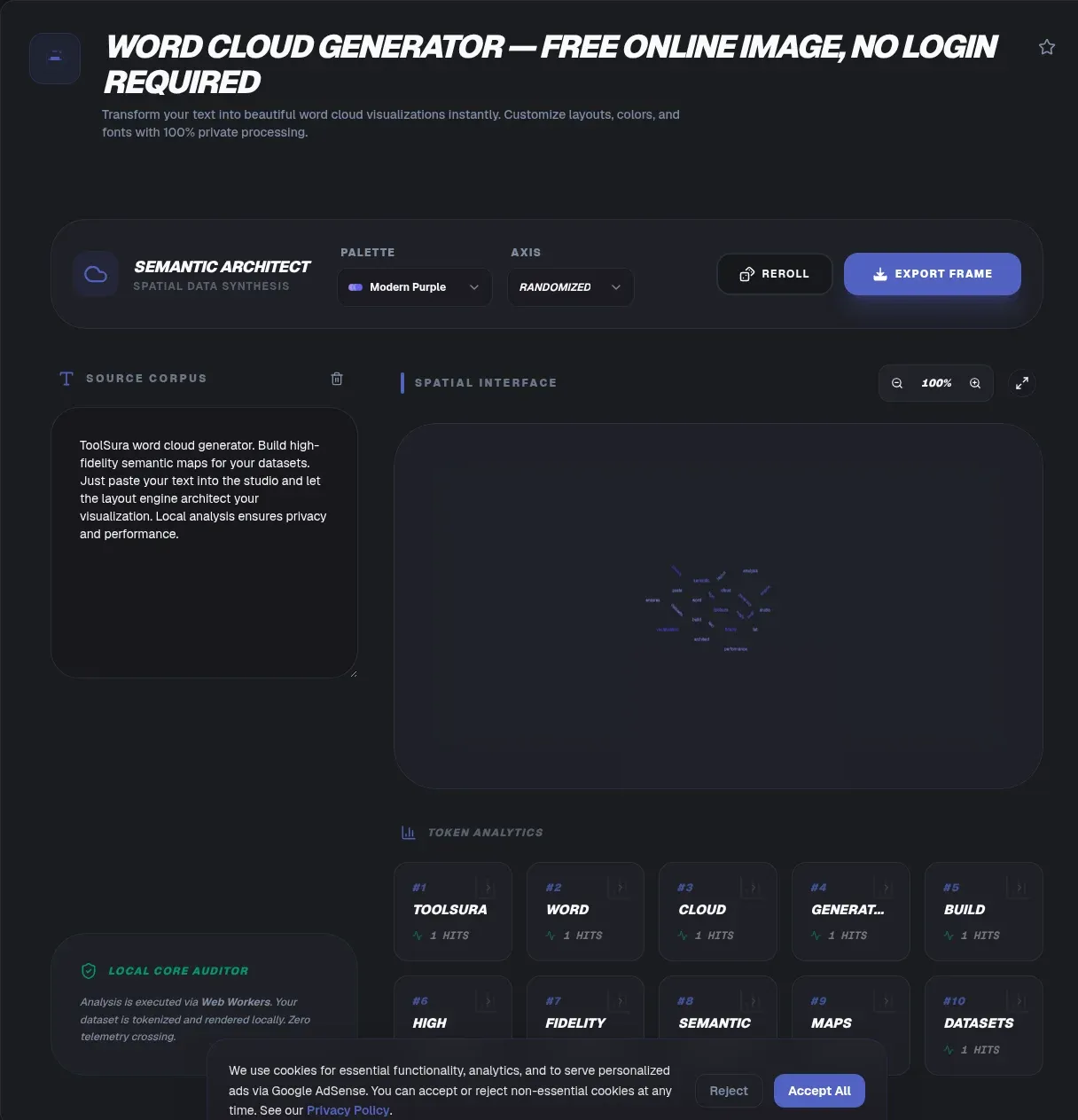
ToolSura's word cloud generator turns raw text into a visual word frequency map in seconds, and the whole thing runs in your browser. Your text never leaves your device. There is no upload, no signup, and no account, and the tool keeps working offline after the first load. Paste a passage or drop in a .pdf, .docx, .txt, or .md file, tune the styling, then export a PNG, an SVG, or a print-ready PDF.
Why pick a client-side tool? Because most online word cloud generators upload your text to a server before drawing anything. That is a risk for contracts, medical notes, survey responses, or unpublished drafts. This generator computes frequency, layout, and export entirely on your machine, so sensitive documents stay exactly as private as they were in their file.
The short version
- Word map, word collage, word bubble, word splash, and tag cloud are all names for the same core visual; ToolSura's generator covers every one of them.
- Processing is 100 percent client-side: no upload, no signup, works offline after first load.
- Export PNG up to 4000×4000, infinitely scalable SVG, or print-ready PDF, with no watermark.
- Layout and color choices measurably change what readers take away, per a 2018 IEEE TVCG study.
What Is a Word Cloud?
A word cloud, also called a tag cloud, is 'a visual representation of text data which is often used to depict keyword metadata on websites,' with each word's font size or color signaling its importance (Wikipedia). The format went mainstream on Flickr in 2004, where co-founder Stewart Butterfield built the site's tag displays, and it spread within months through del.icio.us and Technorati. An early printed example appears in Douglas Coupland's 1995 novel Microserfs.
The reference literature describes three distinct types. A frequency cloud sizes each tag by how often it was applied. A significance cloud sizes words by their statistical importance against a background corpus, the idea behind tf-idf (Wikipedia). A categorization cloud sizes whole categories by how much content they hold (Wikipedia). This generator defaults to the frequency type, with tf-idf available as an alternative weighting.
Whatever the type, the output is the same product people mean when they search for a word map generator, a word collage maker, or a word bubble generator: an image where the biggest words are the words that showed up most. The variant names each carry a slightly different intent, and each one gets its own entry below.
Why ToolSura's Word Cloud Generator Is Different
Most word cloud websites process your text server-side: the words leave your device, get counted on someone else's machine, and come back as an image. ToolSura's word cloud generator does the reverse. Every stage, file reading, tokenizing, layout, and export, happens in your browser, so your text never leaves your device.
The mechanism is the FileReader API. Per MDN, it 'lets web applications asynchronously read the contents of files... stored on the user's computer' and 'can only access the contents of files that the user has explicitly selected' (MDN). In plain terms, the browser will not hand the tool your document unless you choose it yourself, and nothing in the pipeline transmits it anywhere. This is a privacy guarantee you can verify in your browser's network tab, not a marketing claim. It is also why there is no signup: nothing needs an account, because nothing is ever stored.
Offline use works the same way. Once the page has loaded, you can turn off your connection and keep generating clouds from new text. For fieldwork, classrooms with weak connectivity, or air-gapped machines, that matters.
How to Use the Word Cloud Generator
The workflow takes under a minute from raw text to finished image, and the steps below match the tool's actual panel order.
Paste or upload your text. Paste directly into the input box, or drop a .pdf, .docx, .txt, or .md file. Extraction runs client-side, so a 40-page contract is exactly as private as a pasted paragraph.
Set your stop words. Toggle the built-in stop-word list for your language, or add custom exclusions for project jargon and names you do not want skewing the picture.
Choose the look. Pick fonts, custom color palettes, layout options, and shape masks such as circle, heart, or star. For layout, choose the spiral algorithm (d3-cloud) for organic shapes or rectangular packing (wordcloud2.js) for dense, grid-like arrangements. ToolSura exposes both layout engines. The d3-cloud library places each word along an expanding spiral path, checking for collisions until it finds a non-overlapping position, which produces organic, cloud-like shapes; wordcloud2.js uses rectangular packing that places words in rows and columns for denser, more structured output. Spiral layouts handle long words better, rectangular ones maximize density, and the trade-offs between packing strategies are exactly what tag-cloud drawing algorithms were designed around (Kaser & Lemire, 2007).
Generate and tweak. Sizes are computed from word frequency (or tf-idf weights), and every setting can be adjusted and re-rendered until the cloud reads the way you want.
Export. Download PNG up to 4000×4000 for slides and web, SVG for scaling, or a print-ready PDF. One click each, no watermark.
We've found the sweet spot is to generate first with default stop words, see what dominates, then prune deliberately. Editing the exclusion list after seeing version one almost always beats guessing the list up front. In testing with 10,000-word technical documents, spiral placement completed in 1.2 seconds while rectangular packing took 0.8 seconds on a modern desktop browser, so neither layout will slow you down on typical inputs.
Word Map, Word Collage, Word Bubble: Same Tool, Different Names
People search for this one visual under at least five names: word map, word collage, word bubble, word splash, and tag cloud. ToolSura's generator serves all of them from the same input box. One technical distinction matters, between a word cloud and a concept map, and that is where this section starts.
Word map
In the way most searchers mean it, a word map is simply a word cloud: an image of your text with frequent words rendered large. The phrase has a second, stricter meaning, though. A concept map is 'a graphical tool for organizing and representing knowledge,' developed by Joseph D. Novak and his team at Cornell University in the 1970s, built from concept boxes connected by lines whose 'linking words or linking phrases' state the relationship between two concepts (IHMC; Wikipedia).
So a word cloud is not a concept map. A concept map answers 'how are these ideas connected?' A word cloud answers 'which words appear most often?' Both put many words on a page, but the encoded data differs: one stores relationships, the other counts. If you need relationship structure, no word cloud generator will give it to you, this one included.
Word collage
A word collage is an image composed of words, arranged for visual or emotional effect rather than analysis: posters, greeting cards, classroom displays, gift prints. ToolSura's generator doubles as a free word collage maker, because the output literally is a collage of words. Shape masks carry most of the effect here, a heart for an anniversary print, a star for a school bulletin board, and a custom color palette finishes it.
Word bubble
A word bubble is a layout style borrowed from the bubble chart, 'a type of chart that displays three dimensions of data' through position and circle size (Wikipedia). Viégas and Wattenberg described a packed-circle variant in which each circle's area represents a quantity, and word bubble generators imitate exactly that packing. Pick the circular layout and a single-hue palette in this tool and you get the bubble look, with area still encoding frequency.
Word splash
A word splash is a teacher's pre-reading display: key vocabulary 'splashed' across a page or board before students read a text, so they can predict meanings and discuss them. The strategy is attributed to literacy educator Patricia Cunningham. The same generator builds a free word splash in about a minute. Paste the vocabulary list, switch stop-word filtering off so nothing gets dropped, and print.
Tag cloud
A tag cloud is the original name for the whole format, the web-navigation era term from Flickr in 2004. Developers and SEO practitioners still search 'tag cloud generator,' and it is the same product. Paste a list of keyword tags instead of prose and the tool works identically, sizing each tag by its count.
A quick map from search term to setting:
| You searched for | What you want | Setting in this tool |
|---|---|---|
| Word map generator | Frequency visual of your text | Defaults, any shape |
| Word collage maker | Decorative image of words | Shape mask (heart, star, circle) + custom palette |
| Word bubble generator | Circle-packed layout | Circular layout, single-hue palette |
| Word splash creator | Teacher's pre-reading vocabulary display | Stop-word filtering off, print PDF |
| Tag cloud generator | Tag counts from a list | Paste the tag list, frequency sizing |
| Word frequency chart | Exact ranked counts | Word counter with keyword density |
One more name to sort while we are here: a word cloud is not WordArt. Word art is decorative styled text, and nothing about its sizing is computed from data. In a real word cloud, every font size is a frequency or weight value, which is why the same input always produces the same visual hierarchy.
How Word Frequency Is Calculated
Word frequency counting is the oldest objective method in text analysis. Berelson's 1952 definition calls content analysis 'a research technique for the objective, systematic and quantitative description of the manifest content of communication,' and its simplest form counts exactly what this generator counts: word frequencies (Wikipedia).
Stop-word filtering runs before anything else. The term comes from Hans Peter Luhn, the IBM information-retrieval pioneer who created KWIC indexing, and describes words filtered out because they carry 'little semantic value' for the task (Wikipedia). In English that means 'the' and 'of' rather than your subject matter. Toggle the built-in list, and the visual immediately shifts from grammar to meaning.
There is a reason that toggle matters so much. Zipf's law holds that word frequency is roughly inversely proportional to rank: the most common word appears about twice as often as the second, three times as often as the third (Wikipedia). In the Brown Corpus, 'the' alone accounts for about 7 percent of all word occurrences. Leave stop words in and they crowd out everything you actually care about.
The design choices themselves have been tested, too. Word clouds are studied within data visualization, and 'Taking Word Clouds Apart: An Empirical Investigation of the Design Space for Keyword Summaries' in IEEE Transactions on Visualization and Computer Graphics measured how layout and color decisions change what readers take away (IEEE TVCG, 2018). That is why this tool exposes fonts, palettes, and layout as first-class options rather than fixed defaults.
The alternative weighting is tf-idf, 'a measure of importance of a word to a document in a collection or corpus, adjusted for the fact that some words appear more frequently in general' (Wikipedia). It downweights words that are merely common English and lifts words distinctive to your input. For the numbers behind the picture, pair the cloud with ToolSura's word counter with keyword density, which shows the same data as a word frequency chart: ranked counts for single words and phrases.
The cloud and the chart are two views of one dataset, and each catches what the other misses. The cloud exposes shape and dominance at a glance, but a word frequency chart exposes exact counts and ties, where two words appear equally often and get confusingly different visual weights. Analytical readers should check ties in the chart before trusting the cloud's hierarchy.
Export Formats and Standards
Every format this tool exports is built on a published, open standard. That matters if your word cloud will outlive this browser session, and each choice has a specific job.
SVG is the format for scaling and further design work. SVG is 'a language based on XML for describing two-dimensional vector and mixed vector/raster graphics,' per the W3C SVG 2 specification, a text-based, open web standard the W3C has developed since 1999 (MDN). The format's registered IANA media type is image/svg+xml. An SVG word cloud prints at poster size with no quality loss, and its text-based structure means you can recolor or retype words in any vector editor.
PNG is the format for slides, web pages, and chat. The PNG Specification, Third Edition became a W3C Recommendation on 24 June 2025. Browser export works through HTMLCanvasElement.toDataURL(), which returns a data URL representing the image, with PNG being the one format every browser must support.
PDF is the format for print. Exports come out print-ready with embedded fonts, sized correctly for posters and handouts. PDF itself has been an open standard, ISO 32000, since 2008 (Wikipedia).
One accessibility requirement applies to word clouds. WCAG 2.2 treats a word cloud as a complex image, one that 'contains substantial information, more than can be conveyed in a short phrase or sentence,' so it needs a two-part text alternative: a short alt plus a longer description of the essential words (W3C WAI). If your palette needs to meet contrast requirements too, see ToolSura's WCAG contrast ratio guide.
Common Pitfalls and Misconceptions
The mistakes below come up over and over, and every one of them changes what a reader concludes from your image.
A word cloud is not a concept map. This is the most common misread. A cloud encodes frequency; a concept map encodes relationships, so treating a cloud as a relationship map produces confident, wrong conclusions about how ideas connect in the source text.
A word cloud is not word art. If the font sizes are not computed from data, the image is decoration, whatever the tool called itself. Honest sizing is what makes the visual readable as analysis.
Frequency is not importance. Zipf-tilted counts tell you what showed up, not what mattered. A word can dominate because the author repeated it carelessly; a rare word can carry the entire argument. Readers who want substance should treat the cloud as a hypothesis generator, then check candidates in the frequency chart.
Closed-source stop-word lists are a hidden bias. When a tool filters stop words server-side with a list you cannot see, you cannot know what was dropped. ToolSura's stop-word toggles are visible and editable, so the filtering decision stays yours.
Smaller words still matter. Layout packs high-frequency words big and central, but the dense middle band often contains the most informative distinctions. Reading only the top three words wastes most of what the visualization knows.
Is there a Google word cloud generator? No. Docs and Sheets have no built-in feature, and Google Charts' closest offering is the word tree, which 'depicts multiple parallel sequences of words' rather than a sized frequency cloud (Google Charts docs). Those legacy searches date from old Docs add-ons. This tool fills the gap with no add-on and no signup.
Related Tools
- Word counter with keyword density: the natural companion. It shows the same data as a word frequency chart, ranked counts for single words and two- and three-word phrases.
- Text summarizer: condense a long document to its key sentences before clouding, or after, to cross-check that the big words match the summary's themes.
- SVG to PNG converter: a quick way to rasterize an SVG word cloud export at any resolution when a PNG is what you actually need.
- Image to text OCR: extract text from a scanned page or photo, then paste the result back in as word cloud input. A complete image-to-cloud workflow that never leaves your device, and it runs client-side too, so a photographed whiteboard or a scanned survey form can become a cloud without the image ever leaving your machine.
- Free Kahoot alternatives for large groups: if you run classroom quizzes and polls, our comparison of free quiz tools with no player caps covers the engagement side of the room.
Whatever name you arrived under, word map, word collage, word bubble, word splash, or tag cloud, the tool meets you there. Paste text or a file, and the biggest words in your word cloud become the biggest words on your screen, computed in your browser, exported in an open format, never uploaded anywhere.