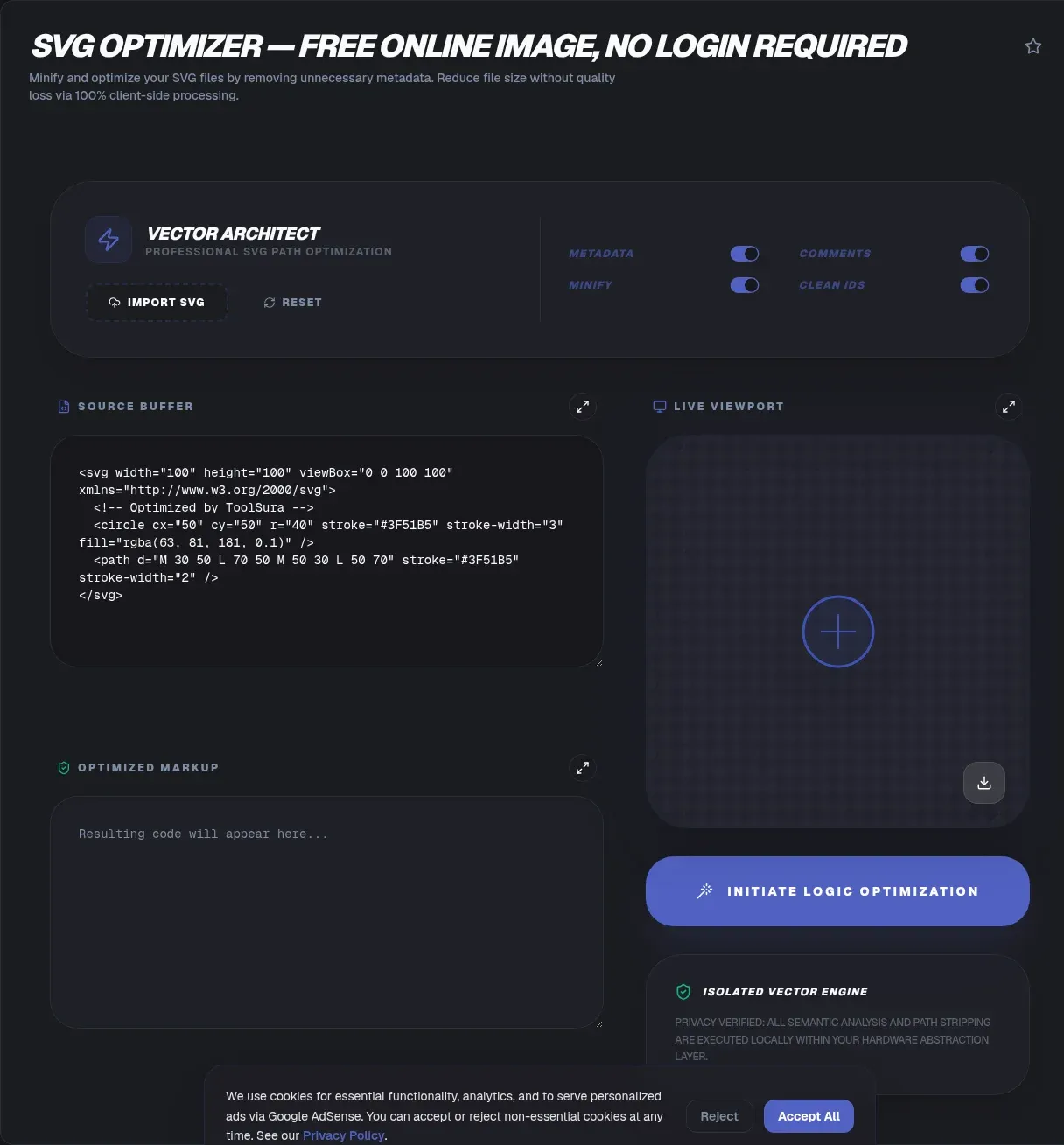
SVG files exported from design tools carry enormous hidden weight: editor metadata, comment blocks, nested groups, and path coordinates stretched across eight decimal places. All of it ships straight to your users. Cleaning it up takes seconds with no uploads required, and the payoff is a file that is often 18 to 55 percent smaller with no visible difference.
ToolSura's SVG optimizer compresses and minifies SVG files entirely in your browser. There are no uploads: your file is read locally, processed locally, and saved locally, so it never leaves your device. The cleanup follows the playbook of SVGO, the MIT-licensed reference optimizer that logged 37.7 million npm downloads in a single week (npm registry, August 2026), minus the command line.
Key Takeaways
- Optimization runs entirely in your browser; files never leave your device
- Realistic raw savings run from 18 percent on clean exports to 55 percent on design-tool files
- Biggest wins: stripping editor metadata, rounding coordinates, collapsing groups
- Optimization compounds with gzip and Brotli, which add another 17-25 percent on text
- Cleanup also strips script and foreignObject payloads flagged by OWASP
Why SVG Files Get So Big
Editor cruft is the main culprit. Illustrator can embed XMP metadata, C2PA content-credential manifests, and proprietary i:pgf "Preserve Illustrator Editing Capabilities" blocks into every export. Practitioners on Adobe's community forums have documented cases where 318 bytes of actual artwork sat inside an 18 kB file, and the Wikimedia cleanup guide walks through deleting RDF blocks that can reach hundreds of kilobytes.
Figma's history is similar. Its engineering team publicly called the output of its legacy exporter an "embarrassing novel" and rewrote it to omit title, id, and version attributes by default (Figma blog, 2023). Older exports still circulate, and they carry duplicated attributes and wrapper groups by the dozen.
Structure bloat compounds the problem. Design tools wrap every shape in nested groups, write coordinates at full float precision, and generate IDs like clip0 that collide when two exports land on the same page, a documented Safari-breaking bug in Figma's forum archive (Figma Forum, 2022). Inkscape adds its own sodipodi namespaces. None of it affects rendering.
A logo with 2 KB of real geometry can easily hit 40 KB on the wire. Multiply that across a full icon set, and the gap between a dirty export and a clean one becomes one of the largest line items in your asset budget.
What an SVG Optimizer Actually Removes
An optimizer deletes everything the renderer ignores, then tightens everything it does not. SVGO ships 53 built-in plugins for exactly this job, including removeMetadata, removeComments, removeEditorsNSData, collapseGroups, convertPathData, and minifyStyles (SVGO plugin documentation, 2026). ToolSura applies the same categories of cleanup through plain-English toggles instead of a raw checkbox wall.
The standard passes, in plain English:
- Metadata stripping: XMP and RDF blocks, C2PA manifests, editor namespaces, and comments go first. Pure loss; rendering never changes.
- Group collapsing: nested single-child group wrappers merge into their parents.
- ID and class cleanup: unused definitions drop, and duplicate identifiers get prefixed so inline embeds stop colliding.
- Style minification: presentation attributes merge into compact CSS, and redundant properties disappear.
None of the structural passes touch your artwork's geometry. Metadata and namespace removal is lossless, which is why even cautious teams can run it on production assets without a design review.
Precision Rounding: the Biggest Single Win
Path data stores coordinates as long decimals. Precision rounding rewrites 142.85714286 as 142.857, and across thousands of coordinates that shaving dwarfs everything else. At normal render sizes the change is sub-pixel, invisible in practice (SVGO plugin documentation, 2026). Leaner markup also renders faster: fewer nodes and path points mean less DOM construction and quicker rasterization (CSS-Tricks, 2021).
When to Run Multipass
Optimization is not always one-shot. Running the cleanup a second time catches structures that only become removable after the first pass collapses groups and merges styles. If the second run saves more than two percent, run a third; gains taper to zero quickly.
How Much Smaller Will Your Files Get?
Expect 18 to 55 percent raw reduction, depending on how dirty the export is. Independent benchmarks cluster tightly around that range. A hands-on SVGO analysis measured Sketch-exported FlagKit icons shrinking 54.8 percent on average (793 kB down to 346 kB), Illustrator illustrations 24.2 percent (3.4 MB to 2.6 MB), and a single HD world map 31.5 percent (1.3 MB to 880 kB) (LogRocket, 2023).
The floor matters too. A 100-file corpus of real-world logos from Figma, Illustrator, and Inkscape managed only 18.2 percent reduction under SVGO 4.0.1 (svgm.dev benchmark, 2025), because already-clean exports have little redundancy left to remove. Community icon-pipeline tests landed in between at 47.6 percent raw and 42.3 percent gzipped (svgo-benchmark repo on GitHub, 2024). Dirty files shrink most; clean files shrink least.
Rule of thumb: dirty design-tool exports shrink up to about 55 percent, mixed real-world files land near 30 to 48 percent, and already-clean exports manage roughly 18 percent (svgm.dev, svgo-benchmark repo, and LogRocket benchmarks, 2023-2025).
Why This Matters Site-Wide
SVG now accounts for 6.4 percent of all images on mobile pages, the fifth most common format, up 36 percent in relative terms over two years (HTTP Archive Web Almanac, 2024). Median image transfer size sits at 12 KB, so a 300 KB icon carrying an embedded editor manifest is an outlier your users pay for on every visit. Trimming it is one of the cheapest performance wins available.
Step-by-Step: Optimizing an SVG Online
The workflow mirrors SVGOMG, the original in-browser SVGO GUI that proved client-side optimization at full quality was practical (SVGOMG, 2026). ToolSura wraps the same approach in a guided interface:
- Drop your file onto the page, paste markup directly, or pick a file from disk. Processing starts instantly and locally.
- Review the savings report: original size, optimized size, and percentage saved, with a before-and-after preview so you can check fidelity.
- Adjust the dials if needed: precision decimals, multipass cleanup, and per-category toggles for IDs, classes, and comments.
- Compare the gzipped size to see what your server will actually deliver after text compression.
- Download the optimized SVG or copy the markup straight to your clipboard.
No account, no queue, no batch limit. Each file is handled independently in memory, so you can clear a whole icon folder in minutes.
Optimization vs Server Compression: Why Both Matter
Optimize first, then compress: the two compound rather than overlap. Google's Brotli whitepaper (Alakuijala et al., 2015) measured 17 to 25 percent better compression than gzip on web text assets at quality 11, with HTML at the top of that range (web.dev, 2020). SVG is XML, structured markup text, so it compresses about as well as anything on that list.
Compounding happens because optimization removes redundancy first, so the compressor has less repetition left to model, and its percentage gains apply to a smaller base. A 1 MB export that optimizes to 500 KB and then Brotlis to roughly 150 KB beats sending 1 MB through Brotli alone. Enable Brotli or gzip at the server level regardless; skipping either step leaves real bytes on the table.
Security Bonus: Stripping Scripts and Malicious Payloads
SVG is XML, which means a malicious file can carry script elements, event-handler attributes like onload, and foreignObject HTML islands. The risk is formalized enough that OWASP's ASVS standard requires validating user-supplied SVG to contain only safe tags and attributes, explicitly excluding scripts and foreignObject (OWASP ASVS, 2024).
The exploit class is not theoretical. CVE-2022-28284 described a Firefox cross-site-scripting bug triggered by a foreignObject iframe inside an SVG loaded through a same-origin use element (Mozilla Bugzilla, 2022). A sanitizer pass strips the payload before it ever reaches production, and optimization delivers that pass as a side effect.
Serving context adds a second layer. When an SVG is referenced through an HTML img tag, browsers must run it in secure static mode with scripting disabled and external references blocked, per the W3C integration spec (W3C SVG Integration, 2018). Inline SVG markup in your HTML gets no such protection, which is exactly why cleaning the file at the source matters.
What NOT to Optimize Away
Aggressive settings can break things, and the breakage is usually silent. Three preservation rules cover most real projects.
Keep Title and Description Tags
For meaningful images, the title and desc elements are the accessibility contract: screen readers announce them, ideally referenced through aria-labelledby on the svg element with role set to img (W3C WAI Images Tutorial, 2024; MDN, 2024). Stripping them saves a few hundred bytes and deletes your alt-text equivalent. Keep them on anything that conveys information.
Preserve IDs That Are Actually Used
Gradients, filters, clip paths, and SMIL animations reference each other through url(#id) links. Remove or rename an ID and the fill silently renders black. Figma's duplicate clip0 problem shows the flip side: when two optimized exports are inlined on one page, Safari applies the last clipPath to every reference (Figma Forum, 2022). Use ID prefixing whenever a file will be inlined.
Go Easy on Precision for Tiny Icons
A 16-pixel icon rebuilt from heavily rounded coordinates can show kinked curves and hairline strokes that drop out entirely. If the asset lives at small sizes, keep one more decimal place than feels necessary and check the preview at actual render size. The viewBox coordinate system scales everything, so rounding errors scale right along with it (MDN, 2024).
Common Mistakes When Cleaning Up SVGs
The first mistake is expecting uniform savings. Teams optimize an already-clean export, see 18 percent, and decide the tool is weak. The 50-percent-plus results come from dirty design-tool files, so judge the tool on your dirtiest export, not your cleanest.
The second mistake is removing IDs or classes from SVGs styled by external CSS or targeted by JavaScript. The animation stops, the stylesheet hook dead-ends, and nobody connects the failure to Tuesday's optimization pass. Keep style preservation on for anything wired into your site's code.
Third: converting text to outlines before export. Outlined text becomes enormous paths, often tripling file size versus a text element with a webfont. Export text as text wherever you can.
Finally, know when SVG is the wrong tool entirely. Photographs belong in raster formats: Google's compression study found lossy WebP averages 25 to 34 percent smaller than JPEG at equivalent quality (Google WebP study, 2024). Icons, logos, and flat illustration are SVG territory; photos are not.
Related Tools
The optimizer fits into a wider client-side workflow:
- Base64 Image Encoder: encode your optimized SVG as a base64 data URI for CSS or HTML embedding (/tools/base64-image-encoder/)
- Favicon Generator: turn the same optimized SVG into favicons for every platform and size (/tools/favicon-generator/)
- SVG to PNG Converter: rasterize the final SVG to PNG at any resolution you need (/tools/svg-to-png-converter/)
- Image Metadata Viewer: inspect what metadata is hiding inside your other images before you ship them (/tools/image-metadata-viewer/)
- Image Resizer: right-size raster exports alongside your vector work (/tools/image-resizer/)
- HTML CSS JS Minifier: minify the rest of your site's assets so every request loads lean (/tools/html-css-js-minifier/)
- Optimize SVG for the Web — real numbers and real steps
- SVG Path Editor — fix bezier curves by hand
Each of these runs client-side as well, so the privacy posture stays the same across the whole pipeline. A lean SVG, a minified stylesheet, and Brotli at the edge will move load times more than most framework upgrades. Run your dirtiest export through the optimizer above and compare the numbers yourself; the savings report does the arguing for you.