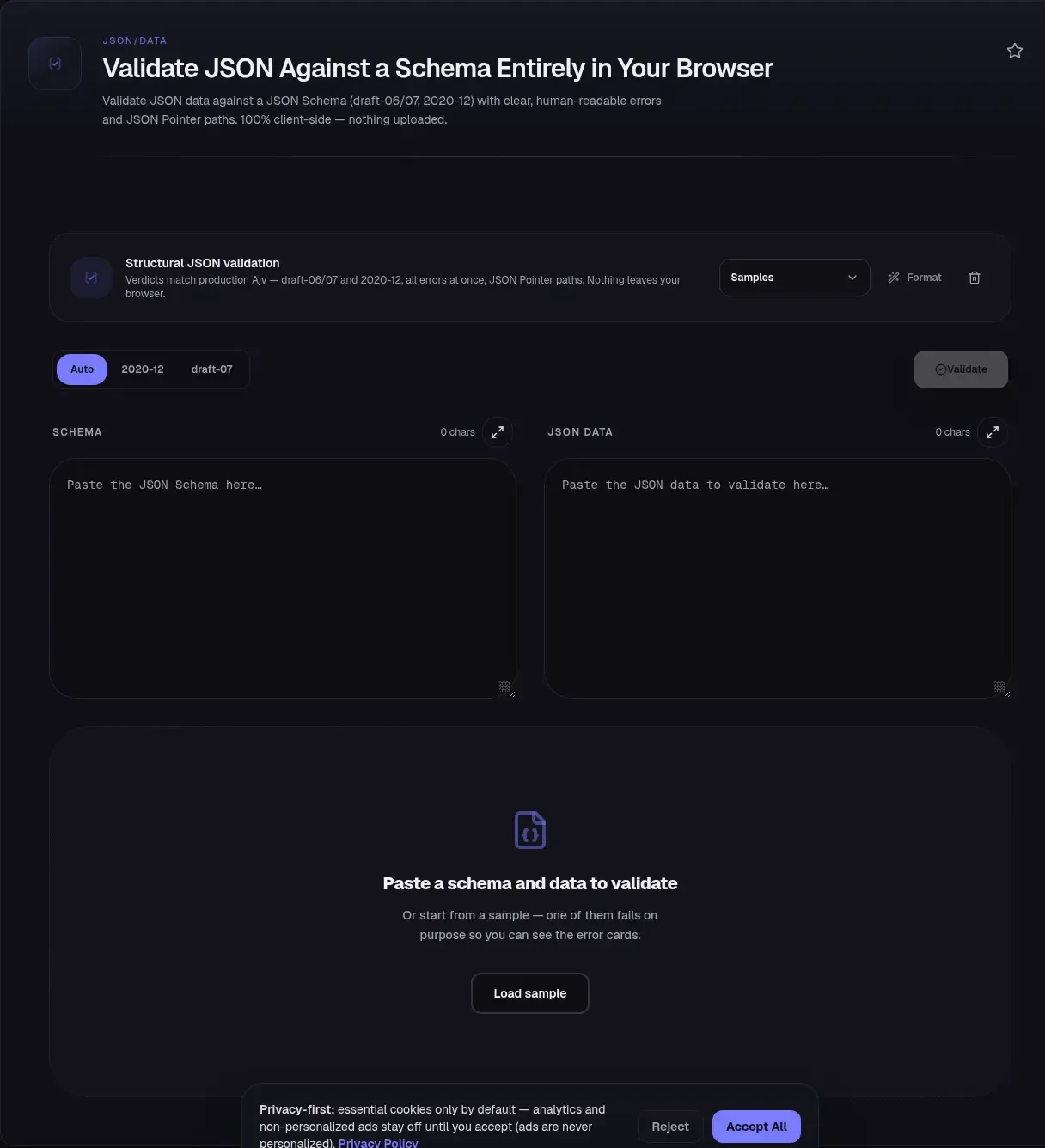
This JSON Schema validator does one job well: it checks your data against a schema entirely in your browser, with no upload and no server round-trip. Paste a schema on the left, data on the right, and you get every failure listed with its path, the keyword that tripped it, and the value that caused it. Validation runs as you type, powered by Ajv, the engine behind a large share of production JSON Schema validation in Node.js.
The engine matters because it is the same one your production stack likely runs: Ajv was downloaded more than 270 million times in a single week (npm download statistics, 2026). Schema validation is everywhere: API contracts, config files, Kubernetes manifests, test fixtures. When data fails one, the error usually arrives as a cryptic pointer and a bare keyword name. This page turns that into plain English, and your document never leaves your device to get it.
Key Takeaways
- Validation runs entirely in your browser using Ajv, the engine behind a large share of production JSON Schema validation in Node.js; nothing you paste is uploaded or stored.
- Draft-06, draft-07, and 2020-12 are supported, with the draft auto-detected from the
$schemaURI and shown as a chip.- Every error arrives as a pointer-style path with a humanized explanation, the failed value, and its type; all failures are collected, not just the first.
- A schema that fails its own metaschema gets a distinct "your schema is invalid" state, separate from any data problem.
What Is JSON Schema Validation?
JSON Schema validation is the act of checking a JSON document against a schema, which is itself a JSON document describing the shape data should have: which properties exist, their types, their formats, how arrays and nested objects behave. The JSON Schema 2020-12 core specification defines the vocabulary that makes this portable across tools and languages.
That portability is the point. The same schema can guard a REST API payload in Node.js, a config file in Python, and a form payload in a browser, because each ecosystem has a validator implementing the same keyword semantics. The 2020-12 validation specification defines what keywords like type, required, and enum must mean. When you validate JSON against a schema here, you are checking exactly what your production validator will check, not an approximation of it.
Why ToolSura's Validator Runs Entirely in Your Browser
The schema and data panes never leave your machine. That is a deliberate design decision: validation happens in a local JavaScript runtime, so nothing is transmitted, logged, or stored on a server. You can watch this yourself. Open your browser's DevTools network tab, paste your most sensitive document, and watch the request list stay empty.
Run that same check on any validator you plan to feed sensitive data, because not every online one works this way. The incumbent, jsonschemavalidator.net, validates on a server: load it, open the network tab, run a validation, and watch both panes POST to an endpoint that parses them. If you are checking customer payloads, API fixtures, or anything with secrets embedded, an upload is a data-handling decision you might not have thought you were making. Here there is no upload, full stop. The page also works offline once loaded, so a flaky connection does not stop you mid-debug.
The engine is Ajv, deliberately. Ajv describes itself as the fastest JSON Schema validator for Node.js and browsers, and it supports draft-04, 06, 07, 2019-09, 2020-12, and JSON Type Definition. This page uses the same package, so when your service runs the same Ajv build with the same format configuration, verdicts match: data that fails here fails there the same way. The one deliberate difference is that remote $ref values are never fetched, because a network fetch would defeat the no-upload guarantee. External references produce a clear error telling you to inline the target or use $defs.
How to Validate JSON Against a Schema
The workflow is two panes and a few seconds. Everything below maps to what you see on the page.
- Paste your schema into the left pane. The
$schemaURI is detected automatically and shown as a chip, for example "detected: draft-07". If your schema has no$schemaat all, the tool assumes draft-07 and says so plainly. - Paste your data into the right pane. Validation starts as you type, deferred so a large paste does not lock the tab.
- Check the draft chip, and override it if needed. A segmented control lets you switch between Auto, 2020-12, and draft-07. Use it when your schema is silent about its draft, or when you want to preview a migration.
- Read the error list. Each error shows a pointer-style path like
$.items[2].price, a plain-English message that names the keyword and explains it, a short value preview with its type such as"12.50" (string), and the failed keyword itself. - Fix, filter, and export. The path filter input narrows the list to the part of the document you are working on. Copy errors as JSON for a ticket, a pull request, or a CI log.
Malformed JSON in either pane is not a schema failure. It gets its own parse error with a line and column number, so you can find the stray comma before worrying about keywords. Three loadable sample schemas let you try the flow before you trust it with your own document.
Which Draft Do You Have, and Why It Matters
Look at the $schema URI at the top of your schema before anything else. It names the dialect your keywords are written in (the specific version of the keyword vocabulary), and the tool reads it to pick the validator build: draft-06 and draft-07 run on Ajv's main v8 build, while 2020-12 runs on a separate build that cannot be mixed with older drafts in the same instance, a constraint documented in Ajv's JSON Schema guide.
Draft confusion is not theoretical, because 2020-12 broke keyword semantics. Per the official 2020-12 release notes, the items and additionalItems keywords were replaced with prefixItems and items, meaning the same keyword name now does different work depending on the draft. A draft-07 schema that uses items to validate all array elements will behave differently under 2020-12, where items applies only after prefixItems. definitions became $defs, and $recursiveRef became $dynamicRef. If you skip the $schema URI, you are guessing, and the validator is guessing too. That is why the draft chip exists: it shows you the assumption in play rather than hiding it.
The meta-schemas themselves pin the identities: draft-07, draft-06, and the 2020-12 meta-schema each declare their $id. Your schema is checked on load against the matching metaschema, the schema that defines what a valid schema looks like. If it fails, you get a distinct "your schema is invalid" state instead of a wall of confusing data errors. An unsupported $schema URI gets its own explicit "unsupported draft" message, so a typo in the URI never masquerades as a broken document.
Why Your Property Isn't Required (and Other Keyword Surprises)
The single most common JSON Schema complaint: a property is in properties, data omits it, and validation still passes. That is correct behavior, not a bug. As the official reference on required properties in JSON Schema states, properties defined in properties are not required by default. Listing a property in properties only constrains it if it appears; required is the keyword that demands its presence.
The second surprise is format. You write format: email, test with a string that is plainly not an email, and validation passes. In 2020-12, format is an annotation vocabulary by default, not an assertion: the spec requires that implementations be able to disable format evaluation, and it makes assertion behavior optional, per the 2020-12 validation specification. In draft-07 the validation specification says implementations may support format as an assertion, which is why validators disagree.
This tool closes that gap with ajv-formats, which turns email, uri, date-time, uuid, and the other named formats into enforced assertions. A chip on the page counts the formats it enforces, because silent differences between validators are exactly how a schema passes in one place and fails in another.
Schema Validation Is Not Syntax Validation
A green pass from this tool means two different things, and conflating them wastes debugging time. Syntax validation asks: is this valid JSON at all, with matched braces, quoted keys, no trailing commas? Schema validation asks: given valid JSON, does it match the shape this schema demands? A document can be syntactically perfect and still fail every rule you care about, and a document with a missing comma fails before schema validation can even start.
This is why the tool separates the failure modes. Invalid JSON produces a parse error with a line and column. Valid JSON that does not match the schema produces keyword failures with paths. If you only need the first kind of check, a syntax-level formatter is the faster tool for that job. If you are comparing two documents that already parse, a side-by-side diff beats re-validating both.
A Pass Is Not a Proof of Correctness
One more distinction, because it bites teams during migrations. Validation checks data against the schema you wrote, not against what you meant. If the schema is too loose, wrong data passes. If it lists the wrong draft or uses a keyword that changed meaning, wrong data also passes. A clean result tells you the data matches the schema, and nothing more.
The defense is to treat the schema as code, not as documentation. Review it, test it with known-bad payloads, and generate a starting point when you have representative data: our schema generator emits draft-07 schemas that this validator checks directly, and you can tighten them here.
Where Schema Validation Shows Up in the Wild
If you write OpenAPI, you already write JSON Schema. The OpenAPI Specification v3.1.0 defines its Schema Object as a superset of JSON Schema Draft 2020-12, so a 3.1 API contract is largely a 2020-12 schema with OpenAPI extensions layered on. Testing a payload against one of your component schemas here, on the 2020-12 draft, gives you a fast answer long before your API gateway gives you a slow one.
Kubernetes leans on schemas too. Custom Resources are validated against the schema in spec.versions[].schema.openAPIV3Schema, and with apiextensions.k8s.io/v1 a structural schema is mandatory, per the Kubernetes CustomResourceDefinitions documentation. Those schemas are written as YAML, so a JSON-to-YAML converter is handy when your workflow runs the other direction.
The everyday cases are quieter: config files for services, event payloads in a message bus, test fixtures for API clients, fixture drift in CI. Ajv's own ubiquity makes the point: an enormous amount of the software you use validates this way in production. This page just shows you what that engine would say, before your pipeline says it.
Reading JSON Schema Validation Errors Like a Compiler
Every error from this tool tells you what to fix, not just that something failed. The path follows JSON Pointer (RFC 6901), the IETF syntax for identifying a specific value inside a JSON document. RFC 6901 pointers look like /items/2/price; this tool renders them as $.items[2].price, a display convention common in tooling that keeps the $ root prefix and bracket-style array indices. Ajv itself reports the canonical form through instancePath, per the Ajv API documentation.
Each error pairs the path with a humanized message that names and explains the keyword, so a missing field reads email is missing at $.customer — it is listed in required, so it must be present. You know what failed and what to do about it. The value preview shows the offending value with its type, such as "12.50" (string) when a number was required, because a string that looks like a number is the single most common type failure in real payloads.
You see all of them, not one at a time. By default Ajv returns after the first error, as its options documentation notes, which is fine for a hot path in production and miserable for a human fixing a document. This tool collects every error, renders the first 50, and the error-count chip always shows the true total, even past the cap. The path filter narrows the list when 50 errors all descend from one bad subtree, and copy-as-JSON exports the errors it shows along with the true total, for a ticket or a CI log.
Related Tools
- Generate a JSON Schema from sample data when you have representative data and need a starting schema, which you can then tighten and test here.
- JSON Formatter & Validator for syntax-level checks when the question is whether the document parses at all, not whether it matches a schema.
- Compare two JSON documents side by side when both documents are valid and the question is where they differ, with the same two-pane layout this tool uses.
- Convert JSON to YAML when a validated schema needs to ship as a Kubernetes CRD or any YAML-based config.
- JSON Guide: 21 Tools and Guides Indexed by Problem