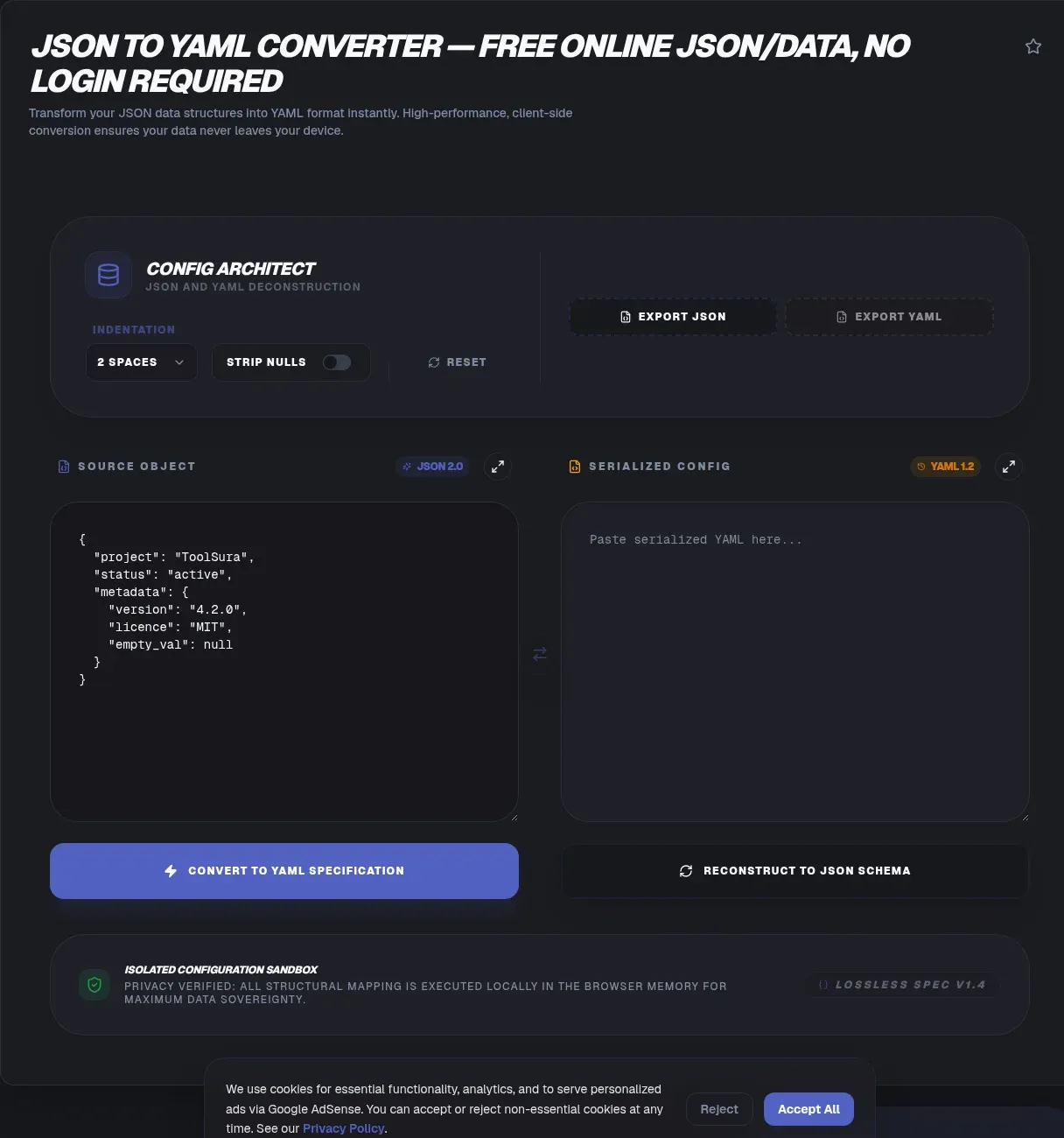
A JSON to YAML converter turns brace-heavy machine output into the indented format people actually read and edit. ToolSura's version processes everything in your browser, so the whole job is paste, convert, copy. Demand for this small task is enormous: the js-yaml library alone recorded 291,799,523 weekly downloads on npm for the week of August 15 to 21, 2026 (npm registry).
That locality matters because config files carry sensitive cargo: database URLs, API tokens, signing keys. With a client-side converter, your text never leaves your device, so nothing touches a server, a queue, or a log file. This guide walks through the fast workflow, the YAML quirks that bite experienced developers, and honest advice on when JSON remains the better choice.
Key Takeaways
- ToolSura converts JSON to YAML entirely client-side, so secrets stay on your machine.
- YAML 1.2 was designed as a strict superset of JSON.
- js-yaml logged 291.8 million weekly npm downloads in August 2026.
- Unquoted
noparses as false under YAML 1.1 rules.- Use YAML for human-edited configs and JSON for machine payloads.
What Is a JSON to YAML Converter?
A JSON to YAML converter translates between two serialization formats without changing the underlying data. Both express mappings, sequences, and scalars; YAML swaps braces, quotes, and commas for indentation. The name is the recursive acronym YAML Ain't Markup Language, defined as a data serialization language designed to be human-friendly (YAML 1.2.2 specification).
Direction matters, though. JSON to YAML produces something engineers can annotate, review, and hand to platform teams. YAML back to JSON feeds strict parsers and API request bodies. A dependable converter handles both directions, preserves nesting exactly, and surfaces ambiguity instead of resolving it quietly.
How Do You Convert JSON to YAML in Under a Minute?
Four steps cover it, and none involve watching an upload progress bar, because the conversion happens on your machine. Skipping the network is where the speed comes from: no transfer, no queue, no waiting on somebody else's processing slot.
- Validate the JSON first. A quick formatter pass catches trailing commas and stray brackets before conversion, which prevents garbage-in results.
- Paste the JSON into the input panel, or drop the file straight in.
- Read the YAML output panel, which updates as you type. Two-space indentation, the common default, matches most style guides you will encounter.
- Copy the result or download it as a .yaml file.
If a conversion ever fails, the culprit is almost always malformed JSON upstream, so fix the input rather than hunting through settings.
Is JSON Valid YAML?
Yes, essentially. The YAML 1.2 history section states that its primary focus was 'making YAML a strict superset of JSON' (YAML 1.2.2 specification), which is why well-formed JSON pastes convert cleanly. Version 1.2 shipped in October 2009; the current published revision is 1.2.2, dated October 1, 2021, an errata release with no normative changes.
Superset status has limits in practice. The spec treats duplicate mapping keys as an error, yet some libraries keep the last occurrence instead of failing, and parser schema modes disagree on how aggressively scalars get coerced. Treat clean conversion as the norm and verify edge cases whenever the file actually ships.
Why Is YAML the Default for Kubernetes, Helm, and CI/CD?
Kubernetes explains the division of labor plainly: manifests are YAML by convention, while the API is JSON-first, so kubectl must send object data as JSON in the request body, converted from your manifest (Kubernetes: Working with Objects). People write YAML; systems trade JSON.
Helm builds on the same convention. Every chart requires a Chart.yaml, which the project describes as 'a YAML file containing information about the chart,' and values files are formatted in YAML (Helm: Charts).
Continuous integration tools converged similarly. GitHub Actions workflows are YAML files under .github/workflows/ (GitHub Actions workflow syntax), GitLab CI pipelines are defined in .gitlab-ci.yml (GitLab CI/CD YAML syntax), and Docker Compose documents compose.yaml as its preferred default filename (Docker Compose application model).
Five platforms, one formatting convention. That is why JSON to YAML conversion shows up constantly in infrastructure work: you pull structured data from an API or database, then reshape it into a manifest a colleague can review before it deploys.
What Is the Norway Problem in YAML?
The Norway problem is the most-cited parsing trap in practitioner literature: under YAML 1.1 rules, the country code NO parses as boolean false, and it drags no, on, off, yes, y, and n along with it. In the classic list [dk, fi, is, no, se], the fourth entry silently becomes false (The YAML Document From Hell).
YAML 1.1 resolved roughly twenty case variants of y, n, yes, no, on, off, true, and false as booleans; YAML 1.2 narrowed implicit booleans to true and false only (YAML 1.2.2 specification). Widely deployed parsers such as libyaml and PyYAML still implement 1.1 semantics, so the trap lives on wherever those run.
The fix costs nothing: quote anything ambiguous. Writing country: 'NO' keeps it a string in every parser, under every spec version, permanently.
Which Other YAML Parsing Traps Catch Developers?
Base-60 interpretation is next. YAML 1.1 read colon-separated integers as sexagesimal numbers, so 22:22 loaded as 1342 and 1:10 as 70 in demonstrated PyYAML behavior (PyYAML issue #395). YAML 1.2 removed the feature, but parser support varies, so unquoted durations and timestamps can still shift meaning depending on which library reads the file.
Duplicate keys cause subtler damage. The YAML 1.2 spec defines repeated keys within one mapping as an error, yet implementations disagree: PyYAML silently keeps the last value, and SnakeYAML Engine exposes a setAllowDuplicateKeys switch implementing last-key-wins semantics. Strict conversion refuses the document outright rather than quietly choosing a winner for you.
Quote time-like values and forbid duplicate keys in your linting, and both categories disappear from your incident reviews.
Are Online JSON to YAML Converters Private?
Many converter pages never say where processing happens. CodeBeautify's JSON to YAML page documents URL fetching, shareable links, and online saving while stating no processing location (CodeBeautify). ConvertJson leaves its processing model unstated as well (ConvertJson). A share link, definitionally, requires the data to reach a server.
jsonformatter.org goes further and saves user data online, warning that saved-but-unsigned entries 'will become public' (jsonformatter.org). For a values file carrying credentials, that is the worst-case posture.
ToolSura takes the opposite approach and says so in plain language: conversion is processed entirely on the client-side, so your text never leaves your browser. No accounts, no share links, no storage. The privacy model is the architecture itself, not a policy you have to take on faith.
Why Does YAML Parser Security History Matter for Conversions?
Parser track records justify healthy paranoia. PyYAML's yaml.load() could execute arbitrary Python code on untrusted input, rated 9.8 Critical as CVE-2017-18342; the maintainers responded by deprecating bare load() and promoting the safe_load() convention (PyYAML deprecation wiki).
Alias expansion produced two more incidents. SnakeYAML allowed billion-laughs entity expansion before v1.26, scored 7.5 High as CVE-2017-18640 (NVD). Go's gopkg.in/yaml.v2 permitted unbounded alias chasing below 2.2.3, CVE-2021-4235 at 5.5 (NVD). That last one gets misattributed to js-yaml constantly; it belongs to the Go library.
js-yaml holds its own entry: code injection through its unsafe load() below 3.13.1, patched in June 2019, with safeLoad() unaffected and 4.x later making load() safe by default (GH Advisory GHSA-8j8c-7jfh-h6hx). OWASP's Deserialization Cheat Sheet still lists SnakeYAML as safe only with SafeConstructor and flags PyYAML's load() as a vulnerable pattern (OWASP).
For a converter, the lessons are to parse defensively and keep the attack surface tiny. A client-side tool gives attackers no server endpoint to feed hostile documents in the first place.
When Should You Keep Your Config in JSON Instead?
Keep JSON when machines are both the writer and the reader. Its stricter grammar leaves less to interpret, every mainstream language parses it natively, and diffs stay predictable. YAML earns its keep where humans edit often; JSON wins where they mostly do not.
Silent retyping is the concrete danger of shuttling machine data through YAML. Depending on parser generation and settings, unquoted values can change type on you: colon-separated times, version-like strings, and two-letter codes have all bitten teams in production. Converting a payload to YAML, tweaking one field, and converting back can alter values nobody touched.
A workable split: YAML at the edges where people review and approve changes, JSON underneath where services talk to each other. Convert at the boundary on purpose, and know which direction you are going.
What Happens to Comments, Anchors, and Aliases When You Convert?
Three features live only on the YAML side. Comments begin with # and have no JSON equivalent, so they vanish the moment you convert back. Anchors (&base) and aliases (*ref) let one node stand in for repeated blocks; conversion output is plain mappings and sequences, so you add anchors after converting if you want them.
Round trips are asymmetric in general. JSON to YAML and back preserves structure and types faithfully with a 1.2-compliant parser, while YAML authored with comments and anchors loses exactly the parts that made it pleasant. Keep hand-written YAML as the versioned source of truth and treat generated YAML as disposable.
Can This Handle Large JSON Files Without Uploading Them?
There is no server-imposed size cap, because there is no upload step to impose one. Conversion runs in browser memory, so multi-megabyte JSON is comfortable on a normal desktop; phone-class devices may pause briefly on oversized documents, per ToolSura's own guidance. Closing memory-heavy tabs helps when you are pushing tens of megabytes.
Spreadsheet-scale data benefits from staging. Turn CSV exports into JSON first, then convert to YAML for infrastructure templates. Oversized CSVs split into chunks before the journey, keeping every individual job small enough for smooth in-browser handling.
How Do You Verify a JSON-to-YAML Round Trip?
Verify, do not assume. Forward conversion (JSON to YAML and back to JSON) preserves structure and types reliably with a 1.2-compliant parser. The reverse direction is lossier: comments disappear, anchors expand into duplicated content, and any coercion a 1.1-era parser already applied stays baked into the result.
A three-minute audit catches most problems: reconvert and diff the output against the original, confirm quoted strings like 'NO' survived as strings, and check that version-like values did not turn into numbers. Generating a schema from the source JSON adds a machine-checked contract for the fields that actually matter.
Which Libraries Power Most YAML Conversion Today?
Two JavaScript libraries dominate the space. js-yaml posted 291,799,523 weekly npm downloads for the week of August 15 to 21, 2026, alongside 6,626 stars and a repository push as recent as August 21, 2026 (npm registry; GitHub API).
The yaml package from eemeli, an implementation focused on YAML 1.2, recorded 193,506,903 weekly downloads in the same snapshot (npm registry). Both figures are one-week registry snapshots that include transitive dependency installs, so read them as adoption signals rather than user counts.
Ecosystem depth matters for you directly: parsing semantics are a solved problem in JavaScript, so differences between converters come from features, ergonomics, and privacy posture rather than raw correctness.
Is YAML 1.3 Going to Change Anything?
Not yet, and not until it stops being a draft. YAML 1.3 remains unpublished; the working draft (revision 2022-02-06) carries an explicit disclaimer that readers should not rely on it or cite it as an authority (YAML 1.3 working draft).
That stability is good news for anyone converting files today. YAML 1.2 has held the standard since 2009, collecting only errata since, so output you produce now keeps parsing years from now. Be skeptical of any tool advertising draft-version features; standards-grade YAML has not moved.
Related Tools
ToolSura's converter pairs naturally with the rest of the free toolkit:
- JSON formatter and validator to validate input before you convert anything.
- JSON diff compare to verify round-trip output against the original.
- JSON schema generator to pin a contract on fields teammates depend on.
- CSV to JSON converter for the first stage of spreadsheet-to-manifest pipelines.
- CSV splitter and merger to right-size oversized exports beforehand.
- Base64 encoder decoder for embedded credentials and binary blobs.
- YAML vs JSON — differences and where each fits
Whenever a payload needs a human-readable shape without risking the secrets inside it, the JSON to YAML converter finishes the job privately, right in the tab.