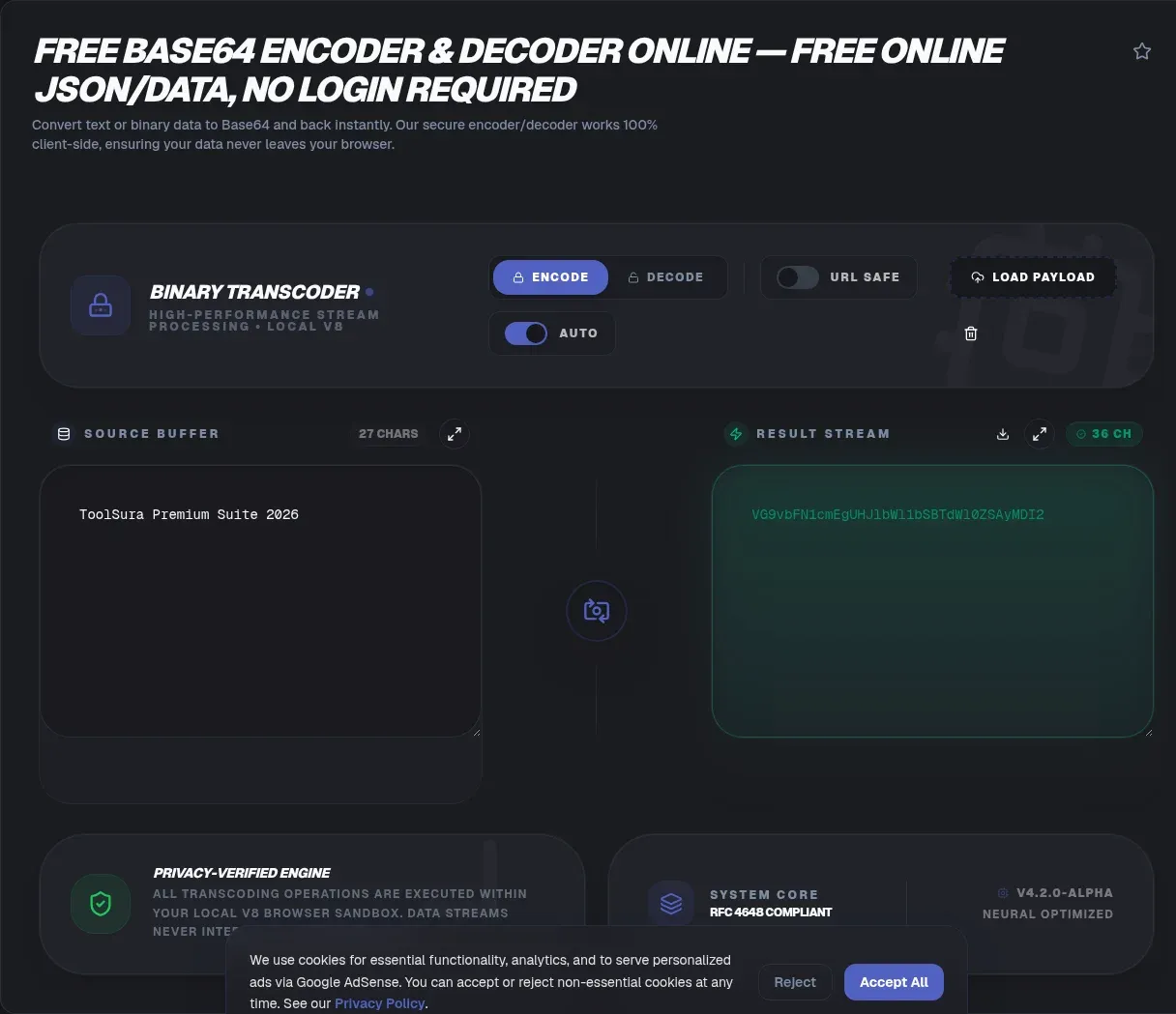
Text, images, and tokens are all bytes underneath, yet big portions of the internet only accept plain letters. Base64 is the bridge: it repacks any bytes into a 65-character alphabet that survives email, URLs, JSON, and XML. ToolSura's encoder and decoder run entirely in your browser, so your text never leaves your device.
Nothing is uploaded, which matters when the payload is a config snippet, a token under inspection, or a log excerpt from production. Below: what Base64 actually does to bytes, why output ends in equals signs, why decoded text sometimes turns to garbage, and when encoding quietly hurts performance.
Key Takeaways
- ToolSura encodes and decodes entirely inside your tab, so text and files never touch a server
- Every 3 bytes become 4 characters, so output is exactly 4/3 the size, about 33 percent larger (RFC 2045)
- Trailing equals signs are padding arithmetic, not hidden data (RFC 4648)
- JWTs use unpadded base64url, swapping + and / for - and _ (RFC 7519)
- Encoding is not encryption: treat every Base64 string as plaintext and never paste live credentials anywhere
What Does Base64 Actually Do?
Base64 repacks binary data into 65 US-ASCII characters: A-Z, a-z, 0-9, the plus sign, the slash, and the equals sign reserved for padding. Each character carries 6 bits, a scheme unified in RFC 4648, published in October 2006 (RFC 4648).
The mechanics are simple bit surgery. Take 3 bytes, or 24 bits, slice them into four 6-bit groups, and map each group to one alphabet character. The standard also requires encoders to zero unused trailing bits, which keeps every output canonical and reversible.
Watch the ladder: f becomes Zg==, fo becomes Zm8=, foo becomes Zm9v, and foobar becomes Zm9vYmFy. These vectors come from the RFC's own test suite, so any correct implementation reproduces them exactly.
Why Does Base64 Output End With Equals Signs?
Equals signs are padding, not data, and their count follows strict arithmetic. Inputs that are not a multiple of 3 bytes leave a remainder, and RFC 4648 makes padding mandatory: a 2-byte tail gets one equals sign, a 1-byte tail gets two (RFC 4648).
Padding keeps decoder blocks aligned at four characters. It also leaks a handy hint: two equals signs mean the original tail was 1 byte, one means 2 bytes, none means a clean multiple of 3. That is why foobar, at exactly 6 bytes, encodes to Zm9vYmFy with no padding.
Some formats skip padding on purpose. JWT segments do, and Section 5 of the RFC permits omission whenever a referencing specification allows it. Tolerance varies by decoder, which is why a padless token validates in some tools and fails in others.
How Much Bigger Does Base64 Make Your Data?
Exactly 4/3, a 33.33 percent increase: three 8-bit bytes become four 6-bit characters carrying the same 24 bits. RFC 2045, the MIME standard that carried Base64 into everyday email, pegs output at consistently about 33 percent larger (RFC 2045). A 1 MB file becomes roughly 1.33 MB of text.
Email adds more. RFC 2045 caps encoded lines at 76 characters, and appending a carriage return plus line feed to each line lifts total growth to about 37 percent. That figure is our computation from the 76-character rule, not an RFC number. Outside email, tools emit one unwrapped line and stay at exactly 33.33 percent.
What Is URL-Safe Base64 and Why Do JWTs Use It?
Standard Base64 output contains + and /, two characters that break inside URLs, path segments, and filenames. RFC 4648 Section 5 defines the URL- and filename-safe alphabet: a hyphen replaces the plus, an underscore replaces the slash, and the RFC insists this variant never be called plain base64 (RFC 4648).
JSON Web Tokens depend on it. RFC 7519 defines a JWT as URL-safe parts separated by periods, carrying the header, the payload, and the signature, each base64url-encoded without padding (RFC 7519). Padding equals signs would interfere with parsing, so compliant tokens never contain +, /, or trailing = signs.
Paste any token into the JWT Decoder to split the segments and read claims such as iss, sub, and exp. For output headed into a query string, the URL-safe toggle produces the same alphabet.
Why Does Decoded Text Turn Into Garbage?
Garbled output almost always signals a character-set mismatch, not corrupted data. Base64 decodes to raw bytes, and displaying UTF-8 bytes through a Latin-1 lens shreds every multi-byte character into fragments like the classic mojibake patterns.
Browsers add a second trap. btoa() accepts only strings whose characters sit below code point 256, so encoding a checkmark or an emoji throws InvalidCharacterError outright (MDN). The name is historical; the limit exists because the function predates native binary types on the web platform (MDN).
The fix is documented on MDN and worth memorizing: push text through TextEncoder, which always produces UTF-8 bytes, encode those bytes, and reverse the trip with TextDecoder (MDN). ToolSura applies this pipeline by default, so emoji, accents, and CJK characters survive a full round trip.
Can Base64 Contain Spaces and Newlines?
Yes, and compliant decoders shrug them off. The forgiving-base64 decode algorithm behind atob() removes all ASCII whitespace first, drops up to two trailing equals signs, and fails only when the remaining length is not divisible by 4 (WHATWG), raising InvalidCharacterError otherwise (MDN).
Email built in this tolerance. RFC 2045 wraps Base64 at 76 characters and obliges decoders to ignore every line break, so MIME-wrapped blocks paste cleanly (RFC 2045). Whitespace is noise; truly invalid characters and impossible lengths are the only hard failures.
Where Did Base64 Come From?
Privacy-Enhanced Mail shipped the recognizable ancestor in February 1993 as RFC 1421: same alphabet, same 3-bytes-to-4-characters rule, wrapped at exactly 64 characters because SMTP carried only 7-bit text in short lines (RFC 1421). MIME generalized the idea for attachments in November 1996.
After that, the timeline moves fast: data URIs in August 1998 (RFC 2397), a consolidated revision as RFC 3548 in July 2003 (RFC 3548), RFC 4648 in October 2006 as the current standard, and JWT support in May 2015 (RFC 7519). Thirty years, six specifications, one core trick.
How Do You Encode and Decode Without Uploading Anything?
Four steps, zero server round trips:
- Paste or type your text, or drop in a file; both modes accept arbitrary bytes.
- Pick standard or URL-safe. Choose URL-safe for tokens and query strings.
- Convert. Encoding and decoding execute as JavaScript inside your tab, on your hardware.
- Copy the result. Output reaches your clipboard straight from memory.
Many popular converters process submissions server-side by default. base64encode.org states it does not keep or inspect submitted content, yet the default flow still routes your text through someone else's infrastructure (base64encode.org); aggregator sites such as CodeBeautify appear to process server-side too.
Local execution deletes that transit entirely. Skeptics can verify in seconds: open developer tools, watch the Network tab, convert something, and see the request log stay quiet after the page loads. GCHQ's CyberChef documents the same client-side architecture and ships downloadable offline builds (CyberChef).
Can You Encode Files and Images Too?
Yes, because every file is just bytes. Small images become data URIs such as data:image/png;base64,... that embed directly in HTML or CSS, a scheme standardized in 1998 (RFC 2397). The Base64 Image Encoder converts files and emits ready-to-paste markup.
One habit before inlining: check what rides along. Photos frequently carry EXIF metadata, sometimes GPS coordinates, and embedding a file embeds its history, so inspect it with the Image Metadata Viewer first. Browsers cap data URLs near 512 MB and block top-level jumps to data: addresses as a phishing defense (MDN).
When Should You Not Use Base64?
Inlining large resources is the classic misuse. In a 2018 scan of 1.2 million sites, HTTP Archive data showed about 31 percent of sites shipping at least one Base64-encoded resource, and inline files ran 20 to 30 percent larger on the wire than fetching directly (Web Performance Calendar). Roughly 27 percent of encoded files appeared more than once per page, duplicating bytes caching would have reused.
The costs compound: a third larger, invisible to separate caching, and parsed before render. Reserve data URIs for tiny icons, small fonts, and placeholders. Among single-pixel images specifically, 44.7 percent of those on mobile pages were data URIs in the 2021 Web Almanac scan, a niche result that should stay scoped (Web Almanac).
Is Base64 Encryption?
No, and the standard says so itself. RFC 4648's Security Considerations state that base encoding provides no computational confidentiality: it adds no entropy and hands analysts a characteristic statistical fingerprint (RFC 4648). Anyone with a decoder reverses it instantly.
Obfuscation is nonetheless a documented abuse pattern. MITRE ATT&CK technique T1027 records malware families using Base64 to hide activity: Hancitor encoded malicious links, Ke3chang encoded shellcode, Action RAT encoded commands and domains, and Shai-Hulud double-encoded stolen secrets (MITRE ATT&CK). Defenders specifically flag base64 chains in scripts.
Leak statistics sharpen the warning. GitGuardian detected 23.77 million new hardcoded secrets in public GitHub repositories during 2024, up 25 percent year over year, and 70 percent of secrets leaked in 2022 remained active two years on (GitGuardian). Treat every encoded string as plaintext and keep live credentials out of web tools.
Where Does Base64 Show Up in Real Systems?
Everywhere bytes meet text-only plumbing: email attachments ride MIME Base64, data URIs embed icons and fonts, and API tokens carry base64url segments. The ecosystem numbers are enormous: the jsonwebtoken package logged over 55 million downloads in a single week, with js-base64 adding another 18 million (npm registry, August 2026). Basic auth headers, certificates, and binary blobs inside JSON fill out the list.
Common Mistakes When Working With Base64
Seven repeat offenders cause most bad outcomes:
- Treating encoding as protection. Base64 conceals nothing; anyone reverses it in one step.
- Using standard mode for tokens. JWTs need the URL-safe alphabet without padding, or parsing breaks.
- Skipping the UTF-8 step. Non-ASCII text pushed through btoa-style functions produces mojibake on decode.
- Stripping padding carelessly. Removing equals signs breaks strict validators expecting mod-4 lengths.
- Confusing sibling encodings. Query strings want percent-encoding (URL Encoder/Decoder); short IDs suit Base62 (Base62 Encoder/Decoder); markup safety belongs to entities (HTML Entity Encoder/Decoder).
- Inlining heavy assets. Larger on the wire, invisible to caching, render-blocking: a losing trade beyond tiny icons.
- Pasting live credentials. Encoded secrets leak exactly like plain ones; rotate anything exposed.
Related Tools
Base64 rarely travels alone, so the surrounding kit matters:
- JWT Decoder: split header, payload, and signature segments and read the claims inside.
- Base64 Image Encoder: turn images into data URIs for HTML and CSS.
- URL Encoder/Decoder: percent-encode query parameters correctly.
- Base62 Encoder/Decoder: compact alphanumeric IDs with no padding.
- HTML Entity Encoder/Decoder: make text safe inside markup.
- Image Metadata Viewer: check EXIF before an image gets embedded anywhere.
Encoding should be boring: paste, convert, copy, done, with bytes staying put. The Base64 Encoder & Decoder keeps it that way, running every conversion on your side of the wire.
Frequently Asked Questions
Does this tool upload my text anywhere?
ToolSura runs every encode and decode inside your browser tab, so your text never leaves your device. Nothing is transmitted, stored, or logged on any server. You can confirm it yourself: open your browser's developer tools, watch the network panel while converting, and you will see no outbound request carrying your input.
Why does Base64 end with equals signs?
The equals sign is padding, not hidden data. Base64 converts every 3 bytes of input into 4 characters. When your input is not a multiple of 3 bytes, RFC 4648 requires padding to complete the final group: one equals sign for a 2-byte remainder, two for a 1-byte remainder.
What is URL-safe Base64?
URL-safe Base64 swaps the plus sign for a hyphen and the slash for an underscore, so output survives URLs, filenames, and query strings unchanged (RFC 4648, Section 5). ToolSura includes a dedicated toggle for this variant, which is also what JSON Web Tokens use for their three segments.
Why is my decoded Base64 text garbled?
Your bytes are fine; the character interpretation is wrong. Base64 decodes into raw bytes, and displaying UTF-8 bytes as Latin-1 mangles every multi-character sequence into mojibake. Browsers hit a related limit because btoa rejects characters above code point 255. Correct workflows pass text through TextEncoder first, which ToolSura handles automatically.
How much bigger does Base64 make data?
Exactly 4/3, meaning about 33 percent overhead: every 3 bytes becomes 4 characters. RFC 2045 describes MIME Base64 output as about 33 percent larger than the original. Email adds a bit more once lines wrap at 76 characters, which works out to roughly 37 percent total by our calculation.
Is Base64 encryption?
No. Encoding rearranges bits so binary data travels safely through text-only channels, but it provides zero secrecy. RFC 4648 itself states base encoding offers no computational confidentiality. Anyone can reverse it instantly, so treat encoded strings as plaintext. ToolSura decodes anything you paste, exactly like every other decoder will.
Is it safe to paste sensitive text into online tools?
For ordinary strings, the risk is low on ToolSura because nothing leaves your device. The real danger is pasting actual credentials anywhere online: GitGuardian counted 23.77 million new secrets exposed in public GitHub repositories during 2024. Never paste live API keys or passwords into any web tool; rotate anything that leaks.