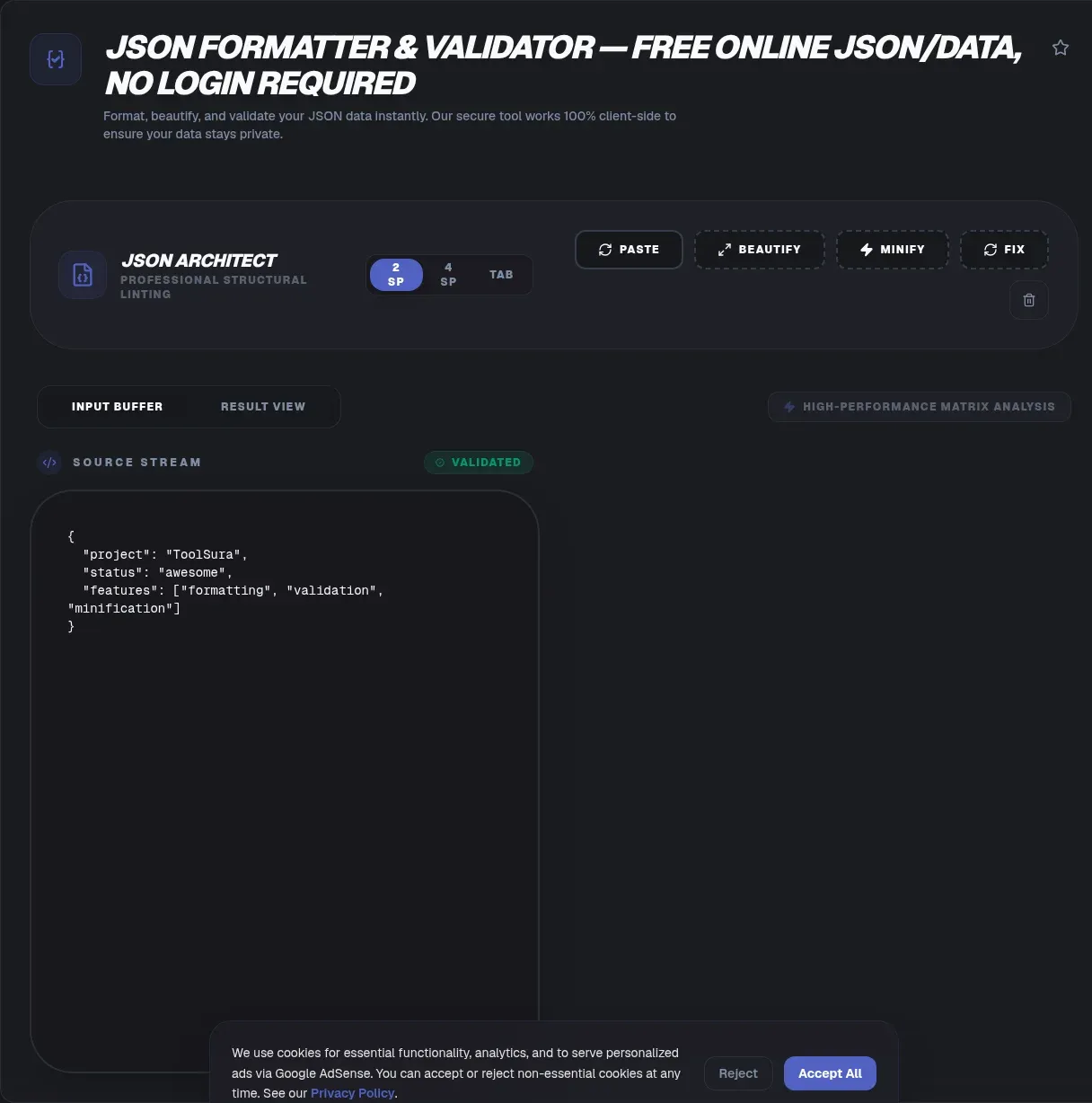
A single stray comma can break a deployment, and vague parser errors make finding it miserable. This free JSON formatter and validator runs entirely in your browser: paste a payload, get instant syntax checking, readable indentation, and compact minified output, all executed by client-side JavaScript with no server involved at any step.
That local design matters more as payloads grow sensitive. API responses carry session state, JWTs embed bearer material, and config files hold credentials. Here, your text never leaves your device: nothing reaches a server log, a cache, or somebody else's storage bucket. Below, learn what validity means, why error messages mislead, and which traps catch experienced developers.
Key Takeaways
- ToolSura formats and validates JSON entirely client-side, so payloads containing tokens or session data stay on your machine
- Valid JSON per RFC 8259 means double quotes, no comments, and no trailing commas
- Integers above 9,007,199,254,740,991 silently change value during parsing (MDN); ship big IDs as strings
- Position 0 errors usually signal encoding trouble, like a byte order mark, rather than broken syntax
- Duplicate keys pass most validators even though receiving software treats them unpredictably, so flag them in review
What Counts as Valid JSON?
Two aligned standards define validity: RFC 8259, the IETF Internet Standard published in December 2017, and ECMA-404 second edition, released the same month and listed by Ecma under the equivalent ISO/IEC number 21778 (ECMA-404). The whole grammar fits on one page, which is why machines enforce it perfectly.
A JSON document may contain only six structural characters ({ } [ ] : ,), strings in double quotation marks, numbers, and the three literal names true, false, and null. Keys must be double-quoted strings, single quotes are illegal, and the grammar contains no comment syntax at all (RFC 8259).
The practical consequence: a config file with comments or trailing commas is not valid JSON, whatever your editor claims. Extensions exist, but a validator's job is reporting what every downstream parser will accept.
Why Is "Unexpected Token at Position N" So Vague?
Vagueness is a side effect of speed. Single-pass parsers read left to right and stop at the first byte that cannot extend a valid token, so the reported offset often lands after the real mistake. The classic case: a missing comma on one line produces an error pointing at the next line's opening quote.
Engine wording differs too. Classic V8 reported Unexpected token a in JSON at position 12, SpiderMonkey reports a line and column, and JavaScriptCore says Unexpected EOF. Recent versions of Chrome and Node began including a snippet of the offending input, yet the same broken document still yields different messages per browser.
Developers feel the pain: one canonical Stack Overflow question about this error collected roughly 78,580 views (Stack Overflow). Messages say where parsing stopped, not what broke, so the next sections map the usual suspects.
Why Do Encoding Problems Show Up at Position 0?
Position 0 usually means the bytes are wrong before syntax gets a vote. A byte order mark at the start of a file reads as character code 65279, which no JSON grammar accepts, and UTF-16 encoded files trigger the same confusion. Empty responses fail identically.
HTML error pages cause the rest: a gateway returns markup with a 200 status, and the parser dies on the first angle bracket. Before hunting syntax bugs, strip any BOM, confirm UTF-8 encoding, and log the raw response body.
Why Do Trailing Commas Fail Validation?
The grammar defines no comma before a closing bracket, so [1, 2, 3, 4, ] fails with Unexpected token ] in JSON at position 13 (MDN). The parser meets a token where it expects another value or the array's end. JavaScript object literals tolerate trailing commas; JSON deliberately does not.
Most cases come from hand-edited files and string builders. Assembling JSON by joining comma-separated fragments leaves a dangling separator, and validation catches it instantly. Fix the generator, not just the file.
Are Duplicate Keys Legal in JSON?
Grammatically, yes, which surprises experienced developers. RFC 8259 states that object names SHOULD be unique, then warns that the behavior of software receiving duplicates is unpredictable: implementations keep the last pair, report an error, or return all pairs (RFC 8259). Validators happily pass {"a": 1, "a": 2} without comment.
That silence hides risk. Your staging parser might keep the last value while production keeps the first, and both act correctly per spec. Treat repeated keys as review findings before trusting a merged config.
Why Do Large IDs Change Value When Parsed?
JavaScript stores numbers as IEEE 754 binary64 floating-point values, exact for integers only up to 9,007,199,254,740,991, that is 2^53 - 1. RFC 8259 recommends targeting that format and calls it the range interoperable implementations agree on (RFC 8259). Parse a 20-digit ID like 12345678901234567890 and it returns mutated, silently.
Serialization bites from the other side. BigInt values throw a TypeError in JSON.stringify instead of converting, and undefined values and functions quietly disappear from objects (MDN).
The fix costs nothing: transmit large identifiers as strings, which the grammar handles natively. Stuck with legacy payloads? MDN demonstrates lossless recovery using the JSON.parse reviver argument with BigInt (MDN).
What Is the Difference Between Beautifying and Minifying?
Beautifying adds indentation and line breaks for humans; minifying strips every optional whitespace byte for machines. Both preserve the data exactly. One documented quirk: JSON.stringify clamps requested indentation at 10 spaces per level and truncates a string indent to its first 10 characters (MDN).
Choose by audience: beautified JSON for reviews, logs, and debugging; minified JSON for the wire and storage. Formatting never touches keys or values, so switching between the two is always safe.
How Do You Format and Validate Without Uploading Anything?
The entire workflow stays on your hardware:
- Paste or drop your JSON into the editor; parsing starts immediately, inside the tab.
- Validation runs locally through client-side JavaScript applying the RFC 8259 grammar, with line-numbered errors as you type.
- Fix flagged issues, from trailing commas to encoding artifacts, using the explanations above.
- Beautify or minify, then copy or download the result, processed entirely on your machine.
- Prove the silence: open the Network tab in developer tools and format something; after page load, no outbound request carries your text.
Competing tools vary, stated fairly. jsonlint.com calls itself a validator and reformatter but makes no statement about client-side versus server-side processing (jsonlint.com); CodeBeautify does not disclose its processing location (CodeBeautify). jsonformatter.org claims browser-side validation yet publishes unsaved shared links publicly unless you register, per its own documentation (jsonformatter.org). jsonlint.app stays local except its optional AI assistant (jsonlint.app). Silence proves nothing either way, but unverifiable handling means trusting strangers, while a client-side tool lets you watch the empty network log yourself.
There is no artificial cap defending a server quota; the practical ceiling is your device's memory, far beyond typical API responses.
Why Does Local Validation Matter for Tokens and API Responses?
API payloads routinely carry security material. RFC 8725, the IETF best current practice for JSON Web Tokens published in February 2020, formalizes how JWTs package signed and encrypted claims, and bearer tokens travel inside ordinary JSON responses (RFC 8725). Pasting such payloads into validators with unverifiable handling is an operational risk.
History explains why dedicated parsers exist: RFC 8259's security considerations call parsing JSON with eval() an unacceptable security risk, and note that U+2028 and U+2029 are legal JSON yet broke pre-ES2019 JavaScript (RFC 8259). A real parser solves both, and it runs locally here.
Simple rule: if a payload could authenticate, identify, or bill someone, validate it where the data already lives.
What Is Prototype Pollution?
Prototype pollution occurs when attacker-controlled keys reach object internals. MITRE catalogs it as CWE-1321: keys like proto, constructor, or prototype can modify object prototype attributes through recursive merge or clone paths, with consequences including application data modification and denial of service, rated high likelihood (CWE-1321).
Exploits shipped in the wild: cited exemplars include CVE-2018-3721, CVE-2019-10744, CVE-2019-11358, and CVE-2020-8203, a vulnerability family in lodash's recursive merge functions triggered by crafted JSON keys (CWE-1321). JSON.parse yields harmless plain objects; vulnerable downstream merging weaponizes them.
Stay alert whenever parsed JSON feeds deep merges, especially in server-side ingest code, and prefer tools that never rebuild objects from raw keys.
How Did JSON Displace XML?
Decisively, with eras worth labeling. A peer-reviewed KIT Karlsruhe survey of the 45 most popular APIs found 89 percent support for JSON versus 58 percent for XML across December 2013 and January 2014 (KIT/SALAD paper). An independent analysis of 4,453 registry entries traced JSON-only APIs from roughly one in five in 2011 to four in five by October 2016. Both figures describe past eras, not current market share, and ProgrammableWeb closed in 2022.
Current usage remains JSON-native: Postman's 2025 State of the API report, a self-reported survey of more than 5,700 developers, architects, and executives, puts REST at 93 percent of respondents, with webhooks at 50 percent, WebSocket at 35 percent, and GraphQL at 33 percent (Postman). JSON Schema ranked first among schema preferences.
Scale confirms it: the json5 parser alone recorded roughly 226.7 million weekly npm downloads at the time of writing, a snapshot that moves daily (npm json5). JSON handling is plumbing now, which is exactly why correctness tooling still matters.
Who Created JSON Lint?
Attribution goes wrong surprisingly often. Zach Carter created the original JSON Lint in March 2010 and released it under the MIT license (zaach/jsonlint). Kris Zyp is frequently miscredited: Zyp authored the original JSON Schema specification draft in December 2009, a separate and equally foundational contribution.
The lineage continues: the jsonlint npm package still credits Carter and drew roughly 280,000 weekly downloads at the time of writing (npm jsonlint), while jsonlint.com runs on the @jsonlint/core engine crediting his implementation (jsonlint.com).
Common Mistakes When Formatting JSON
Eight repeat offenders cause most broken payloads:
- Single quotes around keys or strings. JSON accepts only double quotes; JavaScript habits do not transfer.
- Trailing commas left by generators or manual edits, fatal in JSON though legal in modern JavaScript.
- Comments of any kind. Move notes into docs or a schema description field.
- Raw newlines inside string values, which must be escaped rather than inserted literally.
- Wrong-cased literals: True, False, and None arrive from Python and fail; JSON requires true, false, null.
- Big numeric IDs sent as numbers, mutating past 2^53 - 1. Quote them at the source.
- Encoding artifacts like BOMs and UTF-16 files, causing position 0 errors that mimic syntax bugs.
- CSV pasted wholesale. Spreadsheets need conversion first; the CSV to JSON Converter does it in your browser too.
Every item above fails fast once you know the grammar, and the validator flags each one on paste.
Frequently Asked Questions
Does this tool upload my JSON anywhere?
No. ToolSura runs its formatter and validator entirely inside your browser tab using client-side JavaScript, so your text never leaves your device. Nothing is uploaded, stored, or logged. Open your browser's developer tools, watch the Network panel while formatting, and you will see no outbound request carrying your JSON.
What counts as valid JSON?
Per RFC 8259, valid JSON uses double quotes for keys and strings, allows no comments and no trailing commas, and permits only six structural characters plus numbers and the literals true, false, and null. Anything outside that grammar, including single quotes or unquoted keys borrowed from JavaScript, fails validation.
Why do large numbers change value after parsing?
JavaScript parsers convert JSON numbers to IEEE 754 double-precision floats, which represent integers exactly only up to 9,007,199,254,740,991, two to the 53rd power minus one. Longer database or payment IDs silently mutate on parse, so transmit big identifiers as strings. ToolSura parses locally, and MDN documents lossless recovery using a reviver with BigInt.
Is my data safe with online validators?
Yes, when validation happens locally. ToolSura processes everything on your machine, so payloads containing tokens, session data, or customer records stay put. Some competing validators do not disclose their processing location, and one publishes unsaved share links publicly without login. Checking where code runs before pasting sensitive payloads takes seconds.
How do I fix 'Unexpected token in JSON at position 0'?
Position zero usually means the payload is not JSON at all. Check for a byte order mark (character code 65279), UTF-16 encoding instead of UTF-8, an HTML error page, or an empty response before hunting syntax bugs. Strip the BOM, re-encode to UTF-8, then validate again.
Are duplicate keys legal in JSON?
Grammatically yes, which surprises many developers. RFC 8259 states object names should be unique because receiving software behaves unpredictably otherwise: some parsers keep the last pair, some raise an error, and some return every pair. Treat duplicate keys as a code review problem, not just a syntax problem.
Does formatting or minifying change my data?
No. Beautifying adds indentation and line breaks while minifying strips optional whitespace; both preserve every key and value. ToolSura performs both operations locally with standard serialization rules, so nothing changes semantically. One caveat applies everywhere: undefined values and functions drop out during serialization, and BigInt values throw errors instead of converting.
Related Tools
Validation fits a wider local-first pipeline, and every tool below runs in your browser too:
- JSON Diff & Compare: spot every structural difference once both documents validate.
- CSV to JSON Converter: turn spreadsheet exports into clean, valid JSON.
- JSON to YAML Converter: reshape validated JSON into YAML for config files.
- JSON Schema Generator: generate a schema and guard inputs beyond bare syntax.
- Base64 Encoder & Decoder: decode nested Base64 payloads inside JSON strings.
- URL Encoder & Decoder: encode URLs safely inside JSON string values.
Clean JSON should not cost you privacy. Point the JSON Formatter & Validator at your next payload, watch the Network tab stay quiet, and keep every byte on your side of the wire.