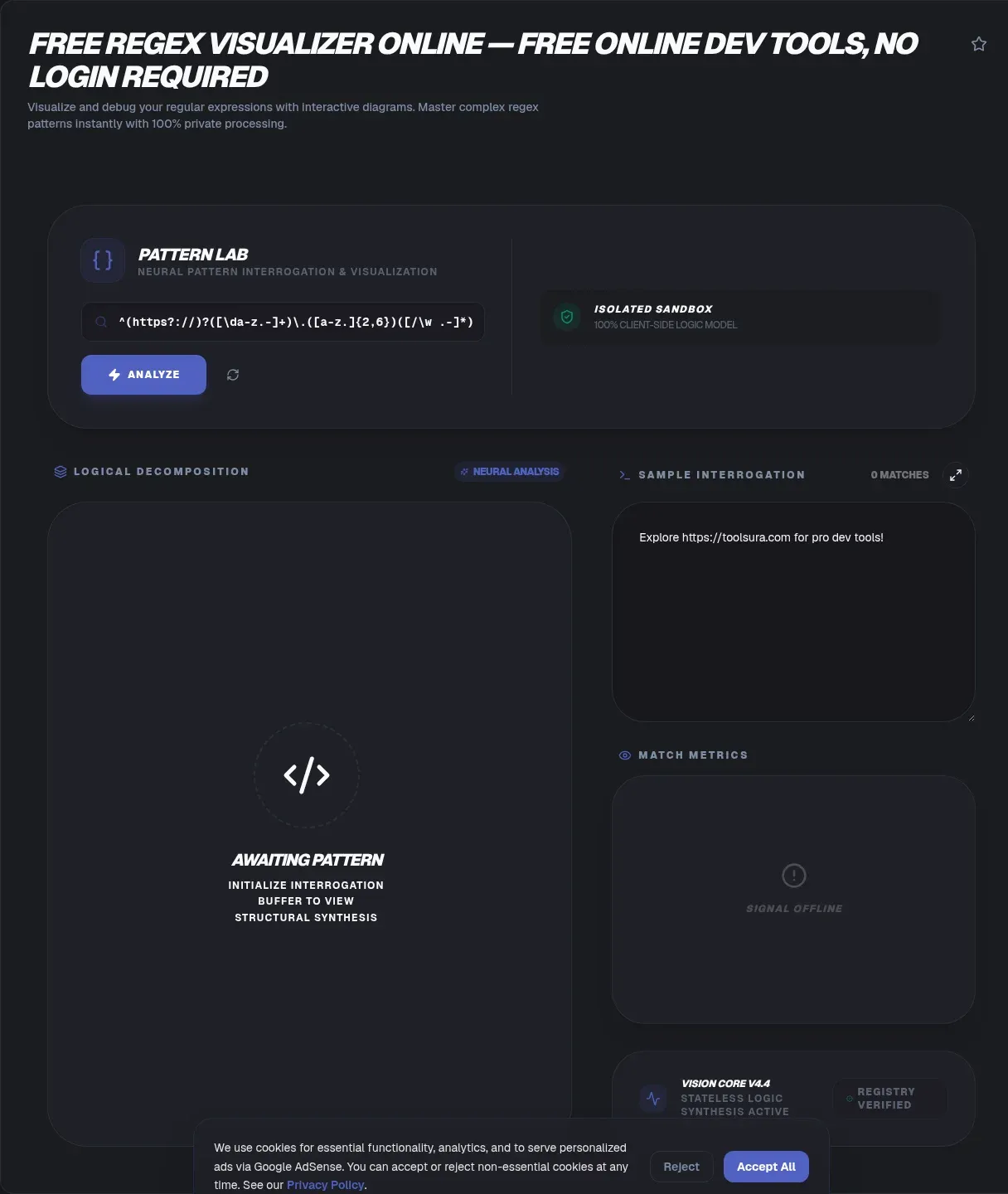
The ToolSura Regex Visualizer turns any pattern into a picture, drawing a railroad-style diagram right in your browser as you type. Paste an expression, watch its structure appear as paths, loops, and forks, then add sample text to see matches light up on both the diagram and the words themselves.
Nothing leaves your device while you work. Per the tool page, processing runs locally with no data transmission to servers, no signup stands in the way, and finished diagrams export as high-quality SVG files for documentation and reviews Source.
Why Regular Expressions Are Hard to Read
A dense pattern is a program compressed into one line. Nested groups stack inside each other, quantifiers attach silently to whatever precedes them, and alternation branches sprawl wider than any editor wants to wrap. Reading such a line means simulating an engine in your head, and humans simulate engines badly.
Visualization moves that simulation onto the page. Structure that took squinting becomes geometry: chains for literals, loops for repetition, forks for alternatives. The difference is not cosmetic; comprehension errors in patterns translate directly into matching bugs and, in the worst cases, outages that make industry headlines.
What a Railroad Diagram Shows
Railroad diagrams borrow from syntax-reference tradition: reading left to right along the tracks mirrors how the engine walks the input. Each element occupies a station. Quantifiers render as loops you can traverse repeatedly, alternations split the track into parallel branches that reconverge, and groups draw nested sub-diagrams inside their parents.
The tool page describes exactly this rendering style, covering quantifiers, capturing groups, and character classes as first-class structures Source. Zero-width assertions appear as annotated checkpoints, which makes lookaround logic legible instead of mystical.
How This Visualizer Works
Paste or type a pattern into the input field and the diagram regenerates instantly with every keystroke, per the tool's documented behavior Source. Component-by-component explanations accompany the drawing: a dot renders with its plain-language meaning, a star with its zero-or-more semantics, so the tool doubles as a teacher for readers still learning notation.
The page includes a worked email example, breaking ^([A-Za-z0-9._%+-]+)@([A-Za-z0-9.-]+)\.([A-Z|a-z]{2,})$ into its three capture groups around the separating symbols. Following along with your own variants of such examples is the fastest way to internalize what each metacharacter contributes to the whole.
Live Matches on the Diagram
Structure alone does not prove behavior, so the visualizer pairs the drawing with a test-string field: enter sample text and live matches highlight both on the diagram and inside the text Source. Watching which path lights up for which input connects the static picture to dynamic results in one glance.
That pairing catches classic surprises quickly. Greedy quantifiers visibly swallow more than expected; optional groups reveal whether they participate where you assumed; anchors show exactly which positions the engine considers boundaries. Each discovery costs seconds rather than a debug cycle.
Reading Capture Groups
Capture groups get highlighted treatment with per-component explanations, including numbered groups like those in the worked email example Source. Seeing group boundaries drawn on the diagram resolves the perennial confusion about which parentheses capture what, especially once nesting goes three levels deep.
Named groups earn their keep here too. Dialects write them differently, with JavaScript and PCRE using one angle-bracket form while Python historically prefixed differently, but the concept reads identically as a labeled region on the track. When a diagram makes group intent obvious, downstream code that references those groups stops guessing.
Spotting Dangerous Structure Early
Some shapes are warnings regardless of content. OWASP defines Evil Regex patterns as grouping with repetition where the repeated group itself has repetition or overlapping alternation, citing canonical offenders like (a+)+$, ([a-zA-Z]+)*$, (a|aa)+$, and (a|a?)+$ Source. On a diagram these appear unmistakably as loops inside loops with fuzzy exit conditions.
The stakes are quantitative, not theoretical. OWASP's worked example counts sixteen matching paths for ^(a+)+$ against a short failing input, but 65,536 paths when the input grows to sixteen characters, doubling with every added character Source. A visualizer will not compute path counts for you, yet it makes the pathological topology impossible to miss before code review should.
An Outage Told in Backtracking Steps
Cloudflare's July 2019 global outage remains the definitive cautionary tale. A web-application-firewall rule containing the expression .*(?:.*=.*) hit catastrophic backtracking, pushing CPU usage to nearly 100 percent and taking the company's network down for 27 minutes, with the post-mortem noting the loss of 80 percent of traffic during the incident Source.
The same post-mortem measured the damage precisely: the pattern consumed 23 steps against a simple healthy input, 555 against twenty trailing characters, and 4,067 against twenty that failed to match Source. Remediation included manually auditing 3,868 managed rules and migrating toward linear-time engines. Every one of those steps began life as an innocent-looking line of regex that nobody had visualized.
Dialects: What the Picture Does and Does Not Promise
The tool page states its foundation as standard PCRE logic, the family behind JavaScript, Python, PHP, and Java expressions Source. Treat that as the lens through which your diagram draws, not a guarantee of identical behavior everywhere your pattern might run.
Real dialects diverge in documented ways. Named-group syntax differs between the angle-bracket convention and Python's prefixed form. Lookbehind arrived in JavaScript engines in stages, with Chrome leading in 2017, Firefox following in version 78 during 2020, and Safari completing the set at 16.4 in March 2023 Source. Possessive quantifiers remain a PCRE-family feature. The rule that survives all of this: let the diagram explain structure, then validate final behavior in the exact engine that will run it, using a dedicated tester Source.
Exporting Diagrams for Docs and Reviews
Diagrams earn their place in artifacts. The tool exports railroad drawings as high-quality SVG files suited for design documents, pull-request descriptions, and team wikis, per its FAQ Source. SVG scales cleanly into print and presentation contexts where screenshots turn fuzzy.
Elsewhere in the ecosystem, Regexper offers SVG and PNG downloads plus permalinks, publishes its source openly on GitLab, and licenses generated images under CC BY 3.0 Source. Whatever tool produces them, embedded diagrams age better than inline commentary because they depict structure rather than paraphrase it.
The Broader Landscape
Explanation-forward platforms occupy neighboring niches. regex101 pairs testing with auto-generated explanations, a debugger view, and benchmarking across multiple flavors, defaulting to PCRE2 Source. AI generators now draft patterns from plain-language prompts, and pair naturally with a visualizer that shows what the machine actually produced before anything ships.
The division of labor stays constant across tools: generators propose, visualizers expose structure, testers prove behavior. Teams that chain all three ship patterns with receipts at every stage, which is precisely the discipline the Cloudflare post-mortem argues for.
A Workflow That Sticks
Draft the pattern in plain language first, naming what each piece must do. Draw it in the visualizer until the geometry matches your intent, checking that loops sit where repetition belongs and branches stay mutually exclusive. Run positive and negative samples through the tester, watching match highlighting on both text and diagram.
Then stress the shape: feed inputs longer than production expects and confirm nothing explodes combinatorially. Export the final diagram into your documentation so reviewers see the same picture you validated. Five minutes of this ritual would have flagged every pattern in the incident literature cited above.
Key Takeaways
- Railroad diagrams turn unreadable one-line patterns into visible structure of loops, forks, and groups.
- Live match highlighting connects the static diagram to real behavior in a single view.
- Loops-within-loops topologies mark ReDoS risk; OWASP counts 65,536 paths for sixteen characters of the classic example.
- Cloudflare's 27-minute 2019 outage began with one unvisualized WAF pattern hitting 4,067 backtracking steps.
- Diagrams explain structure, dialects decide behavior: always validate final patterns in the engine that runs them.
Frequently Asked Questions
What is a railroad diagram?
It is a flowchart-style rendering of a regular expression where reading left to right mirrors how the engine walks your input. Literals become track segments, quantifiers become loops, alternations become branching paths, and groups become nested sub-diagrams. Developers find structure errors in seconds on a diagram that would take minutes of careful token-by-token reading to spot.
How do I visualize a pattern in this tool?
Paste or type the pattern into the input field and the diagram draws instantly as you type, according to the tool page. Add sample text in the second field to see live matches highlighted on both the diagram and the text. Hover individual components for plain-language explanations, and check capture groups visually whenever nesting gets deep.
Can a visualizer tell me my regex is too slow?
Indirectly but effectively. Slow patterns almost always show dangerous topologies: repetition wrapped inside repetition with overlapping ways out, the shape OWASP catalogs as Evil Regex. The visualizer makes that geometry obvious. For hard numbers, OWASP's example shows 65,536 possible paths at just sixteen input characters for the canonical nested case.
Which regex flavors does the diagram follow?
The tool page describes its foundation as standard PCRE logic, the family shared by JavaScript, Python, PHP, and Java expressions. Dialects still differ on specifics such as named-group spelling and lookbehind availability, which arrived in Safari only at version 16.4 in 2023. Let the diagram teach structure, then validate behavior in your actual target engine with a tester.
Can I export the diagrams?
Yes. The tool exports railroad diagrams as high-quality SVG files, suitable for documentation pages, pull requests, and slide decks where crisp scaling matters. Elsewhere, Regexper similarly offers SVG and PNG downloads alongside permalinks, licensing generated images under Creative Commons, so diagram-driven documentation has become an established practice across the ecosystem.
Does visualizing replace testing my expressions?
No, and the two answer different questions. The diagram shows intended structure; testing proves actual behavior against real samples. Use them in sequence: draw until the geometry matches your plan, then run positive and negative cases through a tester to confirm the engine agrees. One without the other leaves either intent or reality unverified.
Is my pattern sent anywhere when I use it?
Per the tool page, processing happens locally with no data transmission to servers, and the tool requires no signup. Standard practice still applies for sensitive work: keep proprietary patterns out of any tool whose handling you cannot verify, and treat locally rendered previews as disposable scratch space rather than permanent storage.
Related Tools
Complete the pattern workflow with these companions:
- Regex Tester proves behavior with live match lists.
- AI Regex Generator drafts patterns from plain English.
- JSON Formatter & Validator checks the data your patterns parse.
- Word Counter sizes the text samples you test against.
- Timestamp Converter decodes dates pulled from logs.
- CSV to JSON Converter preps tabular extraction targets.
Before your next pattern ships unreviewed, draw it in the Regex Visualizer and make the structure argue back.