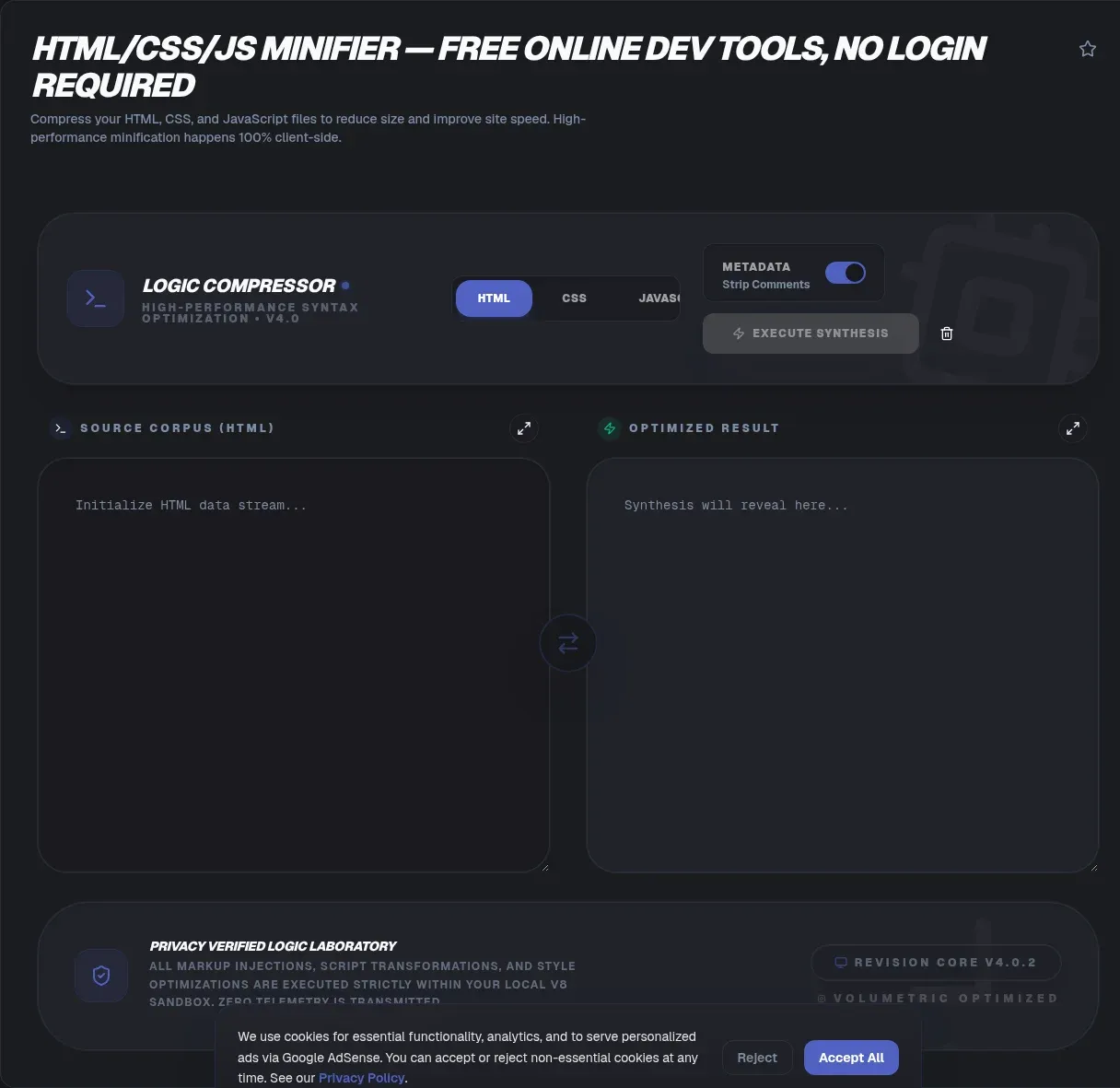
ToolSura's HTML CSS JS Minifier compacts HTML, CSS, and JavaScript on demand, and every step of the process runs in your browser. Paste markup, styles, or scripts, press the button, and copy leaner output. No account, no queue, no upload: a 100% client-side V8 sandbox parses and rewrites your code locally, so nothing is transmitted, logged, or stored anywhere. For a language-by-language walkthrough of when and why to minify, start with our guide to minifying JavaScript and CSS.
Why bother, in 2026? Median pages keep adding weight, JavaScript drives most of it, and huge slices of what ships are never even used. Numbers below come from the freshest crawl data available, fetched and verified in late August 2026.
Key Takeaways
- Minification strips comments, whitespace, and unused code; it does not replace gzip, Brotli, or zstd transfer compression.
- Median home pages hit 2,862 KB on desktop in the 2025 Web Almanac crawl, carrying 708 KB of JavaScript.
- Conservative transforms preserve behavior; ToolSura never renames variables or rewrites expressions.
- Minification is destructive, so keep readable source canonical and generate maps at minify time.
What Is Minification and What Does It Remove?
Minification removes 'unnecessary or redundant data without affecting how a resource is processed by the browser', per MDN's glossary. Comments, indentation, line breaks, and unused code get deleted, while internal variable and function names can shorten. Behavior stays identical. The file simply stops carrying bytes the runtime never needed. Strings, regular expressions, and attribute values survive untouched, since altering them would change what the page does.
Does timing matter? Minify for production only, because MDN also frames it as 'generally an automated step that occurs at build time'. Collapsed names and vanished formatting make debugging painful, so develop on readable source and minify as your final deploy step. Treat the operation as one-way, too: deleted comments and original identifiers cannot reappear from the minified file alone, which is why readable source stays canonical under version control.
Why Page Weight Keeps Climbing: The 2025 Numbers
Pages grew again in 2025. Median home pages weighed 2,862 KB on desktop and 2,559 KB on mobile in the 2025 Web Almanac crawl of 16.2 million sites (chapter published January 15, 2026), up 7.3 and 8.4 percent year over year. JavaScript leads the load: median desktop pages shipped 708 KB of it against 646 KB on mobile, across 23 requests on desktop and 22 on mobile.
Dependence is nearly universal. Some 98.1 percent of pages requested at least one external JavaScript file in that crawl, and unused weight grew alongside it, with Lighthouse flagging 280 KB of uncompressed, unused JavaScript on desktop and 251 KB on mobile. A year earlier the picture was already heavy: the October 2024 crawl put medians at 2,652 KB desktop and 2,311 KB mobile, with JavaScript the most-requested resource type at 24 desktop requests versus 18 for images.
Every kilobyte stripped before deployment is a kilobyte no server, network, or parser handles again. Images carry the other half of the payload, and our guide to compressing images for the web covers that side of the scale.
Minify First, Compress Second: What About Brotli, Gzip, and zstd?
No, minification is not compression, and mixing them up costs you savings. Minification permanently rewrites the source file. Compression is a reversible transfer encoding, declared through the Content-Encoding response header, whose registry extends beyond the compress, deflate, and gzip codings that RFC 9110 defines to br for Brotli and zstd, as MDN documents. Order matters: minify the file first, serve it compressed second, and the savings stack.
Each codec has a paper trail. Brotli was standardized in July 2016 as 'a lossless compressed data format that compresses data using a combination of the LZ77 algorithm and Huffman coding', plus a static dictionary, in RFC 7932, later updated by RFC 9841. Zstandard received its own specification in 2021 via RFC 8878. Browser support for zstd now runs broad: caniuse clocks 81.68 percent full support globally, with Chrome and Edge shipping it from version 123, Firefox from 126, and partial Safari 26 adoption.
Servers lag browsers badly. Zstd 'maintains a minimal 1% adoption rate' across JavaScript requests in the 2024 Web Almanac edition, where 'Brotli now commands 45% of mobile and 44% of desktop JavaScript requests', 'gzip's 41% across both platforms', and 12 to 13 percent of scripts arrived uncompressed (2024 JavaScript chapter). Even old gzip goes unconfigured at scale: only 70 percent of desktop homepages and 71 percent of mobile passed the text-compression audit in the 2024 Page Weight chapter. MDN's list already carries the draft dcb and dcz codings for Compression Dictionary Transport.
How Much Smaller Will Your Files Actually Get?
Savings track the padding in your input, so no universal percentage exists. Vendors still advertise best cases: minify-js.com promises reductions 'up to 80%' for JavaScript, while CleanCSS.com says minification 'can make a script up to 20% smaller, resulting in a faster download time'. Comment-heavy, well-indented development code can approach those ceilings. Dense, already-optimized code barely moves.
Measurement beats marketing. Lighthouse documentation flags 'every JavaScript file with more than 20 kibibytes of unused code', a concrete threshold you can act on. For scale, the 2024 Web Almanac found median mobile pages shipping 206 KB of unused JavaScript, roughly '44% of bytes delivered' (2024 JavaScript chapter). Strip what you can, then weigh each file before and after; only that number reflects your code.
Can Minification Break Your JavaScript?
Conservative transforms rarely do; aggressive options can, and honest engines admit it. Terser's README warns that unsafe_math 'may give imprecise floating point results' when optimizing expressions like 2 * x * 3 into 6 * x, and that unsafe_arrows is 'not always safe' where code relies on a function having a prototype (Terser README). Property mangling warns even more bluntly that it 'WILL BREAK YOUR CODE' unless reserved-name patterns are configured.
How does ToolSura sidestep this class of bugs? By refusing the risky moves entirely: it never renames variables or rewrites expressions, so output keeps your names and structure intact. Terser likewise leaves scopes containing eval or with unmangled by default, since names there cannot be shortened safely. Whichever tool you run, exercise the minified output, not just the source, before every deploy. Already-minified files gain almost nothing from a second pass.
How Does Minification Affect Core Web Vitals?
Indirectly, and often meaningfully. Good LCP means 2.5 seconds or less at the 75th percentile of page loads per web.dev, and Interaction to Next Paint officially 'replaced First Input Delay (FID)' as a Core Web Vital on March 12, 2024 (web.dev announcement). Smaller scripts cut transfer time, parse time, and main-thread pressure feeding both metrics.
Bytes alone do not decide outcomes. Google's LCP guidance calls synchronous head scripts 'almost never necessary' and warns that anything blocking the main thread 'can also lead to unnecessary element render delay' (Optimize LCP, updated March 31, 2025). Minification cannot rescue a blocking-heavy architecture, so pair it with script hygiene. Headroom is easy to find: just 13 percent of desktop pages passed the render-blocking audit in the 2025 Performance chapter, and good Core Web Vitals scores stood at 48 percent mobile and 56 percent desktop.
CSS carries its own rendering costs, and our CSS gradient performance guide digs into that layer of the pipeline.
What Are Source Maps, and When Do You Need One?
Source maps translate back. A source map is 'a file that maps from the transformed source to the original source', per Mozilla's DevTools documentation, letting debuggers display the code you actually wrote instead of the collapsed blob you ship. Minified files reference their maps through a //# sourceMappingURL= comment appended during generation.
Generate one whenever deployed code might need debugging, which in practice means every production build, and keep maps beside your assets. Minified output is a deployment artifact; readable source stays canonical in version control, and the map is your bridge between the two.
Is It Safe to Minify Proprietary Code Online?
Only if the tool provably processes locally. Pasting unreleased source into a service that never states where execution happens means trusting an unknown backend with your intellectual property. Make the processing model your first checkpoint with any online minifier, and assume the riskiest interpretation until a page says otherwise.
Popular competitors stay quiet on exactly this point. Surveyed in late August 2026, Toptal's JavaScript minifier and Toptal's HTML minifier document server-side API endpoints while leaving web-form processing and the engine itself unstated, and CleanCSS.com states neither. minify-js.com does say it works in browser, yet its page still shows Terser v5.20.0 (minify-js.com), while npm's dist-tags list 5.51.2 as current (npm registry). Stale engines matter, since minifier behavior shifts release to release.
ToolSura takes the opposite stance, stated plainly on the page: zero-knowledge architecture, no data transmission to servers, and all work inside a 100% client-side V8 sandbox. Your unreleased bundle, client work, or experiment never crosses the network.
Which Minifiers Do Developers Rely On Right Now?
Fresh counts, fetched from the npm registry API for the week of August 23 to 29, 2026: esbuild logged 275,165,454 downloads, @swc/core 42,968,526, terser 80,679,774, clean-css 22,628,725, html-minifier-terser 20,061,843, and cssnano 19,049,482 (npm registry API). Treat the counts as a gauge of ecosystem reach: bundler-tied packages ride along as transitive dependencies with every Vite or Next.js install.
Defaults are shifting underneath the numbers. Vite's build.minify now defaults to 'oxc' for client builds, and its docs rate the default Oxc minifier '30 ~ 90x faster than terser and only 0.5 ~ 2% worse compression' (Vite build options). Standalone staleness is real too: html-minifier-terser last published version 7.2.0 on April 11, 2023, yet still pulls roughly 20 million downloads a week (npm registry). When a build tool ships its own minifier, most teams never touch a standalone one, which is exactly when a browser-based tool fills the gap for quick patches and static sites.
How Do You Minify HTML, CSS, and JS in Under a Minute?
Three steps, zero configuration. Open the minifier in any modern browser, paste your code or drop in your files, and run it; HTML, CSS, and JavaScript all process in a single session, and results return instantly because computation happens locally. Copy or download the compact output and deploy.
Verification deserves one more minute. Run a diff check between original and output to see exactly what changed, and confirm regex patterns survived if your scripts lean on pattern matching. Click through interactive features before shipping, since no transform set is worth trusting blindly.
The Bottom Line
Heavier pages are a measured trend, and minification remains one of the few optimizations that takes seconds, needs no new infrastructure, and pays off on every request that follows. Run your HTML, CSS, and JS through the HTML CSS JS Minifier, serve the result with gzip or Brotli behind it, keep source maps beside your assets, and measure the difference yourself.
Finish the job with the rest of the toolkit: CSS Minifier for stylesheet-only projects, JSON Formatter and Validator for the payloads your scripts fetch and emit, Base64 Encoder and Decoder to inline small assets, and URL Encoder and Decoder to keep reserved characters safely encoded in attributes.