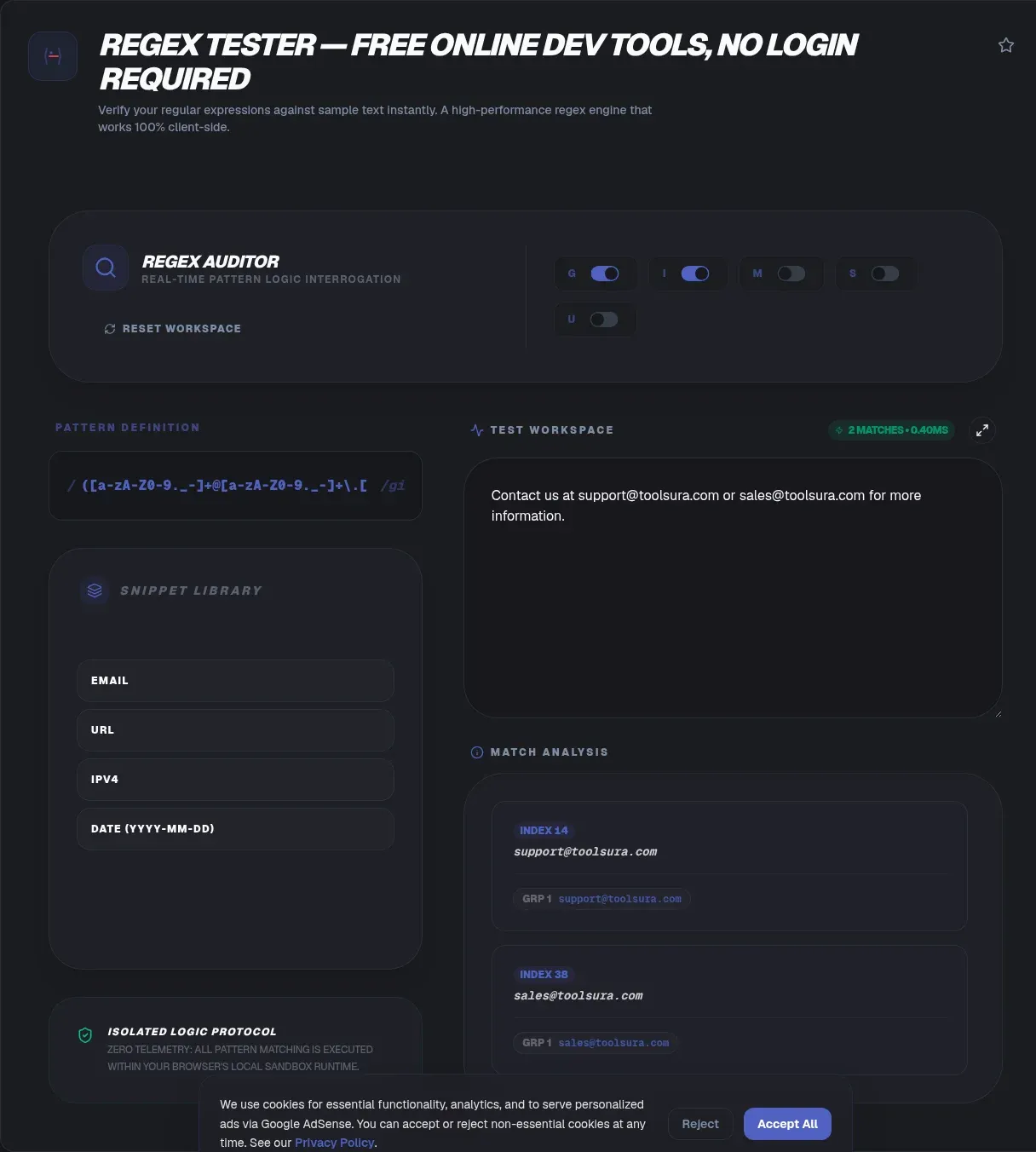
ToolSura's regex tester evaluates any JavaScript regular expression against your own sample text, entirely in your browser. Type a pattern, paste text, and matches, capture groups, and flag effects update live as you type. There is no upload step: because the matching engine runs client side, everything you paste, from log lines to customer emails, never leaves your device. No account, no permalink store, no retention window.
One question dominates how developers find this page: what is the difference between .+ and .*? The short answer is that + means one or more and * means zero or more, so .+ can never match an empty string while .* happily can (MDN Web Docs). This guide spends most of its length on the dot metacharacter, then covers flags, lookarounds, engine differences, and the backtracking failure that kept a global network offline for 27 minutes.
Key Takeaways
- The dot matches any character except four line terminators; the
sflag removes that exception (MDN Web Docs)..+equals{1,}and never matches empty strings;.*equals{0,}and always can.path-to-regexprecorded 216,480,610 npm downloads for the week of 2026-08-22 to 2026-08-28 (npm registry API).- Every match runs in your browser: no signup, no upload, no server storage.
What Is a Regex Tester?
A regex tester is an interactive sandbox that compiles a pattern and shows every match against sample text, live. You see which characters light up, where each group starts and ends, and how hostile input behaves, instead of trusting a mental simulation. This tool speaks native JavaScript regex, the same engine your production code runs, so results transfer directly.
Who needs one? Backend developers validating input, analysts cleaning exports, QA engineers writing assertions, security reviewers auditing WAF rules, anyone who has shipped a pattern without testing worst-case input. The volume is hard to picture: path-to-regexp, a routing library built on regex, recorded 216,480,610 downloads in the week of 2026-08-22 to 2026-08-28 (npm registry API). Patterns ship in nearly every stack.
Most were never stress-tested.
Why ToolSura's Regex Tester Is Different
The entire matching loop runs on your machine. The page loads once, the engine executes in your browser, and results render without any request carrying your data to a server. The verification is simple: load the page, disconnect your network, and matching keeps working. That is what "no upload" actually means, and most testers cannot pass that test.
Sites that offer shareable permalinks store your pattern and sample text server-side, and some ask visitors not to save sensitive data because saved patterns become publicly accessible. Reasonable for public snippets, dangerous for production logs, customer records, or unreleased API payloads. Client-side execution removes the decision entirely. And when typos rather than patterns are the real problem, the fuzzy text search tool catches near-misses a strict pattern rejects.
How to Use the Regex Tester
- Type your pattern into the pattern box. Live compilation means syntax errors surface the moment an incomplete group or bracket appears.
- Toggle flags below the pattern. Start with none, then add one at a time so each effect stays attributable.
- Paste sample text into the test area. Use real data: actual log lines, payload fragments, and edge cases, not filler prose.
- Read the highlighting. Every match is highlighted in context, with zero-length matches marked exactly where they land.
- Inspect the groups panel. Numbered and named captures, including non-participating groups, are listed per match.
What the Dot Actually Matches
The dot is a wildcard that matches any single character except four line terminators: \n (U+000A), \r (U+000D), the line separator U+2028, and the paragraph separator U+2029 (MDN Web Docs).
That is the whole rule.
Most confusion about the dot comes from forgetting that exception, or from the quantifier attached to it.
Before the s flag existed, /foo.bar/.test("foo\nbar") returned false, and developers worked around it with [\s\S] or [^] (TC39). The s (dotAll) flag, shipped in ES2018, makes the dot match those four terminators too. The m flag does something different: it moves the anchors ^ and $ to line boundaries and never touches the dot.
Unicode adds one nuance. /../.test("😄") is true because the emoji is two UTF-16 code units, but /../u.test("😄") is false because the u flag makes the dot count whole code points. If .+ appears to split emoji in half, add u.
.+ vs .*: The Difference That Matters
+ is exactly {1,}, one or more; * is exactly {0,}, zero or more. One myth causes most of the confusion: .+ is not a stricter .*. The dot in both is identical, character for character. Only the quantifier's lower bound differs, and that bound decides whether empty strings can match.
| Pattern | Minimum repetitions | Maximum | Matches empty string? |
|---|---|---|---|
.* |
0 | Infinity | Yes |
.+ |
1 | Infinity | No |
Watch the boundary in code. "".match(/.*/) returns [""], one match containing nothing, while "".match(/.+/) returns null. That single distinction explains most .+ vs .* bugs in the wild. Validation written with .* silently accepts empty submissions. Line filters written with ^.+$ skip blank lines that ^.*$ would include, which is exactly the trick people reach for when they want every non-empty line from a log.
Why Does .* Match Empty Strings When .+ Never Does?
Empty matches propagate through APIs in ways that surface as bugs. The purest example is the lazy star: /a*?/.exec("aaa") returns [''] because the lazy quantifier satisfies itself with zero characters. Anchors forbid that shortcut: /^a*?$/ against "aaa" matches "aaa", since anything shorter would fail the anchors (MDN Web Docs).
Python documents the same behavior explicitly. re.findall scans left-to-right and "empty matches are included in the result," and since Python 3.7 a non-empty match may start just after a previous empty match (Python re docs). The practical consequence: re.findall(r".*", s) returns a trailing '' element after the final position. Paste any string into ToolSura, run .* with the g flag, and the same zero-length match appears at the end of your input.
Greedy or Lazy: When Do You Use .+? and .*??
Both * and + are greedy by default, matching as many times as possible before backtracking. Python's canonical example: <.*> against '<a> b <c>' swallows the entire string, while <.*?> stops after '<a>' (Python re docs). The JavaScript equivalent, str.replace(/<.+?>/g, ""), strips tags one pair at a time (MDN Web Docs).
Neither form is inherently safer. Lazy quantifiers stop at the first viable match, which helps on some inputs and adds work on others. Before shipping a tag-stripping pattern, run its output through the HTML sanitizer so malformed markup cannot slip past a regex that was never a parser.
How Regex Behavior Differs Across Engines
Regex engines disagree about which characters count as line terminators, and the disagreement changes what . matches before any flag is set (regular-expressions.info). All flavors exclude \n by default. Scripting languages stop there. JavaScript excludes four characters. Java adds U+0085. PCRE can be configured four different ways.
| Engine | Dot excludes by default | Dot-all option |
|---|---|---|
| JavaScript | \n, \r, U+2028, U+2029 |
s flag |
| Python | \n only |
re.DOTALL |
| PCRE | configurable: \n, \r, \r\n, or all Unicode |
PCRE2_DOTALL |
| Java | \n, \r, U+0085, U+2028, U+2029 |
Pattern.DOTALL |
| .NET | \n only |
RegexOptions.Singleline |
| RE2 (Go) | \n |
(?s) or set_dot_nl(true) |
RE2 also changes the performance contract. Its syntax is a subset of PCRE's, and patterns are matched "in a single pass through the text using only a fixed amount of memory" (RE2 wiki). It rejects backreferences and lookarounds in exchange for guaranteed linear time.
Which Flags Reshape the Dot and the Anchors?
JavaScript defines eight flags, each mirrored by a RegExp property (MDN Web Docs): g finds all matches, i ignores case, m moves anchors to line boundaries, s widens the dot, u enables full Unicode mode, v adds set operations, y enforces sticky positioning, and d reports match indices.
Two of them touch the dot. The s flag changes what . matches by adding line terminators. The u flag changes how . counts by matching whole code points instead of code units. The m flag is the common misdiagnosis: people add it expecting dot-all behavior and get anchor changes instead. Toggle one flag at a time so each effect stays attributable.
What Causes Catastrophic Backtracking?
Backtracking engines try every viable path through a pattern, and nested quantifiers over overlapping input make path counts explode. OWASP calls these shapes Evil Regex: (a+)+$, ([a-zA-Z]+)*$, (a|aa)+$, (a|a?)+$. Its worked example ^(a+)+$ needs 16 paths against aaaaX but 65,536 against sixteen a's plus X, doubling for every added character (OWASP). The vulnerability class has named CVEs, including CVE-2022-3517 in minimatch, CVE-2015-2526 in .NET, and CVE-2009-3277 (OWASP).
Defenses are mechanical. Remove nested quantifiers over the same characters, make alternations mutually exclusive, anchor and bound repetitions, and lint patterns before they ship. The tooling is popular: safe-regex, a ReDoS linting package, logged 19,253,037 downloads in the week of 2026-08-22 to 2026-08-28 (npm registry API), and re2, the linear-time engine binding, logged 3,486,766 (npm registry API).
The Outage That Made ReDoS Famous
Cloudflare's July 2, 2019 post-mortem is the canonical case study (Cloudflare blog). A WAF managed rule containing .*(?:.*=.*) triggered catastrophic PCRE backtracking, drove CPUs toward 100 percent, and kept the network down for 27 minutes with roughly 80 percent of requests failing. The report's own measurements show the cliff: 23 steps on benign input, 555 on twenty extra characters, 4,067 on a non-matching variant. Engineers hand-audited 3,868 managed rules afterward. Prove patterns against adversarial input before they reach a per-request code path, not after.
How Do Capture Groups and Lookarounds Fit In?
Parentheses capture. (?<year>\d{4}) names the group so code reads match.groups.year instead of fragile numeric slots, and the d flag reports exact start and end offsets for each capture. Non-participating groups return undefined, not empty strings, and the groups panel in this tester makes that distinction visible.
Lookarounds are zero-width assertions: foo(?=bar) matches foo only when bar follows, (?<=\$)\d+ grabs digits preceded by a dollar sign, and the negative forms invert the condition. Lookbehind arrived in stages, Chrome 62 in 2017 through Safari 16.4 in 2023, so cross-browser patterns deserve a quick check. When structure gets complex, the regex visualizer draws alternations and repetition as a diagram, exposing a stray pipe faster than squinting at highlights.
A Repeatable Regex Testing Workflow
- Start from realistic samples. Actual log lines and payload fragments, not filler prose. Validate JSON samples with the JSON formatter first so structural noise cannot skew expectations.
- Confirm the happy path. One clear match on one clear input before anything clever.
- Attack the pattern. Empty string, blank lines, emoji, thousand-character lines, missing delimiters, injection probes.
- Time the worst case. Run the longest realistic input before the pattern lands on a per-request path.
- Re-run after every flag change.
g,m, andycarry state across executions, and only consecutive runs reveal it.
Regex Mistakes Worth Avoiding
- Over-trusting the dot:
\d\d.\d\d.\d\dmatches02512703because the dot accepts any character, not just the separator you meant. Prefer explicit classes. - Ignoring the negated-class alternative:
"[^"\r\n]*"matches a quoted string without ever crossing a line, and inside a character class the dot loses its special meaning anyway (MDN Web Docs). - Omitting
g: you get one match, then the loop stalls becauselastIndexstops advancing. - Constructor double-escaping:
new RegExp("\\w+")needs the extra backslash; the literal/\w+/does not. - Copying across flavors: named groups read
(?<name>)in JavaScript but(?P<name>)in Python. - Embedding examples raw: entity-encode regex snippets with the HTML entity encoder so
<.+?>renders as text, not live markup.
Related Tools
- AI-Assisted Regex Generator: generate a
.+or.*pattern from a plain-English description, then refine it in the tester. - Regex Visualizer: visualize how
.*and.+backtrack on your exact input. - Regex Cheat Sheet: the full quantifier and metacharacter reference this page keeps linking back to.
- JSON Formatter and Validator: clean up payload samples before extracting fields with
.+.
Every pattern deserves a fast, private place to prove itself. Keep the ToolSura Regex Tester bookmarked for the next one.