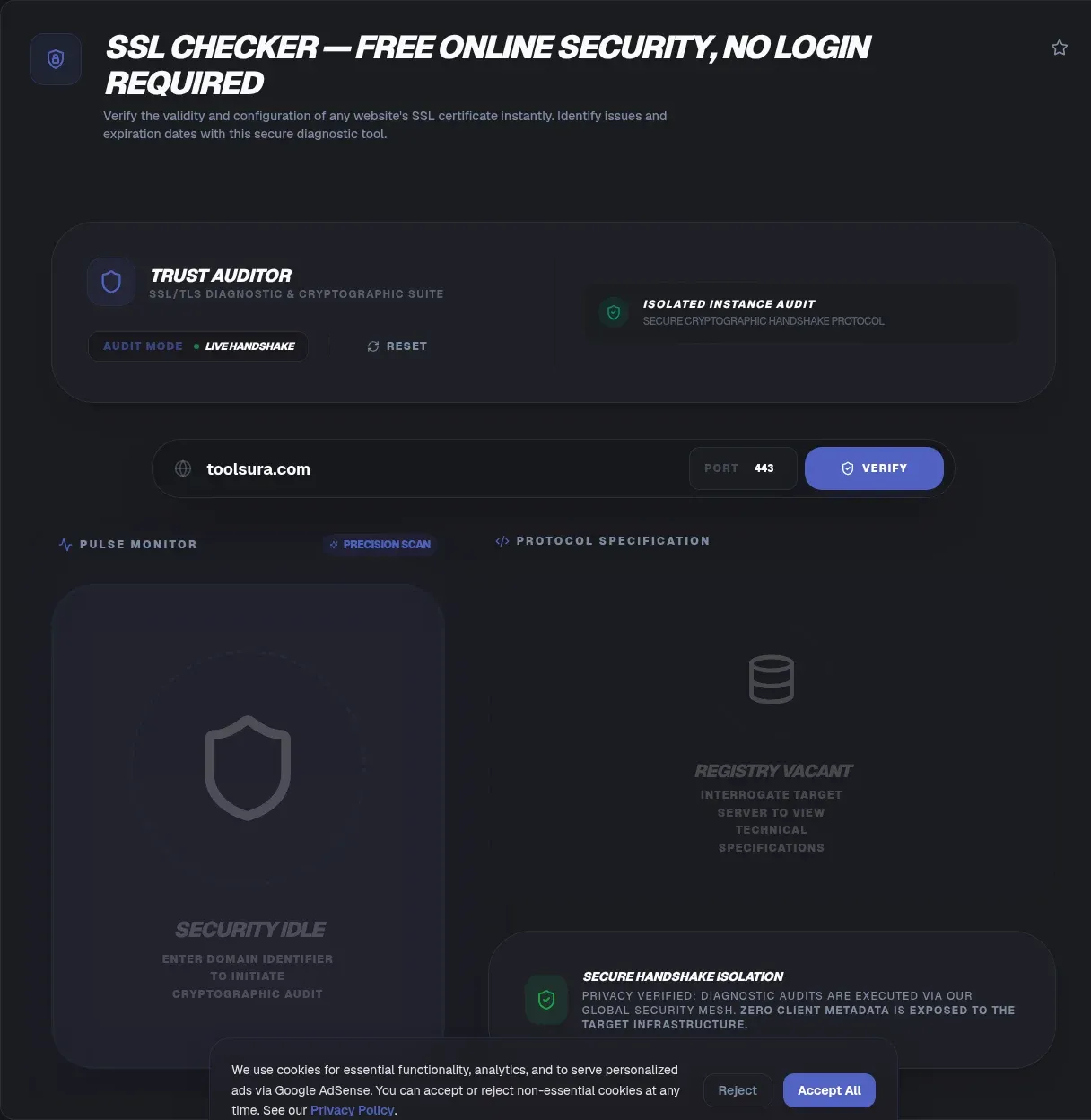
The ToolSura SSL Checker examines any public domain and reports the full certificate story: expiry date, issuing authority, covered names, trust chain, key strength, and supported protocol versions Source. Enter a domain, run the check, and read a report that would otherwise require command-line archaeology.
The page describes processing as client-side within its sandbox, requiring no login, and states that checks request only public certificate information rather than private keys or server configuration Source.
What HTTPS Actually Guarantees
MDN's definition anchors everything: HTTPS is "an encrypted version of the HTTP protocol" that "uses TLS to encrypt all communication between a client and a server," letting clients safely exchange sensitive data such as banking or shopping details Source.
Certificates make that encryption trustworthy. They bind a domain name to a cryptographic key through a chain of signatures ending at an authority browsers already trust. When any link in that binding fails, expired dates, mismatched names, broken chains, the padlock disappears, along with visitor confidence.
What This Checker Reports
Per its documentation, the report covers eight dimensions: the expiry date the page calls arguably the most vital piece of information; the issuing Certificate Authority; the Common Name the certificate was issued for; Subject Alternative Names covering additional domains; the complete chain back to a trusted root; algorithm and key size such as RSA 2048 versus ECC; protocol support including TLS 1.2 and TLS 1.3; and misconfiguration signals like weak ciphers on advanced checks Source.
Together those fields answer every question a careful deployment review asks, from will this work tomorrow to would a security reviewer flag it today.
Expiry: The Silent Outage
Certificates expire quietly and completely. Nothing degrades gradually; one morning browsers simply refuse connections, and traffic drops to zero until someone notices. Outages from lapsed renewals remain among the most embarrassing failures in operations because they are entirely predictable.
The checker extracts the Valid To metadata directly, per its FAQ, turning expiry into a visible number instead of a surprise Source. Since this tool performs point-in-time checks without monitoring, its own guidance recommends making regular manual checks habitual; pair them with renewal calendar entries so no certificate ever reaches its final week unnoticed.
Chains and Missing Intermediates
A certificate rarely stands alone: servers must present intermediate certificates linking theirs back to a trusted root. Deploy only the leaf certificate and many clients fail validation even though the certificate itself is perfectly valid.
The tool page lists broken chains among detectable problems and its FAQ prescribes the fix: reinstall the complete bundle from your certificate authority Source. Chain errors frequently appear after migrations or server rebuilds, when configurations get copied incompletely, making post-deployment verification part of the routine.
Names: CN and SANs
Every certificate names the identities it covers: the Common Name plus Subject Alternative Names listing additional domains and subdomains. Requests to any hostname outside that list trigger mismatch warnings regardless of cryptographic validity elsewhere.
After infrastructure changes, verify every hostname you actually serve appears in the SAN list, including the bare-apex variant users type without www. The checker reports both fields explicitly per its documentation Source, which turns name-mismatch debugging into reading rather than guessing.
Protocols and Key Strength
Protocol versions matter because old TLS versions carry known weaknesses, while modern ones deliver performance alongside security; the report shows which versions your server still offers Source. Key size and algorithm similarly date over time as recommendations advance.
Treat these fields as conversation starters with your hosting provider or security team rather than self-service verdicts. The tool surfaces facts; interpreting them against current best practice benefits from whoever manages your certificates professionally, particularly before compliance reviews.
Mixed Content: The Problem After the Padlock
A valid certificate does not guarantee a fully secure page. MDN defines mixed content as securely loaded pages fetching resources over insecure HTTP, where those resources "can be viewed... and/or modified by an attacker," noting scripts are especially dangerous because they can modify any aspect of the page Source.
Browsers now intervene automatically: images, audio, and video get upgraded to HTTPS, while scripts, stylesheets, iframes, fonts, and fetch requests are blocked outright when served insecurely Source. The result looks like breakage but is protection working; the cure is migrating every subresource reference to HTTPS.
A Habit Worth Building
The documented use cases frame checking as proactive maintenance: catching problems before visitors meet warnings, and preserving the search-visibility considerations the page associates with HTTPS Source. Build the habit around three moments: after any server or DNS change, ahead of major campaigns, and on a fixed calendar cadence matching renewal cycles.
Port flexibility extends coverage too. Per the tool's FAQ, checks work on any public-facing server beyond the standard 443, covering mail panels, APIs, and admin interfaces that certificates also protect Source.
Honest Boundaries of Online Checkers
Diagnosis is where the service ends, by design. The page notes flagged problems need remediation through your host or certificate issuer, private keys and internal configurations stay inaccessible, and public-facing endpoints are the scope Source.
Continuous monitoring and alerting are likewise absent, which shapes usage: online checkers verify specific moments, not ongoing state. Combine periodic checks with your registrar's expiry notifications and hosting-level monitoring for coverage that reliably spans the time between visits. The layering matters because each mechanism fails differently: calendars get ignored, reminder emails land in spam, and monitors watch the wrong endpoints. Redundancy across all three is what keeps certificate renewal from becoming incident response.
Renewal Automation and Where Checks Fit
Modern certificate workflows increasingly automate issuance through protocols that renew behind the scenes, which reduces expiry incidents dramatically where configured well. Even fully automated setups deserve periodic human verification, because automation fails silently too: a hook script that stopped running leaves an expiring certificate with no error anywhere until visitors vanish.
The division of labor looks like this: automation handles routine renewal, your issuer sends expiry warnings as backup, and periodic checker runs confirm the whole pipeline actually produced what it claimed Source. Three independent layers catch what any single layer misses.
Reading a Report Like an Auditor
Work the report top to bottom with fresh eyes. Confirm first that the names listed include every hostname you actually serve, since name coverage determines whether browsers warn at all. Next verify the chain shows unbroken intermediates reaching a root, then check expiry sits comfortably beyond your next maintenance window.
Only after those pass should protocol versions and key parameters receive attention, and any cipher-level flags deserve routing to whoever manages your infrastructure professionally. That ordering mirrors severity: the top fields decide whether connections work; the bottom fields decide how defensible they are under review Source.
Key Takeaways
- HTTPS uses TLS to encrypt all client-server communication, with certificates anchoring that trust.
- Expiry fails silently: schedule checks around renewal cycles since this tool verifies moments, not continuity.
- Broken chains from missing intermediates invalidate otherwise-valid certificates after migrations.
- Modern browsers auto-upgrade media mixed content but block scripts, styles, and fonts served over HTTP.
- Checkers diagnose; hosts and issuers remediate, and private keys never leave your infrastructure.
Frequently Asked Questions
How do I check whether my SSL setup is working?
Enter your full domain into the checker and read the report: green status means healthy encryption per the tool's documentation, while problems surface as expired dates, name mismatches, or chain gaps. Run it after every server change and before major launches, since certificates fail silently at exactly the moments you can least afford surprises.
Why do browsers show Not Secure on my site?
The tool page lists the likely culprits: an expired certificate, a domain mismatch between certificate and address, or missing intermediate certificates breaking the trust chain. Fixes correspond directly: renew the certificate, reissue covering the right names, or reinstall the full CA bundle as the FAQ prescribes.
Can I check a certificate's expiration date online?
Yes. Enter the domain and the scanner extracts Valid To metadata directly, per the tool's documentation. Note the boundary though: this is a point-in-time check with no monitoring capability, so pair manual checks with renewal reminders from your registrar or issuer for actual coverage across time.
What is a certificate chain error?
Servers must present intermediates connecting their certificate to a trusted browser root. When those intermediates go missing during migrations or partial deployments, clients cannot complete validation despite a valid leaf certificate. The prescribed fix per the tool's FAQ: obtain and install the complete bundle from your issuing authority, then re-verify.
Is it safe to check domains with an online tool?
The page's answer rests on what such tools access: only public certificate data exchanged during normal connection handshakes, never private keys or configuration files, which remain inside your infrastructure throughout. That matches how every visitor's browser already inspects your certificate publicly on each connection.
Can I check certificates on non-standard ports?
Yes, per the tool's FAQ, which describes support beyond standard port 443 for any public-facing server. That covers admin panels, API endpoints, and mail interfaces carrying their own certificates. Internal-only endpoints remain out of scope since the service reaches only what the public internet reaches.
My site is HTTPS but some elements refuse to load. Why?
That is mixed-content protection working. MDN documents that modern browsers auto-upgrade images and media to HTTPS but block scripts, stylesheets, iframes, and fonts still referenced over HTTP, because active content could modify the page. Fix references to load securely everywhere; the blocked element was the warning, not the problem itself.
Related Tools
Round out site-health checks:
- URL Redirect Checker traces chains behind HTTPS redirects.
- IP Address Lookup identifies hosting infrastructure.
- Privacy Policy Generator completes trust-page basics.
- URL Encoder/Decoder cleans query strings.
- JSON Formatter & Validator reads monitoring payloads.
- Regex Tester parses log patterns.
- DNS over HTTPS vs DNS over TLS — which encrypted DNS to choose
Catch certificate trouble before your visitors do: run the SSL Checker today.
One last operational tip: check certificates for third-party dependencies too. Payment frames, CDN-hosted assets, and vendor widgets all carry their own certificates into your pages, and their expiry failures surface as your site's breakage. A quarterly sweep of every domain your pages depend on catches neighbor outages before they become yours.
And when everything passes, archive the report. A dated snapshot of healthy state becomes invaluable evidence during later incidents, proving your configuration was sound before some intervening change introduced the problem you are now chasing.
Documentation of checks closes the operational loop: record each report's date, results, and any follow-up actions in your run log. Patterns emerge across entries, such as one server repeatedly lagging renewals or a particular domain expiring off-cycle, and documented history converts those patterns from recurring surprises into scheduled maintenance items.
- A plain-English walkthrough of what an SSL certificate is and how the certificate chain behind it works.