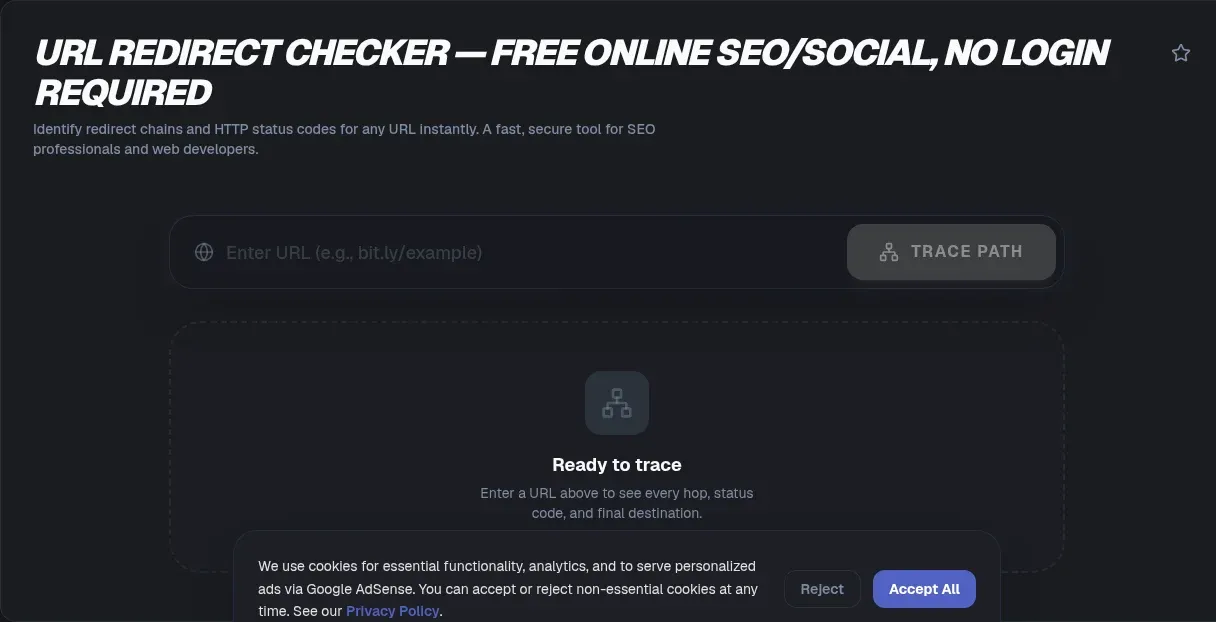
The ToolSura URL Redirect Checker walks any address through its complete journey and reports every hop: the URL at each step, the HTTP status code returned, and the final destination where a visitor would actually land Source. Paste one URL, press check, and read the entire journey in your browser, top to bottom.
The page describes processing as client-side within a browser sandbox, with no data transmission to servers and no login required; as always, treat such statements as the operator's own description of its architecture Source.
What Actually Happens During a Redirect
MDN's reference defines the mechanism every checker relies on: redirection happens when a server responds with a status code beginning with 3 and a Location header holding the next URL, which the browser then loads immediately Source. Users rarely notice beyond one extra round-trip of latency.
Chains form when that next URL redirects again, and again. Each hop is invisible in a normal browsing session, compressed into the moment between click and page render. A checker simply performs those requests deliberately and narrates each response, turning an opaque instant into a readable list.
Reading Status Codes Like a Pro
| Status | Meaning | Crawler behavior |
|---|---|---|
| 301 | Moved Permanently | Updates to the new address for good |
| 308 | Permanent Redirect | Same consolidation, method preserved |
| 302 | Found (temporary) | Keeps indexing the original |
| 307 | Temporary Redirect | Temporary, method preserved |
MDN's wording is precise: permanent statuses are "meant to last forever," with search robots updating to the replacement, while temporary ones leave crawlers memorizing nothing new Source. The distinction decides whether link equity consolidates onto your new URL or remains stranded on the old one, so reading these codes correctly is not pedantry.
Why Chains Grow in the Wild
Nobody designs five-hop chains; they accumulate. A domain migration adds one hop, a rebrand adds another, a CDN rule adds a third, a marketing platform appends tracking, and suddenly a simple page sits four redirects deep. Each layer made local sense at the time.
The cost compounds quietly. Every hop is a complete request-response cycle before content begins loading, which is why MDN advises keeping redirection minimal and fixing internal links to point directly at final destinations rather than preserving historical paths Source. Audits exist precisely because chains grow while nobody watches.
Loops and Broken Chains
Two failure modes deserve special attention. Loops occur when redirect targets circle back on themselves, address A pointing through B back to A forever; MDN notes servers that detect such cycles respond with a 500 error instead Source. The tool claims instant loop detection, ending the guessing game.
Broken chains are subtler: every hop succeeds until one points at a page that no longer exists, stranding visitors on a 404 they never chose to visit. Both failures share a symptom, users vanishing, and both become obvious the moment any checker prints the chain line by line.
Expanding Short Links Safely
Shortened addresses from services like Bitly, TinyURL, and Rebrandly hide destinations by design, and this tool documents expansion support for exactly those providers Source. Expansion reveals where a link leads before any human follows it.
That matters most in contexts where links arrive from strangers: chat messages, comment sections, email bodies, QR landing pages. The tool's FAQ frames tracing as safer than clicking precisely because a trace never executes page scripts or accepts cookies the way a real visit would Source. Reveal first, judge second, click third, or not at all.
Affiliate and Tracking Hops
Affiliate programs interpose their own domains between the clicked link and the merchant, partly for attribution and partly for control. Tracing exposes those intermediaries plainly: you see the network handling commission, the tracking parameters being appended, and whether the final merchant address matches what was promised.
Publishers benefit too. Auditing your own outbound links catches broken partnerships before audiences hit them and reveals when a program has silently swapped destinations. The tool lists intermediate tracking domains among the things each hop report makes visible Source.
SEO Migration Audits
Domain moves and CMS restructures are where redirect discipline pays or punishes. Best practice maps every old URL to its closest new equivalent with single permanent statuses, because crawlers consolidate permanently redirected addresses but keep temporary ones in flux per MDN's crawler-behavior notes Source.
An audit pass after launch verifies three things: every legacy address resolves somewhere real, no hop accidentally lands on a 404, and no pair of rules fights each other into loops. The tool's listed use cases name migration validation explicitly Source. The tool page's FAQ adds practical guidance worth heeding, claiming search engines may stop following chains around five hops and that two or more hops already slow pages and dilute equity Source; whatever the precise cutoffs, shorter chains win by every measure.
Safety Checks Before Clicking
Pre-click verification generalizes beyond shorteners. Any suspicious link, from support tickets to marketplace messages, can be traced before anyone opens it. The chain report answers the only question that matters at that moment: does this go where it claims?
Treat the answer as necessary but not sufficient. A clean redirect to a plausible domain still deserves normal judgment about the destination itself, since legitimate-looking addresses can host anything. Tracing removes one layer of deception, the hidden path, leaving the usual evaluation of the visible endpoint.
How This Tool Reports Results
Output takes the form of a step-by-step breakdown: for each hop, the original URL, where it redirected, and the status code returned, concluding with the final destination Source. Single-URL input keeps the interface minimal, matching the diagnostic nature of the task.
Speed claims aside, the value is legibility. Server logs contain the same information buried in noise; the checker presents just the decision-relevant sequence, which turns redirect debugging from archaeology into reading.
What It Does Not Cover
Honest boundaries from the page itself: no bulk checking, no API access, no saved history or scheduled monitoring, no export of results Source. More significantly, coverage is limited to HTTP-level statuses; client-side JavaScript redirects and meta-refresh moves happen inside the destination page after headers resolve, so they fall outside what status-code tracing can see.
For those cases, manual inspection of the landing page remains the fallback. Knowing where header-based coverage ends prevents false confidence during audits, particularly against ad-tech stacks that specialize in post-load hops.
Building Redirect Hygiene Into Your Workflow
Audits catch existing problems; hygiene prevents new ones. Three habits cover most cases. First, when publishing internal links, always reference final destinations directly so your own pages never depend on redirect chains staying intact. Second, whenever a rule changes on the server, trace a sample of affected URLs immediately rather than waiting for reports of breakage.
Third, keep a change log for redirects themselves. A one-line entry per rule, noting date, source, target, and status type, turns future archaeology into reading. Teams that maintain such logs resolve migration mysteries in minutes that otherwise consume afternoons of header spelunking through configuration history Source.
Key Takeaways
- Redirects are 3xx responses with Location headers; checkers narrate each hop deliberately.
- 301 and 308 consolidate permanently for crawlers while 302 and 307 leave originals indexed.
- Chains accumulate silently through migrations and rebrands; every hop costs a round-trip.
- Short link expansion reveals destinations before clicks, without executing scripts or cookies.
- Status-code tracing cannot see JavaScript or meta-refresh redirects; know the boundary.
Frequently Asked Questions
What does a redirect checker actually show me?
A step-by-step chain breakdown: each hop's starting URL, the address it redirected to, the HTTP status code returned, and finally the ultimate destination where a visitor would land. The tool documents exactly this output shape, converting an invisible browser moment into a readable sequence you can audit line by line.
What is the difference between 301 and 302 redirects?
Permanent statuses like 301 tell crawlers the move is final, so they update their indexes to the new address; MDN phrases it as meant to last forever. Temporary statuses like 302 leave the original indexed because the change may reverse. Choosing wrong either strands equity on dead URLs or prematurely erases history you needed.
How many redirect hops are too many?
The tool's FAQ claims search engines may stop following chains near five hops and that two or more already slow loading and dilute signals. Whatever the exact thresholds, MDN's performance guidance settles the direction: every hop costs a round-trip, so minimize them and point internal links straight at final destinations.
Are shortened links safe to expand and open?
Expansion shows the destination without performing a human-style visit, and the tool's FAQ notes tracing avoids triggering cookies or page scripts since nothing is truly clicked. That reveals hidden paths safely. Judge the revealed destination afterward as you would any website, since a clean chain can still end somewhere unworthy of trust.
What causes redirect loops?
Loops form when configurations point addresses in circles, with A redirecting through B back to A endlessly. Servers that detect the cycle abandon it with a 500 error rather than spinning forever, per MDN. The tool claims instant loop detection, which turns maddening browser behavior into an immediately diagnosable configuration mistake.
When should I run a redirect audit?
After any site migration, domain change, CMS restructure, or campaign launch involving tracked links. Verify every legacy address resolves, confirm no hop lands on a missing page, and ensure no rule pairs loop together. Periodic spot checks catch drift between what your sitemap promises and what your server actually serves.
Does this tool catch JavaScript redirects?
No. Coverage is limited to HTTP-level status codes, per the tool page, while JavaScript-based and meta-refresh redirects execute inside the destination page after headers finish. Those require inspecting the landed page manually. Knowing this boundary prevents false confidence when auditing stacks that intentionally hop after load.
Related Tools
Complete the URL diagnostics kit:
- URL Encoder/Decoder decodes parameter noise in chains.
- Link Shortener pairs with audits of your own short links.
- Regex Tester validates server-rule patterns.
- JSON Formatter & Validator reads config exports.
- Timestamp Converter aligns log times across hops.
- Word Counter trims audit documentation.
- Redirect Chain Guide — what a chain is and why it hurts SEO
- 301 vs 302 Redirects — which status code to use, and when
See where links truly lead before trusting them: the URL Redirect Checker narrates every hop.
For teams documenting migrations, pair every audit with its evidence: export or screenshot the chain report alongside the fix commit, so reviewers can see both the before and after. Future maintainers inherit certainty instead of folklore, and repeated problems become visible as patterns across documented incidents rather than isolated surprises.