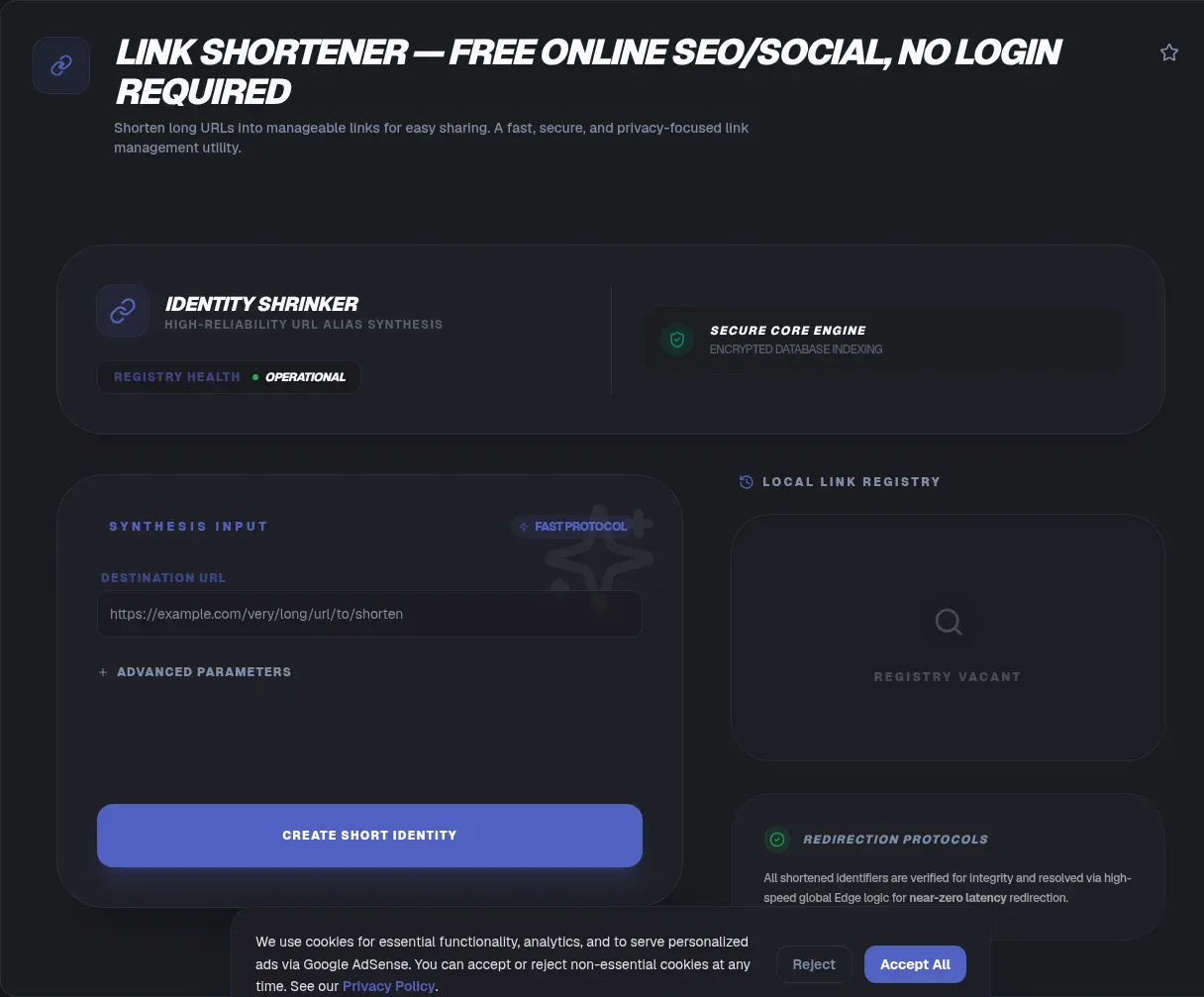
The ToolSura Link Shortener turns unwieldy addresses into compact ones through a paste-and-generate workflow: copy your long URL, paste it in, click generate, and share the result. A custom alias field lets you replace random characters with a word of your choosing, and bulk mode shortens whole batches at once without requiring an account; the whole exchange happens in your browser, from pasting the long address to copying the finished link Source.
The service requests no account and no personal information, and per its own positioning nothing is uploaded beyond the links you deliberately shorten, which is the minimum any functioning shortener requires; everything else about the experience stays anonymous by design Source.
How Link Shortening Actually Works
Every shortener, this one included, runs on the same web-standard machinery described in MDN's redirection documentation: a browser requests the short address, the responding server returns a redirect status code carrying a Location header with the real destination, and the browser continues onward immediately Source. The tool page describes its side of this exchange as a hosted short domain mapping short codes back to original URLs, with each lookup resolving in a fraction of a second Source.
That mechanism explains both the value and the dependency. Value: any link can wear whatever short coat fits the medium. Dependency: the short domain must stay alive and answering for the redirect to keep working, which is why operator reliability matters more than feature lists when you choose where to mint links.
Why Short Links Earn Their Place
Long URLs fail quietly in specific contexts. Spoken aloud on a podcast, they are unusable. Printed on a flyer, they wrap into unreadable fragments. Pasted into a character-limited bio, they crowd out everything else. A four-word short link survives all three situations intact.
They also normalize mixed sources. A campaign touching five pages can present one consistent, memorable address pattern regardless of how deep or parameter-heavy the destinations run, and recipients get a cleaner visual experience whether the link arrives in print, speech, or text.
Custom Aliases Beat Random Strings
The alias field changes short links from opaque tokens into readable phrases Source. A random code like x7Kp2q tells audiences nothing before they click; an alias like toolsura-guide sets expectations and earns trust at a glance, because people click what they can predict.
Aliases also survive human memory and analog media. Radio hosts say them, attendees type them from slides, and support teams read them over the phone. Where a random string demands copy-paste fidelity, a chosen keyword only needs to be spelled correctly once to live forever in someone's notes. Choose aliases that describe destinations truthfully rather than cleverly; the moment an alias misrepresents where a link leads, you trade a little audience trust for a little wit, and audiences remember the betrayal longer than the joke.
Bulk Shortening for Campaign Prep
Campaign preparation means many links at launch time: one per channel, per asset, per region. The tool's bulk mode processes multiple URLs simultaneously, and per its FAQ that capability does not require logging in Source.
Practical workflow: assemble your destination list first, decide naming conventions for any aliases so patterns stay consistent, then shorten the batch in one pass and distribute results alongside their tracking spreadsheets or content calendars. Preparation beats improvisation precisely because link generation is cheap while post-launch link changes are not.
Permanence and Print
The page makes a specific commitment worth quoting: it provides "permanent URLs that do not expire," positioned for evergreen content and printed materials Source. Print explains why permanence matters more than anywhere else digital: a brochure cannot be updated after distribution, so every link inside it lives as long as the paper does.
Treat the commitment as what it is, an operator's stated policy rather than a law of nature. Any third-party short link depends on its operator's continued existence and good behavior. For links whose failure would be catastrophic, such as those embedded in contracts or archival publications, the durable answer is owning your own domain and running redirects yourself.
Bios and Character Budgets
Social bios impose strict length limits, and the tool's FAQ claims suitability for Instagram and TikTok profiles specifically, describing clean redirects and tidier profile presentation Source. One memorable short address can front a rotating destination, letting a bio stay stable while the thing it points to evolves.
Platform rules always have final say, and they change; verify current policies before building a presence around any third-party link format. Within those rules, a predictable alias outperforms a random string wherever humans, not just apps, do the clicking.
The Trust Question
Shorteners concentrate trust: the person clicking believes the destination matches the promise, but the short form hides the target until the redirect fires. That opacity is intrinsic to the format, cutting both ways. Publishers earn credibility by using transparent aliases and sharing responsibly; recipients protect themselves by treating unknown short links with the same caution as unknown attachments.
For operators, the lesson is disclosure, and this service's page leans that direction, describing anonymous operation with no tracking attached to created links Source. Self-description is not audit, but documented positions give audiences something verifiable to hold operators to over time.
When Not to Bother Shortening
MDN's performance guidance applies here with full force: every redirect costs an extra HTTP round-trip, so redirection "should be kept to a minimum," and links you control directly should simply point where they mean to go Source. Internal site navigation, canonical article URLs in search-sensitive placements, and API endpoints gain nothing from a shortening hop.
Crawl behavior adds nuance. Permanent statuses tell search robots to consolidate onto the new address, while temporary ones leave the original indexed, so mismatching the status to intent muddies signals over time Source. Short links shine in human-facing, space-constrained contexts; elsewhere, directness wins.
Using This Tool Step by Step
The documented flow takes five steps: open the tool, copy your long URL, paste it into the input, click generate, then copy and share the result Source. Add the alias step where branding matters, typing your keyword before generating so the output reads exactly as intended.
For batches, gather destinations beforehand and process them together, keeping a local record pairing each short link with its destination and purpose. That record is your insurance policy against operator changes and your source of truth when campaigns get audited months later.
Anatomy of a Good Short Link
Four qualities separate links people keep from links people distrust. Length: short enough to fit any medium without wrapping. Readability: pronounceable when spoken aloud, since audio sharing is real distribution. Stability: backed by an operator whose persistence matches the content's lifespan. Honesty: an alias that previews the destination rather than disguising it.
Run your links against that checklist before publishing. A memorable alias on a reliable operator passes all four; a random string on an unknown domain fails three. The checklist also explains why serious publishers graduate from free tiers to owned domains as their print and archival footprints grow Source.
One more habit separates careful publishers from careless ones: destination hygiene. Before shortening, confirm the long URL resolves correctly, uses HTTPS, and lands where you intend rather than on a redirect of its own. Chains built from already-shortened links compound every risk this format carries, and MDN's guidance to keep redirection minimal applies doubly when each layer is a third party Source.
Key Takeaways
- Short links ride standard HTTP redirects: a 3xx status plus Location header resolves them in one hop.
- Custom aliases turn opaque tokens into predictable, speakable, printable phrases.
- Bulk generation without login suits campaign prep; record every pairing locally.
- Redirects cost a round-trip each, so keep them out of internal links and canonical placements.
- Third-party permanence is a policy, not physics: for critical assets, own the domain.
Frequently Asked Questions
How does a link shortener actually work?
A service maps your long URL to a short code on its domain. Clicking the short link triggers an HTTP request there, and the server answers with a redirect status carrying a Location header pointing to the true destination, which your browser loads immediately. MDN documents these mechanics; the entire exchange typically completes in a fraction of a second.
Do shortened links hurt SEO?
Redirects themselves pass ranking signals, but each hop adds latency and permanent-status consolidation only works when implemented correctly. MDN notes crawlers update permanently redirected addresses while ignoring temporary ones. Best practice: use short links for human-facing, space-limited placements, and keep canonical, direct URLs in search-critical contexts like sitemaps and internal linking.
What is a custom alias and why use one?
An alias replaces the randomly generated code with a keyword you choose via the tool's alias field. The result reads as a phrase instead of noise, setting accurate expectations before anyone clicks. Aliases also work in spoken, printed, and handwritten contexts where copy-paste precision is impossible and memorability decides whether the link gets used.
Do links from this shortener expire?
The page states plainly that it provides permanent URLs that do not expire, positioning them for evergreen content and print materials. Reasonable practice treats any operator commitment as durable-but-conditional: reliable today, contingent on the service's future. For failure-critical placements, register your own domain and control redirects directly.
Can I shorten many links at once?
Yes. Bulk processing handles multiple URLs simultaneously, and the FAQ specifies that it works without any account or login. Prepare your destination list first, apply consistent alias conventions where used, generate the batch in one pass, and archive the short-link-to-destination pairings locally for later auditing.
Are short links safe to share and click?
Safety depends on transparency in both directions. Sharers build trust by using descriptive aliases and disclosing destinations where stakes are high; clickers exercise judgment with unfamiliar short links exactly as they would with unexpected email attachments. This service describes itself as anonymous and tracking-free, though self-descriptions differ from independent audits by nature.
Will a shortener work for my social media bios?
The tool's FAQ claims suitability for Instagram and TikTok bios, citing clean redirects and tidier profiles. A single stable short address can front destinations that change over time. Platform policies ultimately govern what is allowed, so confirm current rules before anchoring a public profile to any third-party link format.
Related Tools
Prepare and verify everything around the link:
- URL Encoder/Decoder cleans parameters before shortening.
- Base62 Encoder/Decoder shows how compact ID schemes work.
- JSON Formatter & Validator checks campaign config files.
- Timestamp Converter audits link creation logs.
- Regex Tester validates URL patterns at scale.
- Word Counter fits aliases into tight bios.
Turn sprawling addresses into shareable ones at the Link Shortener and let the redirect do the traveling.