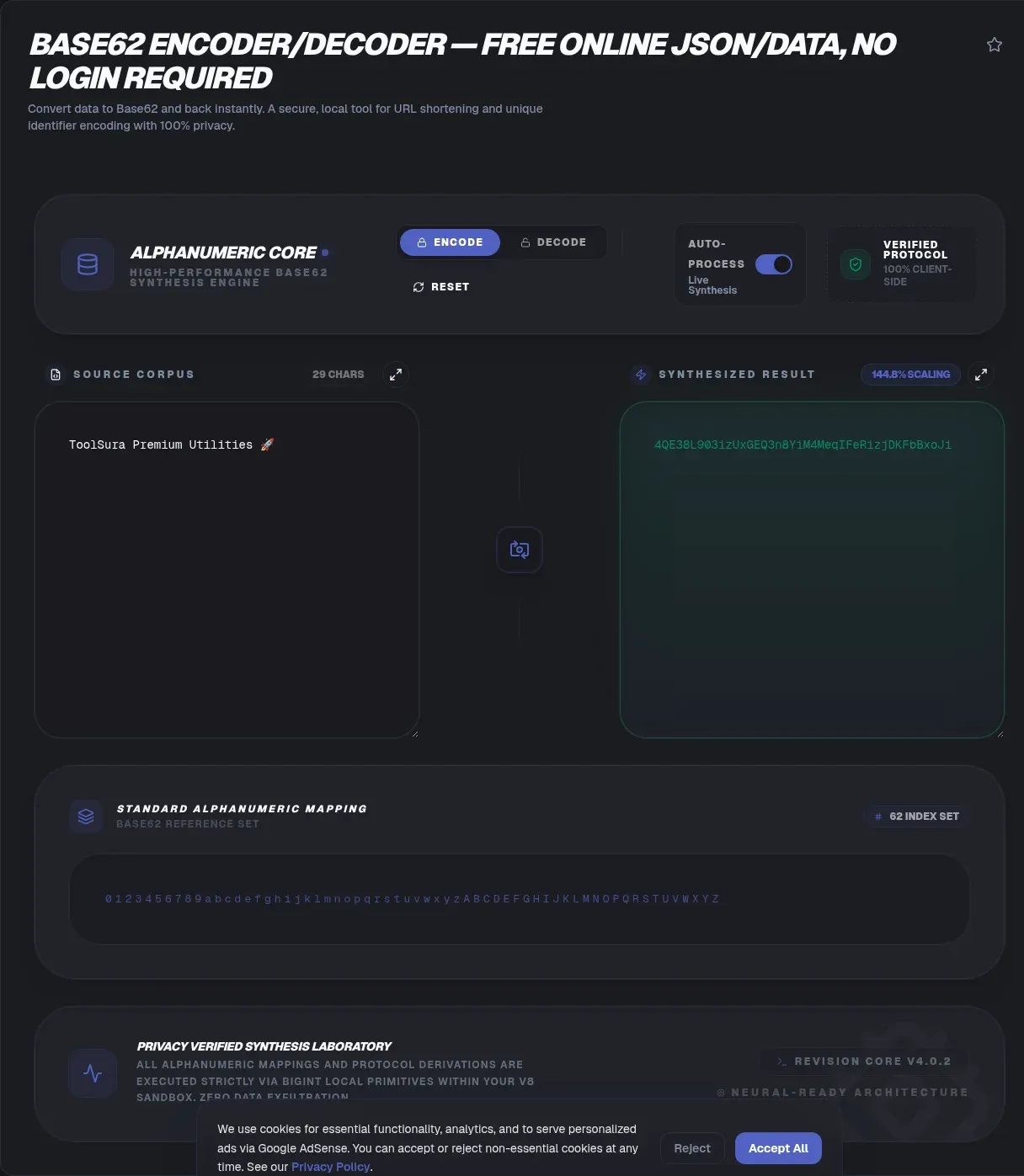
Paste a Base62 string into the box above and it turns straight back into the number or bytes you started with. The most common job here is decoding, so that runs first: drop in 4C92 and you get 1000000 back. The same tool encodes in reverse, so you can round-trip a value end to end without leaving the page.
There is no upload and no signup. The entire conversion runs in your browser, so your input never leaves your device and the tool keeps working even if your connection drops.
Key Takeaways
- Decoding is the fastest path: paste a string, get the number or bytes back, with no escaping.
- Base62 has no governing RFC, and four alphabet orderings circulate, so the same string can decode to different numbers on different tools.
- Base62 output is about 0.8 percent longer than Base64 for the same binary; its win is URL and filename safety, not density.
- Leading zeros are lossy in numeric mode, so binary round-trips need a deliberate sentinel rule.
Decoding a Base62 string, step by step
Decoding a Base62 string takes one step: paste the string, read the result. Each character maps to a digit value from 0 to 61, and the decoder multiplies by 62 and adds the next value, working left to right, to rebuild the original number. For 4C92 that is 4×62³ + 12×62² + 9×62 + 2 = 1,000,000 exactly.
A correct decoder also needs to know whether you are reversing a number or reversing bytes, because both are called "base62 decode." Integer mode rebuilds one big number from the characters. Byte mode instead treats the input as a packed bit stream. Decoding a string that was encoded the other way gives you a plausible but wrong value, which is the single most common decode complaint.
A good decoder flags characters outside the active alphabet instead of silently dropping them, so typos fail loudly.
INTERNAL-LINK: percent-encode for URLs → URL Encoder/Decoder
Which Base62 alphabet should I use, and why do other tools disagree?
Four different Base62 alphabet orderings circulate in real libraries, and that is why the same string can decode to a different number on different tools. The base62 reference implementation documents four orderings in use: A-Za-z0-9, 0-9A-Za-z, 0-9a-zA-Z, and a-zA-Z0-9. Nothing tells you which one your source used, so decode is guesswork until you pin it down.
This tool orders its alphabet digits first, then uppercase, then lowercase (0-9A-Za-z). If you got the string from another system, the safest move is to test one known value first. Encode a round number with that system, paste it here, and see if the number matches. If it does not, switch the ordering until it does.
The split runs deep in real packages. The tuupola base62 library treats integer and byte conversions as separate operations precisely because the two are easy to confuse. In our experience, the fastest way to resolve a decode mismatch is almost always the alphabet ordering, not a bug in the string.
Base62 is not more compact than Base64
Base62 is not more compact than Base64, and the bit math proves it. Each Base62 character carries log2(62) ≈ 5.954 bits, while each Base64 character carries exactly 6 bits, so Base62 output runs about 0.8 percent longer than Base64 for the same binary (derived from the standards comparison). Base62's real advantage is safety, not density: it never emits the +, /, or = that break URLs and filenames.
Against raw bytes the overhead looks larger, and that is expected. Base64 expands 3 bytes into 4 characters (33.3 percent), while Base62 expands data by log(256)/log(62) ≈ 1.3436, or about 34.4 percent (derived arithmetic). Six Base62 characters span 62⁶ = 56,800,235,584 values, slightly less than the 64⁶ = 68,719,476,736 that six Base64 characters span.
Base62 is a truncated Base64: it is the Base64 alphabet with
+and/removed, not a denser scheme.
The honest comparison for density is hexadecimal, not Base64. Hex doubles length (100 percent overhead), so Base62 is dramatically shorter than hex while sitting a hair above Base64. Reach for Base62 when characters must stay URL-safe, and for Base64 when you need a formally standardized binary transport. You can compare Base62 vs Base64 side by side.
Why is Base62 URL-safe when Base64 is not?
Base62 stays URL-safe because it is Base64's alphabet minus the two characters that cause trouble. RFC 4648, Section 3.4 notes that no single 64-character alphabet fits every requirement, and that / can be problematic in file names and URLs while + and / act as word breaks in some legacy text tools. Base62 sidesteps all of it by dropping those two symbols.
There is one more Base64 wrinkle Base62 avoids entirely: padding. RFC 4648, Section 3.2 requires = pad characters, and Section 5 defines Base64url by swapping - and _ in but keeping the =. Base62 needs none of these escapes. Its output drops straight into an address bar, a filename, or a CSV cell untouched.
That is why short links and human-readable keys lean on Base62. If you already have a percent-encoded string to repair, run it through a URL encoder/decoder first.
When decoding returns a number you did not expect
There are two usual reasons: the wrong alphabet ordering, or an integer-versus-bytes mismatch. The tuupola base62 discussion is explicit that integer conversions and binary conversions are different operations, so decoding a number-encoded string as bytes (or the reverse) returns a different value every time. The alphabet problem is covered in the ordering section above.
A third, sneakier cause is truncation. Because 62 does not divide 256, there is no clean chunk boundary like Base64's 6-bytes-in, 4-chars-out, so cutting a Base62 string short yields garbage rather than a shorter valid code (truncation discussion). Never decode a Base62 string you sliced.
How do I recover leading zeros after encoding?
Leading zeros are lossy in numeric mode, so you cannot always recover them after the fact. In Base62 a leading 0 contributes nothing to the number's value, so it drops out during conversion. The maintainer of the tuupola base62 library puts it plainly: "For numerical conversions losing leading zeros is ok. For binary data losing 0x00 is kind of not ok" (issue #4).
To make binary round-trips lossless, you need a deliberate sentinel scheme. Common choices are a 0x01 prefix byte, an explicit length prefix, or a run-length header like 0<count>. The Bitcoin Base58Check format sets the precedent by emitting one literal 1 for every leading zero byte, so the count is recoverable without a separate header.
If your data is fixed-width binary, encode a known sentinel rather than trusting bare numeric mode. Then you can generate a UUID and round-trip it losslessly.
Is Base62 encryption?
No. Base62 is a numeral-system conversion, not encryption. Anyone holding a Base62 string can decode it with no key, so it provides no confidentiality. Encoding changes representation; encryption changes data under a secret key, and the two are not interchangeable. Never hide a password or token in a Base62 string and assume it is concealed.
Even a plausible use of randomness does not make it secret. Firebase, which packs 120 bits into 20 sortable characters for push IDs, warns in its own engineering write-up that the randomness is for uniqueness, not security. Base62 sits in the same category: readable by anyone who decodes it.
Living with look-alike characters in Base62
Base62 includes all four look-alike characters (0, O, I, l), which makes it more ambiguous than some alternatives. Base58 deliberately removes 0, O, I, and l to avoid visual confusion, per the Bitcoin developer guide. Base62 keeps them because it wants the full 62-symbol set, so transcription errors are a real risk.
The mitigations are practical. Ask your source for the alphabet ordering so you decode the right characters, verify one known value before trusting a batch, and prefer copying and pasting over retyping. If you need an encoding that drops the ambiguous characters on purpose, Base58 is the one designed for it.
A decoder cannot tell
0fromOby shape, so a correct decode depends on knowing the exact string, not guessing at it.
How many characters do I need to avoid collisions?
Each extra character multiplies your keyspace by 62, so six characters give 62⁶ = 56,800,235,584 (about 56.8 billion) values and seven give 62⁷ ≈ 3.52 trillion (derived arithmetic). Whether that is enough depends on whether your codes are sequential or random. A sequential counter maps each integer to one unique string, so it never collides at all. Random codes follow the birthday bound instead.
Randomly issued six-character codes reach roughly a 50 percent chance of at least one collision near 280,600 codes, and already carry about a 1 percent chance near 34,000 codes (birthday-bound math). If you are sizing a random scheme, jump to eight characters, whose 62⁸ = 218,340,105,584,896 combinations keep even millions of codes clear of trouble.
Where do real products use Base62-style IDs?
Real products use Base62-style IDs for compact, alphanumeric-only public identifiers, though most do not publish the exact alphabet. Stripe's documentation describes object IDs as opaque prefixed strings such as ch_ and tells integrators never to parse them for meaning. Bitly's tutorial shows links as a domain plus an alphanumeric back-half like bit.ly/2dt1pnm, though the generation algorithm is not public. Both are Base62-flavored in shape, and neither confirms the standard in writing.
Other schemes are instructive precisely because they are not Base62. YouTube's technical details describe 11-character video IDs drawn from a modified Base64 alphabet, which is URL-safe Base64 rather than Base62. That is a good reminder not to assume a short alphanumeric ID uses one specific base. Treat any scheme's alphabet as a detail to confirm, and reach for a timestamp converter if you want IDs that sort by time.
Base62 is not a standard
Base62 is not a standard, which surprises people who assume every base-N encoding is defined somewhere official. RFC 4648 defines Base16, Base32, and Base64 but never mentions Base62 or Base58. Base32 alone has two defined variants in the same document: Section 6 uses A-Z plus 2-7, and Section 7's base32hex uses 0-9 then A-V. The Base62 overview notes that academic work like Pei-Chi Wu's 2001 Software: Practice and Experience paper treats it as a conversion technique, not a published specification.
No governing body means no single correct alphabet, and that is the root of the decode confusion. The academic literature describes the algorithm, not a canonical ordering. Always record which ordering you used alongside the data, so a decoder six months from now can reproduce it. If you are handling JSON payloads inside an identifier, run them through a JSON formatter and validator first.
The bottom line
Base62 earns its place as the identifier format hiding in plain sight: 62 safe characters, output that survives URLs, forms, and filenames with no escaping, and enough keyspace for short codes. Its two sharp edges are alphabet ordering and the confusion between integers and bytes, and both are decode-side problems, which is exactly why this page puts decoding first. Respect those edges and the format works reliably across the web. Bookmark this page for the explainer as much as the converter, and when you need a sibling tool, the HTML entity encoder/decoder covers another member of the encoding-not-encryption family.