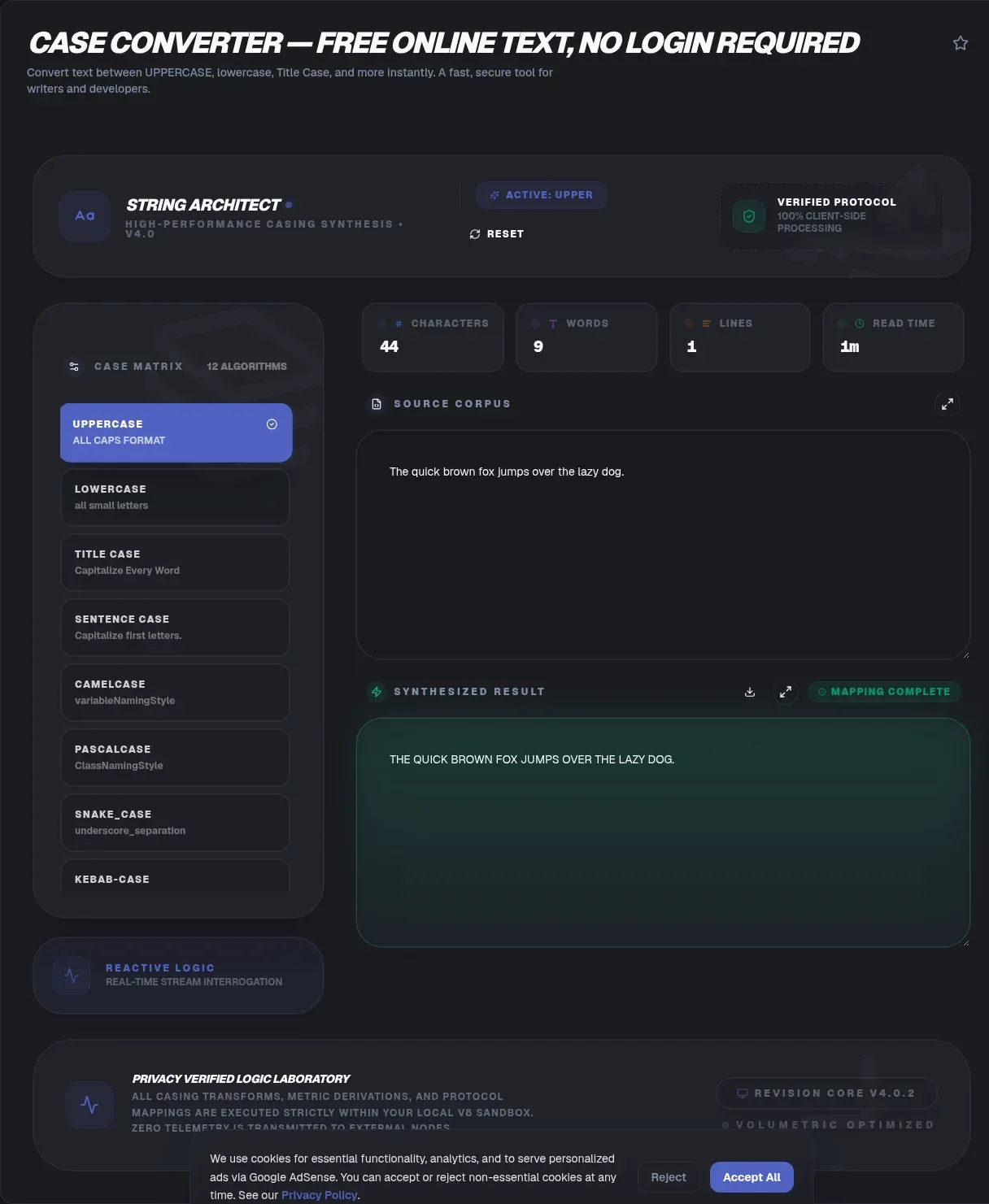
The ToolSura Case Converter transforms any text into eleven different casing formats with a single click each: uppercase, lowercase, title case, sentence case, camel case, Pascal case, snake case, kebab case, constant case, plus toggle and inverse modes that rescue accidental CAPS LOCK text instantly, all in your browser Source.
Conversion runs live as you type or paste, with word and character counters tracking alongside. Case differences also decide whether search tools see two strings as one, and the fuzzy text search tool scores 'Hello' against 'hello' as an exact match. Per the page's documentation, text never leaves your device, the tool works offline once loaded, and no paywall or feature limits exist anywhere in the flow Source.
Why Case Conversions Trip People Up
Casing looks trivial until you meet it in practice. A spreadsheet of product names arrives SHOUTING; a database exports snake_case where your presentation needs title case; a headline pastes in as lowercase when the style guide demands capitalized principal words. Each situation needs different rules applied consistently across every character.
Manual retyping invites errors precisely because the transformation is mechanical: humans are terrible at performing identical logic hundreds of times without drift. Automation exists for exactly this shape of problem, which is why case conversion remains one of the most-reached utilities in any developer or editor toolkit.
The Programming Cases
Five formats dominate code, each carrying conventions teams rely on:
| Case | Example | Common home |
|---|---|---|
| camelCase | userName | JavaScript variables |
| PascalCase | UserName | Classes, components |
| snake_case | user_name | Python, SQL |
| kebab-case | user-name | URLs, CSS classes |
| CONSTANT_CASE | USER_NAME | Fixed constants |
Converting between them by hand means tracking capitalization boundaries mentally while retyping underscores and removing hyphens in the right places. Automated conversion applies the mapping uniformly, which matters most at scale: renaming fifty identifiers by hand guarantees at least one typo somewhere important.
The Prose Cases: Title and Sentence
Prose conversions follow different logic than programming ones. Sentence case capitalizes only the first word plus proper nouns, producing the calm modern style most digital publications prefer. Title case capitalizes principal words while leaving articles and short prepositions lowercase, the traditional headline approach.
Here honesty requires acknowledging complexity: no single title-case standard exists. As the tool page notes, AP, MLA, Chicago, and APA styles all capitalize differently Source. The converter follows common English conventions; publishers with specific style guides should verify output against their house rules rather than assuming universal agreement.
CAPS LOCK Rescue: Toggle and Inverse
Everyone has sent the message typed entirely in capitals because a stray key was pressed somewhere upstream. Retyping is painful; selecting all and applying toggle case fixes it in one click, flipping every letter to its opposite casing. Inverse mode handles the complementary direction Source.
These flip modes earn their description as the fastest fix for caps-lock accidents precisely because they preserve everything else: spacing, punctuation, paragraph structure all survive untouched while only letter casing changes. For documents already formatted correctly except for one catastrophic keystroke, nothing else comes close.
Styling Versus Converting: The text-transform Trap
CSS can make text look converted through text-transform, but appearance is all it changes. The page draws this distinction carefully, noting that the underlying characters stay original, which means copy-paste operations, search functionality, and downstream data processing all encounter the original casing Source.
Real conversion rewrites characters themselves so every downstream consumer sees the new casing. Choose styling when display should differ from data; choose conversion when the data itself must change. Confusing the two produces systems where searches fail against visibly matching text.
Case Sensitivity Beyond Display
Casing interacts with systems in ways display never reveals. The tool page notes that web paths can be case-sensitive, with search engines potentially treating differing-case addresses as distinct pages per RFC 3986 conventions Source. A link pointing to /Apple when your server serves /apple may break or fragment analytics depending on configuration.
This is also why the converter explicitly does not rewrite URLs: transforming path casing blindly breaks working links. Convert prose freely; treat addresses as engineering artifacts deserving deliberate, tested changes rather than casual formatting passes.
When Changing Case Changes Meaning
In English, casing is mostly cosmetic. Elsewhere it carries meaning. The page's educational content highlights Turkish, where dotted and dotless i are distinct letters whose casing transformations change words entirely; German, where the sharp s uppercases to SS under standard Unicode behavior; and Greek final sigma, which takes a different form mid-word versus sentence end Source.
Anyone processing multilingual text should treat case conversion as a locale-aware operation rather than pure ASCII arithmetic. The tool handles common English conventions; truly multilingual pipelines deserve libraries built for linguistic correctness.
The Readability Question for All Caps
ALL-CAPS passages feel emphatic but read slower. The page cites classic reading research by Tinker and Paterson reporting roughly 12 percent slower reading of all-capital text compared with conventional mixed case Source. Word shapes vanish when every letter reaches full height, forcing letter-by-letter decoding.
Practical translation: reserve full capitals for short emphasis moments like labels and warnings, not paragraphs. When inherited content arrives shouting, converting to sentence or title case is an accessibility improvement as much as an aesthetic one, measured in actual reading speed.
Everyday Workflows This Serves
Three audiences reach for case conversion constantly. Developers normalizing identifiers between language conventions during refactors. Editors harmonizing headlines from mixed sources against publication style. Data workers cleaning imported spreadsheets where upstream systems chose different conventions than downstream consumers expect.
All three share the same underlying need: deterministic transformation applied uniformly, with original text preserved until the result is confirmed correct. Live conversion plus copy-on-click delivers exactly that loop without ceremony or second-guessing.
Naming Conventions Across a Whole Stack
Real projects mix conventions because different layers evolved them independently. A single feature might carry kebab-case in its URL, snake_case in the database columns backing it, camelCase in the API response, and PascalCase in the component rendering it. None of that is chaos; each layer follows its platform's dominant style.
Conversion utilities keep the boundaries clean when data crosses between layers. Renaming for consistency across an entire stack means transforming identifiers repeatedly and reliably, which is precisely what mechanical converters do better than tired humans at end of sprint.
Unicode Realities Beneath Simple Buttons
Even apparently simple casing touches surprisingly deep machinery. Every conversion walks through character mappings that standards bodies maintain across hundreds of scripts, and edge cases accumulate at script boundaries: ligatures, accented variants, and special forms all participate in casing rules most users never encounter but multilingual software must respect.
Tools that handle the common cases correctly while documenting their boundaries honestly serve both audiences: everyday users get predictable results on English text, while internationalization-aware developers know exactly where general-purpose conversion ends and locale-specific handling must begin Source.
Keyboard Shortcuts Worth Knowing Alongside
Native operating systems offer partial casing help worth stacking with dedicated tools. Word processors typically ship shift-F3 style cycling through sentence, lowercase, and uppercase forms; editors carry their own transform commands. What native shortcuts lack is the long tail: camelCase, kebab-case, constant case, and title-case-with-real-rules generally require either plugins or a browser tool.
The practical division of labor: editor shortcuts for quick single-format fixes where you already work, and a full converter when formats multiply or source text lives outside your editor. Knowing both speeds keeps text transformation from ever becoming a bottleneck Source.
Key Takeaways
- Eleven casing formats cover programming conventions, prose styles, and caps-lock rescue in one place.
- CSS text-transform changes appearance only; real conversion rewrites the characters themselves.
- Title case has no universal standard: AP, MLA, Chicago, and APA all capitalize differently.
- Locale matters: Turkish dotted i, German sharp s, and Greek final sigma all change meaning under casing.
- All-caps text reads measurably slower, so convert shouting passages into readable mixed case.
Related Tools
Complete the writing toolkit:
- Word Counter tracks lengths across converted documents.
- Markdown to HTML Converter publishes styled output from plain text.
- URL Encoder/Decoder handles percent-encoded strings safely.
- JSON Formatter & Validator normalizes structured data beside prose.
- Text Summarizer condenses long drafts into their strongest sentences.
- CSS Minifier compresses stylesheets behind published pages.
Frequently Asked Questions
Which case formats do developers use most?
camelCase for JavaScript variables, PascalCase for classes and components, snake_case for Python and SQL, kebab-case for URLs and CSS class names, and CONSTANT_CASE for immutable constants. Converting between them manually invites typos exactly where precision matters most, which is why automated transformation pays for itself the first time it catches a boundary mistake.
What is the difference between title case and sentence case?
Title case capitalizes principal words throughout a phrase, leaving minor words lowercase, in the traditional headline manner. Sentence case capitalizes only the first word and proper nouns, reading more quietly. Because publishers define title case differently across AP, MLA, Chicago, and APA traditions, verify output against whichever guide governs your content.
Why can't I just use CSS to change text case?
CSS text-transform changes only displayed appearance while the underlying characters keep their original casing. Copies, clipboard exports, searches, and any downstream data processing still encounter the original form, as the tool page explains when distinguishing styling from conversion. When the data itself must change, rewrite the characters rather than restyling them.
Are URLs case-sensitive?
Path segments can be, and search engines may treat differing-case addresses as distinct pages following RFC 3986 conventions, as the tool page notes in its FAQ. This sensitivity is why the converter deliberately refuses to rewrite URLs: changing address casing casually risks breaking working links and splitting analytics between duplicate paths.
Can converting case actually change meaning in other languages?
Yes, dramatically in some scripts. Turkish distinguishes dotted and dotless i as separate letters, German sharp s uppercases to double S under standard Unicode rules, and Greek final sigma takes a different form from its mid-word variant. The tool page covers these examples; multilingual pipelines deserve locale-aware conversion libraries instead of ASCII assumptions.
How do I fix text I accidentally typed in all capitals?
Select the offending passage, then apply toggle case, which flips every letter to its opposite casing in one operation, restoring normal mixed case from shouting text without retyping anything. Punctuation, spacing, and paragraph structure all survive intact. It is the fastest available rescue for the classic caps-lock accident.
Is all-caps text harder to read than mixed case?
Yes, measurably. The page cites classic Tinker and Paterson research finding all-caps passages roughly 12 percent slower to read, because uniform letter heights destroy the word shapes readers rely on. Reserve capitals for brief emphasis like labels and warnings, and convert inherited shouting passages into mixed case for readability.Whatever brought shouting text, mismatched identifiers, or inconsistent headlines to your desk today, mechanical transformation beats manual retyping on speed, accuracy, and dignity alike. Paste, click, copy, done. Eleven buttons, one text field, zero excuses left for inconsistent casing anywhere in your stack. Consistency is a click away. Every format, every time, on demand.