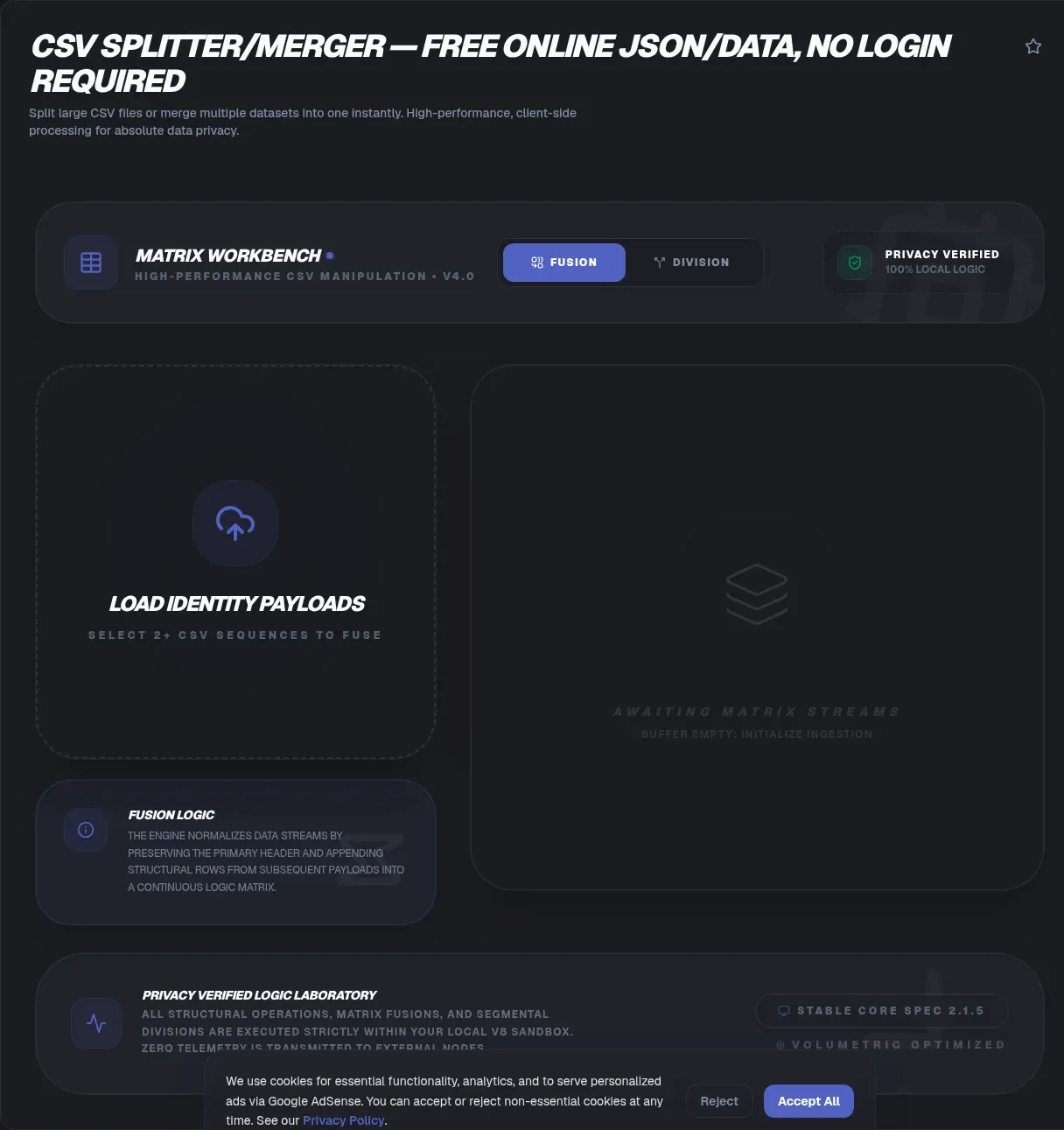
A single export can outgrow your spreadsheet faster than you expect. Microsoft specifies that an Excel worksheet contains at most 1,048,576 rows by 16,384 columns (Microsoft Support), and modern platform exports blow past that number routinely. A CSV splitter and merger fixes the problem at the source by cutting oversized files into import-ready chunks, and you can run both operations in your browser without installing anything.
Privacy matters just as much as capacity. ToolSura's implementation carries a "Verified 100% Client-Side" badge and a tech-spec line stating "No data transmission to servers," so your file never leaves your device while JavaScript parses it locally. That design matters when rows hold customer names, email addresses, or order histories.
Key Takeaways
- An Excel worksheet holds at most 1,048,576 rows, so bigger exports need splitting first.
- Row-count splits with repeated headers stay import-ready.
- Naive line-based cutting can sever quoted multi-line fields.
- Client-side tools keep files on your device.
- Mergers copy the first file's header, so align columns beforehand.
What Is a CSV Splitter and When Do You Need One?
A CSV splitter cuts one oversized comma-separated file into several smaller pieces, usually by row count, so each piece fits a downstream limit. Demand for this job is easy to measure: csvkit recorded 81,423 downloads in its trailing week on PyPI, retrieved 2026-08-23 (PyPI Stats), and that counts one Python toolkit alone.
The format itself comes from RFC 4180, an Informational memo published in October 2005 (RFC Editor). It describes common usage rather than mandating it; the text concedes CSV had never been formally documented and that implementations differ considerably. Real-world exports inherit that looseness, which is why parser-aware splitting beats a blind text cut.
Why Do Big CSV Files Fail in Excel?
Microsoft specifies that an Excel worksheet contains at most 1,048,576 rows by 16,384 columns, and individual cells top out at 32,767 characters (Microsoft Support). Any CSV larger than one worksheet cannot open whole in Excel; depending on the import method, additional rows may be truncated or trigger an error rather than disappearing quietly.
Row splitting solves this directly. Chunks of 100,000 rows import with plenty of headroom, and repeating the header in every chunk keeps each file self-describing. The tool's FAQ states that files exceeding 1 GB process efficiently and recommends 50,000 to 100,000 rows per chunk for Excel-bound work. Treat those numbers as starting points and test on your own hardware before batching.
How Do You Split a CSV Into Multiple Files?
The core workflow takes about a minute. The ToolSura page advertises split-by-row-count (for example, 1,000 rows per file) with optional header repetition in every chunk, plus a split-by-file-count mode that spreads rows evenly across a chosen number of outputs, packaged as a downloadable ZIP.
- Drop in your file or select it from disk.
- Choose rows per file based on the destination limit you are targeting.
- Toggle header repetition so every chunk carries column names.
- Run the split and download the ZIP of results.
- Spot-check the first and last chunks for clean boundaries before importing anywhere.
Header repetition deserves emphasis. Without it, only the first chunk knows its column names, and every later import forces you to reconstruct the schema from memory.
Should You Split by Rows or by File Size?
Pick rows when the constraint counts records: Excel's worksheet maximum, a CRM's per-import cap, or an API's row allowance. Pick size when the constraint is bytes, such as an email attachment ceiling. Size-based splitting carries extra risk because a naive byte boundary can sever a record mid-field unless the tool is parser-aware.
Parser-aware tools stream instead of loading everything at once. Papa Parse's documentation explains that enabling its chunk callback activates streaming, recommended precisely because huge files would otherwise crash the browser tab (Papa Parse Docs). Streaming keeps memory flat, which lets modest laptops handle surprisingly large exports.
Why Does Naive Line Splitting Corrupt Quoted Fields?
Because a valid CSV record can legally span multiple lines. RFC 4180 requires fields containing line breaks, double quotes, or commas to be enclosed in double quotes, with embedded quotes escaped by doubling them (RFC Editor). Slice every thousandth physical line and you can cut straight through a quoted address block.
The damage hides well: the chunk before the cut ends mid-field, the next chunk starts mid-record, and every downstream import misreads both. A parser-aware splitter walks complete records, so cuts land between records instead of inside them. None of the four competitor pages reviewed here explains this failure mode, which is surprising given how often it bites.
How Does Merging Multiple CSV Files Work?
Plain concatenation stacks files one after another and borrows the header of the first file, and that is the model the ToolSura merge follows. When later files introduce columns the first file lacks, the merged output gains those columns while earlier rows leave the new cells empty. Preview the result before downloading.
Identical schemas remain the safest case: same column names, same order, no surprises. If schemas drift between exports, convert two versions to JSON and run a structured diff to see exactly what changed before committing. Silent column unions cause most broken merges, and a thirty-second check prevents nearly all of them.
Is It Safe to Split a Customer List in an Online Tool?
Safety tracks processing location. GDPR Article 5(1)(c) requires personal data to be adequate, relevant, and limited to what is necessary for the processing purpose (GDPR-info.eu). Keeping a bulk export on your own machine removes transmission exposure entirely, which supports that principle. This is general information, not legal advice, and no tool makes a workflow compliant on its own.
Competitor models vary more than marketing copy suggests. CSVTools and CombineCSV state processing is client-side. SplitCSV never explicitly documents its processing model, though its upload language and cloud-import pickers suggest server-side handling. Thunderbit makes no stated claim about where processing occurs. Ask the question directly before trusting any service with customer rows.
How Popular Are CSV Libraries and Command-Line Tools?
Weekly download counts show the scale. Papa Parse logged 14,893,528 npm downloads during the week of 2026-08-16 through 2026-08-22 (npm Registry), while csv-parse logged 18,329,142 in the same week (npm Registry). These counters reset weekly, so read them as snapshots rather than lifetime totals.
Command-line users reach for Miller (mlr), which bills itself as awk, sed, and sort for CSV, TSV, and JSON formats, holding roughly a single record in memory at a time so it can process files larger than available RAM (GitHub). Scripts win for repeatable pipelines. Browser tools win for one-off jobs on machines where installing software is not an option.
What About Semicolons, Tabs, and Strange Encodings?
RFC 4180 standardizes the comma, yet reality disagrees. European locale exports frequently arrive semicolon-delimited, and database dumps often use tabs. Any RFC-compliant tool treats those characters as plain field text unless configured otherwise, so confirm your file's actual delimiter before running a split.
Encodings deserve equal suspicion. Windows-exported files often begin with an invisible UTF-8 BOM that corrupts the first header cell when a tool reads it as data, and Latin-1 legacy exports turn into mojibake when parsed as UTF-8. Keep encoding consistent across chunks so merged pieces stay compatible, and check a tool's live interface for delimiter or encoding settings rather than assuming they exist.
Are Duplicate Rows Removed During a Split or Merge?
No. Splitting and merging are row-preserving operations, so every input row appears in the output exactly once, duplicates included. Treat deduplication as a separate cleanup step, ideally keyed on full-row identity. Fuzzy keys that ignore case or whitespace can destroy legitimate near-matches, such as two orders differing by one trailing space.
Of the competitors reviewed, only Thunderbit offers a remove-duplicates checkbox on its merger, and its page says little about when deduplication turns destructive. Preserving duplicates by default is the conservative choice for data you cannot afford to lose silently.
Which Everyday Problems Does Chunking Solve?
Email comes first for most people. Gmail defaults to a 25 MB attachment ceiling and converts anything larger into a Drive link (Google Help), while classic Outlook with internet accounts defaults to a 20 MB total message size; both limits vary by account configuration (Microsoft Support).
Beyond mail, chunking satisfies per-file row caps at CRMs and ad platforms, shrinks payloads for API uploads, and makes manual review of a 900,000-row export humanly possible. The backdrop keeps expanding: IDC forecasts roughly 394 zettabytes of global data creation by 2028, a projection known through secondary coverage rather than the subscription-only report (IDC).
Messy data compounds everything: 56 percent of surveyed practitioners named poor data quality their biggest challenge (dbt Labs, survey of 459 practitioners published April 2025). Clean chunking keeps structure predictable while you fix content problems separately.
How Does ToolSura Compare With Other CSV Splitters?
| Tool | Documented privacy model | Standout features |
|---|---|---|
| ToolSura CSV Splitter/Merger | "Verified 100% Client-Side" badge; spec line reads "No data transmission to servers" | Split by row count or file count, optional header repetition, ZIP output, merge with first-file header |
| CSVTools Split CSV | States processing is client-side | Split by rows, size, or count; configurable separator and quote character |
| SplitCSV | Never explicitly documents its processing model | Size, row, and file-count splits; cloud-import pickers; paid tier for files over 4 GB or 10 million rows |
| CombineCSV | States all work happens locally | Combines up to three files; aligns rows on a chosen key column |
| Thunderbit CSV File Merger | Makes no stated claim about where processing occurs | Up to ten files; union or intersection column modes |
Two gaps stand out across the field. Nobody documents how their splitter treats quoted multi-line fields at chunk boundaries, and nobody addresses encoding or BOM behavior, the two places where silent corruption usually starts. ToolSura pairs its claimed client-side guarantees with both split modes and merging on one screen, which covers the full round trip without a second vendor.
What Does a Sensible Split-and-Merge Workflow Look Like?
Start by profiling the file: row count, delimiter, quoting quirks, and encoding. Pick a chunk size from the receiving end's limit, enable header repetition, and split. Reviewing the boundary rows of the first and last chunks catches most structural problems before any import engine sees the data.
When chunks come back for reassembly, merge them in their original order and check the arithmetic: the merged row count should equal the original rows minus the repeated headers. Convert a sample to JSON and validate it if the data feeds an API pipeline. These habits cost minutes and prevent reruns that cost hours.
Frequently Asked Questions
The seven questions below cover the details readers ask about most, from header handling to duplicate rows. Quick answers reflect the sources cited throughout this guide.
Related Tools
Pair the splitter with the rest of a lean, browser-based data toolkit:
- Convert your split chunks to JSON for API-ready payloads.
- Validate the JSON you generate before it reaches production.
- Diff two versions of a merged dataset to spot schema drift.
- Preview a CSV chunk as an HTML table without opening Excel.
- Base64-encode small CSV payloads for API calls.
- Check field lengths against character limits for ad platforms and CRMs.
For the splitting and merging themselves, the CSV Splitter/Merger keeps every operation local from first chunk to final merged file.