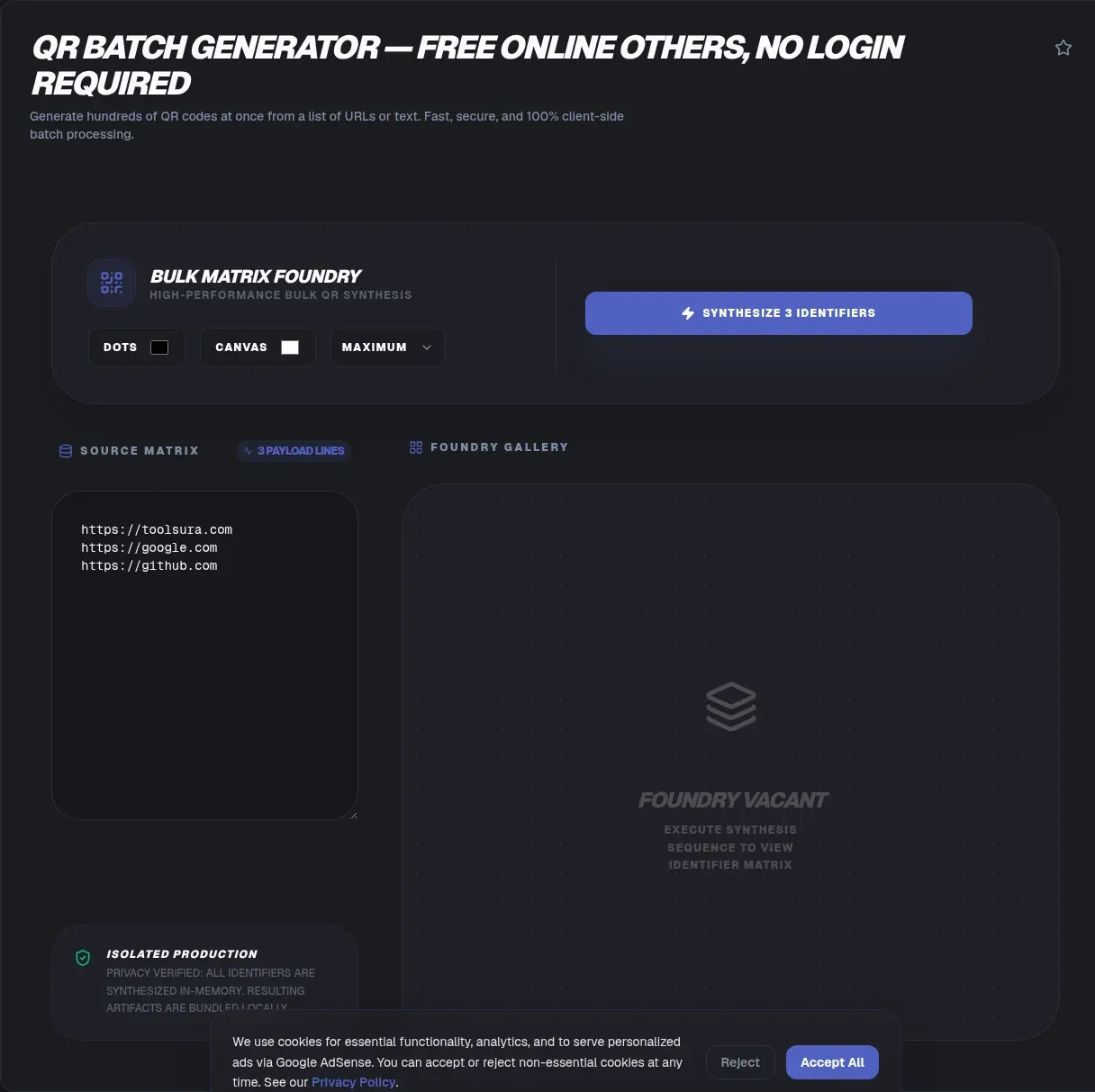
The ToolSura QR Batch Generator converts an entire spreadsheet of data into a ZIP archive of QR codes in one pass. Organize your values in Excel or Google Sheets with one row per code, save as CSV, upload, and collect high-quality PNG images for every entry Source.
Sessions support up to 500 codes, the tool documents static output that never expires, and no account participates anywhere in the flow Source.
Why Batches Beat One-Off Generation
Anything worth encoding once often exists in families: product SKUs, event tickets, table tents, asset tags, coupon variants, shelf labels. Generating each by hand means dozens of paste-click-download cycles plus the inevitable mistakes when row seventeen gets paired with row eighteen's filename.
Spreadsheet-driven generation eliminates that pairing problem structurally. The CSV is the source of truth; each code derives from exactly one row in order; and the archive preserves that mapping. When a label prints wrong later, you trace it to a row rather than guessing which manual step drifted.
The Spreadsheet Workflow
The documented process starts before the tool opens. Build your sheet so each row holds the data for a single QR code, keeping one column per field if rows carry structure Source. Save as CSV from Excel or Google Sheets, upload to the generator, choose options, and download the resulting ZIP.
Two preparation habits pay off immediately. First, decide which column encodes before exporting; the generator lets you select it, per its documented options, so extra reference columns can ride along without polluting payloads. Second, keep a copy of the exact uploaded CSV alongside the downloaded ZIP forever, since that pairing is your audit trail.
What Goes in the Codes
Per the FAQ, supported payload types include URLs, plain text, and vCards when columns are formatted correctly Source. That trio covers most batch scenarios: product links keyed off SKU sheets, serialized serial numbers or short identifiers, and contact cards generated for whole teams or conference delegate lists.
vCard batching deserves special care because contact rows contain real personal information. Treat such spreadsheets with the same sensitivity as the finished cards: generate, distribute deliberately, and avoid leaving populated files lingering in shared folders longer than necessary.
Choosing Options Before You Generate
Three documented settings shape output. Column selection picks what becomes encoded. Size adjustment sets image dimensions appropriate to destination, since a warehouse label needs different resolution than a business card. Error correction level controls damage tolerance, trading pattern density for resilience Source.
Decide all three against the physical destination before running, not after seeing results. A label printed at two centimeters needs a shorter payload and higher error correction than the same data on an A4 poster, so let the smallest real-world surface drive every setting rather than averaging across destinations. Reprints caused by undersized images or wrong correction levels waste exactly the time batching was meant to save, so a ten-second option review protects the entire run.
Error Correction at Scale
The QR format survives damage through Reed-Solomon correction across four levels: L restores 7 percent of damaged bytes, M restores 15 percent, Q reaches 25, and H survives 30 percent, per the standard's published restoration rates Source. Higher levels produce denser grids for identical payloads.
At batch scale, environment should drive the choice uniformly. Warehouse labels facing abrasion justify higher levels across every code; clean brochure inserts can use lower ones everywhere. Mixed levels within one print run invite confusion, so pick once, document it, and let consistency carry the quality story.
The 500-Per-Session Limit
Sessions cap at 500 codes, with larger jobs simply split into multiple passes per the documentation Source. Plan around it by slicing big spreadsheets into chunks during export rather than discovering the boundary mid-upload.
Chunking also creates natural checkpoints. Verify a small sample from each completed session before proceeding to the next, catching systematic problems like a misaligned column before they multiply across thousands of codes instead of hundreds. Number sessions explicitly, session one through session whatever comes next, so archives and manifests reference unambiguous batches rather than anonymous downloads competing for attention.
Static Codes, Permanent Deployments
Batch output is static by design: every code embeds its payload directly and will never expire, requiring no subscription, hosting, or account management afterward per the page's own framing Source.
That permanence shapes deployment discipline. Since nothing can be edited post-print, validate a sample scan from each session before distribution begins. And remember the flip side argued throughout this project's QR coverage: dynamic services enable editing and analytics but introduce dependency on their continued operation. For asset tags, tickets, and printed inventory, static permanence is usually precisely the requirement.
Data Handling Claims
The page states that uploaded CSV data processes securely without permanent server storage and that session data wipes after the ZIP downloads, with no signup involved anywhere Source. These remain operator self-descriptions, worth pairing with ordinary caution.
Practically: strip spreadsheet columns that do not need encoding before upload, especially personal fields riding along in vCard batches. Smaller uploads mean less exposure regardless of any service's handling, and cleaner inputs produce cleaner audits afterward.
Naming and Organizing Output Files
ZIP contents arrive as a set of images whose usefulness depends on naming. Establish conventions before generation where the tool permits, and otherwise maintain a manifest mapping filenames back to source rows: a second sheet listing code number, encoded value, destination surface, and print date.
That manifest transforms downstream work. Reorders become lookups, defect reports identify affected batches instantly, and annual refreshes proceed without archaeology. Include the generator settings used per session in the manifest too: correction level and size choices documented beside each batch make future regeneration reproduce past results exactly instead of approximately. Teams that skip the manifest inevitably rebuild it later under deadline pressure instead, usually with incomplete information.
Preparing vCard Batches Carefully
Contact-card batching concentrates personal information in one file, which raises the stakes of preparation. Trim columns to fields the cards truly need before export, confirm consent conventions for whoever appears in the rows, and delete working copies once distribution completes.
The same discipline applies to any spreadsheet containing customer data, not just contacts. Batching multiplies whatever sits in your rows, both value and exposure alike, so input hygiene scales directly into output safety Source.
Key Takeaways
- One CSV row becomes one permanent PNG code, collected into a single ZIP archive.
- Sessions handle up to 500 codes; larger jobs split cleanly into verified passes.
- URLs, plain text, and vCards encode when spreadsheet columns format correctly.
- Error correction levels trade density for damage tolerance; match them to the physical environment.
- Static permanence rewards validation before printing and manifests kept alongside archives.
Frequently Asked Questions
How do I generate many QR codes at once?
Build a spreadsheet with one row per code, save it as CSV from Excel or Google Sheets, upload to the generator, configure column selection and sizing, then download the ZIP of PNGs. The page documents exactly this flow, turning what would be hundreds of individual generations into one structured pass.
Is there a limit on batch size?
Yes: sessions process up to 500 codes according to the documentation. Larger datasets simply run as multiple consecutive passes. Slice large exports deliberately, verify a sample from each finished session, and keep per-session records so any later question traces to the right subset quickly.
Which data types can the batch encode?
Per the FAQ: URLs, plain text, and vCards, provided the CSV columns are formatted correctly for each type. That covers product links, serialized identifiers, and team contact cards alike. Confirm formatting on two or three sample rows before committing the full run, since one misformatted column repeats across every row it touches.
Do the generated codes expire?
No. Output codes are static, embedding payloads directly, and the page states they never expire nor require subscriptions, hosting, or account management afterward. Longevity depends on the printed surface remaining legible, which makes these suitable for packaging, asset labels, and archival materials alike.
What file format do I receive?
High-quality PNG images packed inside a single ZIP archive, per the current FAQ. PNG suits both digital deployment and print workflows via vector-free scaling at sufficient resolution. Keep the ZIP unopened as a master copy alongside your extracted working files, preserving an untouched original for future reprints.
Is my uploaded spreadsheet stored anywhere?
The page describes secure processing without permanent storage, wiping session data after the ZIP downloads, and requiring no signup. Those are self-described practices, so apply sensible caution regardless: remove non-encoding columns first, and think twice before uploading vCard batches containing full personal contact details unnecessarily.
Can I edit a code after generating it?
No. Batch output is static by design, meaning payloads live permanently inside each pattern. Corrections require regenerating affected codes and reprinting their surfaces. This is precisely why validating samples pre-distribution matters: catching a wrong URL in the ZIP costs seconds, while catching it on shipped packaging costs a reprint cycle.
Related Tools
Prepare and polish the pipeline:
- CSV to JSON Converter validates spreadsheet structure.
- Text to QR Code Generator handles single-code needs.
- Image Resizer fits outputs into layouts.
- PNG/JPG Compressor slims web deployments.
- JSON Formatter & Validator checks metadata exports.
- Word Counter keeps encoded strings lean.For recurring production runs, template the entire setup: a master spreadsheet with fixed column order, saved generator settings noted beside it, and the manifest sheet prebuilt. Each future campaign then becomes data entry rather than process reinvention.
Print-scale verification deserves its own mention: sample codes from a finished session should be scanned at final physical size on final material, not just reviewed on screen. A pattern that reads perfectly at full monitor resolution can fail on a two-centimeter label, and only a physical proof catches that before production.And when requirements do outgrow static codes, such as destinations changing mid-campaign or scans needing measurement, treat that as an architecture decision rather than an improvisation: dynamic routing is a different product category with different trade-offs, not a checkbox on this one.One final habit for high-volume teams: archive the exact CSV used per session beside its ZIP. Six months later, when someone asks what a particular code contains or why, the answer is one file open away rather than an afternoon of decoding archaeology across printed samples.Treat the whole pipeline as one artifact: spreadsheet, settings note, manifest, ZIP, and proof scans belong to each other and stay archived together.When the next campaign brief arrives, you will spend your time on what the codes say rather than on how to produce them, which is exactly where batching earns its name.