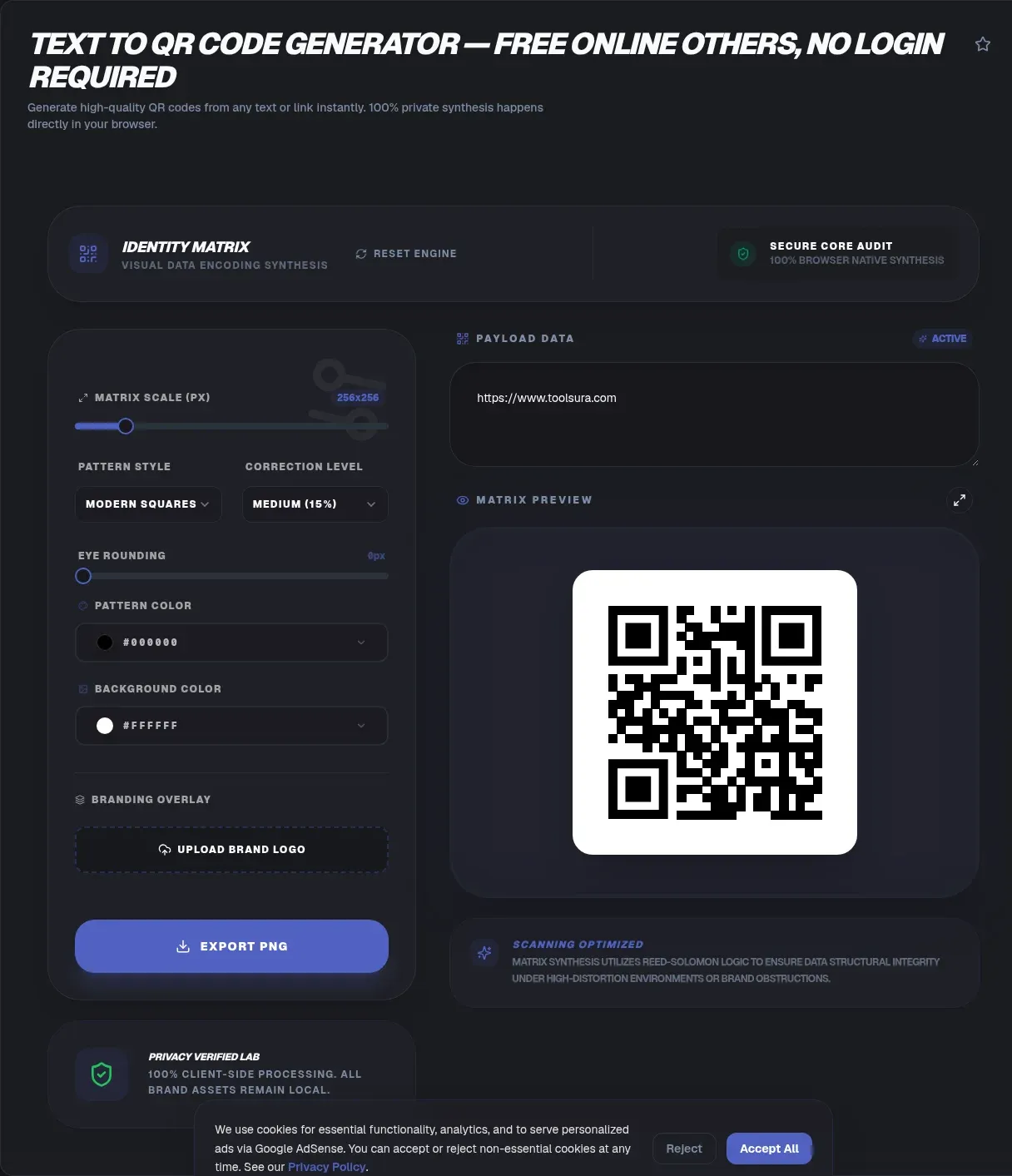
The ToolSura Text to QR Code Generator converts typed or pasted text directly into a scannable pattern in your browser, with high-resolution PNG for screens and vector SVG for print available as downloads Source. No link required: the code carries your words themselves.
Because these are static codes, whatever you encode lives permanently inside the pattern. The page states plainly that codes never expire, work offline once printed or generated, and involve no tracking since nothing routes through a server Source.
A Thirty-Year-Old Invention Still Everywhere
QR stands for quick-response code, invented in 1994 by Masahiro Hara at Denso Wave for labeling automobile parts, with the checkerboard design famously inspired by Go board stones Source. An automotive warehouse solution became a global interface between physical surfaces and digital content.
Licensing helped that spread. Denso Wave held foundational patents but waived enforcement for standardized codes, and the key patents expired in 2014 and 2015 Source. One nuance survives: "QR Code" itself remains a registered trademark of Denso Wave Incorporated, which is why generic terminology like two-dimensional barcode appears so often in formal contexts.
What Static Codes Mean for You
Static means self-contained: your text is encoded directly into the black-and-white modules rather than replaced with a short pointer to some service's database. Consequences follow immediately. The code works forever as printed, functions without internet access at scan time, and cannot be edited after generation.
That permanence cuts both ways. Print a WiFi password on a conference badge and it scans reliably for years; discover a typo after printing and the only fix is regenerating and reprinting. Static codes reward proofreading before download, exactly like print media generally. A short pre-flight ritual prevents the most common regrets: read back the encoded text character by character, scan a test print from arm's length with two different phones, and only then archive the SVG master alongside the payload text for future reference.
Capacity: How Much Text Fits
The specification's ceiling is enormous relative to everyday needs: version 40 codes at the lowest error correction level hold up to 7,089 numeric digits or 4,296 alphanumeric characters according to the reference standard's published limits Source. The tool page cites those same maxima alongside a practical recommendation to stay under about 300 characters for reliable scanning Source.
Why the gap? Density. Every additional character adds modules to the grid, and dense patterns demand more from cameras, lighting, and print quality. Short messages scan fast from awkward angles on scratched surfaces; maximal ones need ideal conditions. Treat 300 characters as ergonomic guidance rather than hard limit.
Error Correction Explained
QR codes survive damage through Reed-Solomon error correction, and the four levels trade density for resilience: level L restores 7 percent of damaged data bytes, M restores 15 percent, Q restores 25 percent, and H restores a full 30 percent Source.
Higher levels also thicken the module grid for identical content. Choose H when codes face weathering, fabric textures, or partial occlusion such as logos overlaid at center; choose L when real estate is tight and conditions are controlled. Matching the level to the environment beats defaulting blindly either direction.
PNG Versus SVG Downloads
The tool offers both formats its FAQ documents, each serving a distinct destination. PNG raster files suit screens: social posts, slide decks, websites, messaging apps. SVG vector files describe shapes mathematically, scaling to billboard size without a single softened edge, which makes them the correct choice for anything printed Source.
Keep the SVG master regardless of immediate need. Print vendors request vectors routinely, and regenerating later risks subtle differences; one archived SVG preserves the exact pattern you validated by test-scanning before deployment.
The Quiet Zone and Scan Reliability
Every QR code requires an empty margin around its modules, called the quiet zone, which gives scanners a clean boundary for pattern detection. The tool page lists cropping that zone among the primary causes of scan failures, alongside overly dense patterns and poor contrast Source.
Design consequences follow for anyone placing codes onto branded materials. Resist stretching artwork into the margin, maintain strong contrast between modules and background, and preserve minimum sizing relative to expected scanning distance. Most failed deployments trace back to one of those three violations rather than any fault in the encoded data.
Practical Uses Beyond Links
Plain-text codes shine wherever typing is painful. The page's use-case list includes business cards carrying contact details, product labels holding batch information, event materials with schedules, educational handouts, and marketing pieces encoding discount codes or calls to action Source.
WiFi credentials deserve special mention: encode the network name plus password and guests join with one camera tap instead of dictating twenty-character passphrases. Educational contexts benefit similarly, embedding instructions or answers where students scan rather than transcribe, keeping printed materials compact.
Static Versus Dynamic Codes
Dynamic services replace your content with a redirect they control, enabling post-hoc editing and scan analytics at the cost of dependency: when the routing service disappears, so does every deployed code pointing through it. This tool deliberately sits on the other side, producing only static codes with no analytics and no expiration per its documentation Source.
Choose dynamic when campaigns truly require editable destinations and measurable scans. Choose static whenever longevity, privacy, and independence matter more, which for business cards, labels, credentials, and archival print means almost always.
Sizing for Scanning Distance
Physical size and scan distance follow rough proportionality: the further away cameras will be, the larger the printed code must be. A code scanned from a phone at arm's length can stay modest; one read across a warehouse aisle needs proportionally more area.
Contrast interacts with sizing too. The page's troubleshooting list names poor contrast among failure causes, so dark modules on light backgrounds remain the dependable default. Reversed or low-contrast treatments demand larger sizes to compensate Source.
Key Takeaways
- Static QR codes embed data permanently: no expiry, no tracking, fully offline at scan time.
- The format holds up to 7,089 numeric characters at maximum spec, though short text scans most reliably.
- Error correction trades density for resilience across four levels restoring 7 to 30 percent.
- PNG serves screens while SVG scales infinitely for print, and quiet zones must stay clear.
- Invented in 1994 for auto parts, standardized freely after patent expiry, trademarked still.
Frequently Asked Questions
Can a QR code contain plain text instead of a link?
Yes. Static codes embed any text directly into their pattern, and scanners display the decoded message without needing internet access, per the tool's documentation. Links are simply one common payload among many, alongside WiFi credentials, contact details, instructions, and identifiers for labels and inventory.
Do these QR codes ever expire?
No. The tool produces static codes whose data lives inside the printed or displayed pattern itself, and its documentation confirms they never expire. Longevity depends only on physical legibility of the surface, which makes static codes suitable for archival prints, engraved signage, and long-lived packaging.
How much text can I encode?
The reference specification tops out at 7,089 numeric or 4,296 alphanumeric characters for the largest version at lowest error correction, per Wikipedia's published limits. The tool recommends staying under roughly 300 characters because denser patterns scan less reliably in real-world conditions. Aim for the shortest message that carries full meaning.
Which error correction level should I choose?
Match resilience to environment. Level L tolerates 7 percent damage, M handles 15, Q reaches 25, and H survives 30 percent, per the standard's documented restoration rates. Outdoor exposure, fabric printing, and center logos argue for higher levels; tight spaces and pristine conditions favor lower ones for smaller patterns.
Why did my printed code fail to scan?
Three culprits dominate, per the tool's own troubleshooting guidance: excessive density from too much text, insufficient contrast between modules and background, or a cropped quiet zone where surrounding artwork invaded the mandatory blank margin. Shorten the payload, restore contrast, and preserve margins, then retest before reprinting.
Can I make a WiFi joining code with this?
Yes. Encoding the network name and password as text appears among the tool's listed use cases, letting guests connect with a single camera interaction instead of manual entry. Test the result on both major phone platforms before printing, since scanner apps handle embedded credential text with varying polish.
Are there licensing restrictions on generating QR codes?
The core patents have expired or been waived for standardized use, per Wikipedia's intellectual-property history, so generation itself is unrestricted. One formality remains: QR Code is a registered trademark of Denso Wave Incorporated, worth remembering for formal product naming, even though everyday usage of the technology is entirely free.
Related Tools
Prepare assets around the code:
- Image Resizer fits generated PNGs into layouts.
- PNG/JPG Compressor slims web copies.
- Favicon Generator masters square-crop workflows.
- Base64 Encoder/Decoder embeds images in data URIs.
- JSON Formatter & Validator checks batch metadata.
- Word Counter keeps payloads lean.
- How Do QR Codes Work — explains the encoding pipeline behind every code
- Do QR Codes Expire — covers static, dynamic and revocable codes
- QR Code vs Barcode — picks a symbology by use case
Encode once, scan forever: create your static pattern at the Text to QR Code Generator today.
Before mass production, print a single physical proof at final size on final material and scan it with several phones under realistic lighting. Five minutes of validation protects entire production runs, whether the destination is five hundred business cards or five thousand shipped packages.
Version your codes too, at least informally: keep a note pairing each deployed pattern with its payload and print date. When a surface wears out years later, that record turns regeneration into a lookup instead of an investigation into what those modules actually contained.
For event materials specifically, encode the shortest stable information available: venue names, section labels, or schedule identifiers rather than full paragraphs. Attendees scan in motion, under imperfect lighting, holding phones at awkward angles, and every character of brevity buys scanning margin exactly when conditions are worst. Long-form content belongs on the page the code opens, not inside the pattern itself.
Accessibility deserves a final thought wherever codes appear publicly: always accompany them with visible plain text of the destination or message for people whose devices or circumstances make scanning impractical, keeping the printed material useful to every reader rather than only those with working cameras and data plans.
That master file habit costs seconds per code and pays off whenever materials get reprinted years later: instead of reverse-engineering what an old pattern contained, you regenerate from source text and know instantly whether any drift crept in between versions.
One more consideration for teams deploying at scale: standardize placement. Consistent corner positioning, minimum sizes, and quiet-zone clearances across all your materials train both your designers and your audience's expectations, reducing failed scans and support questions simultaneously.