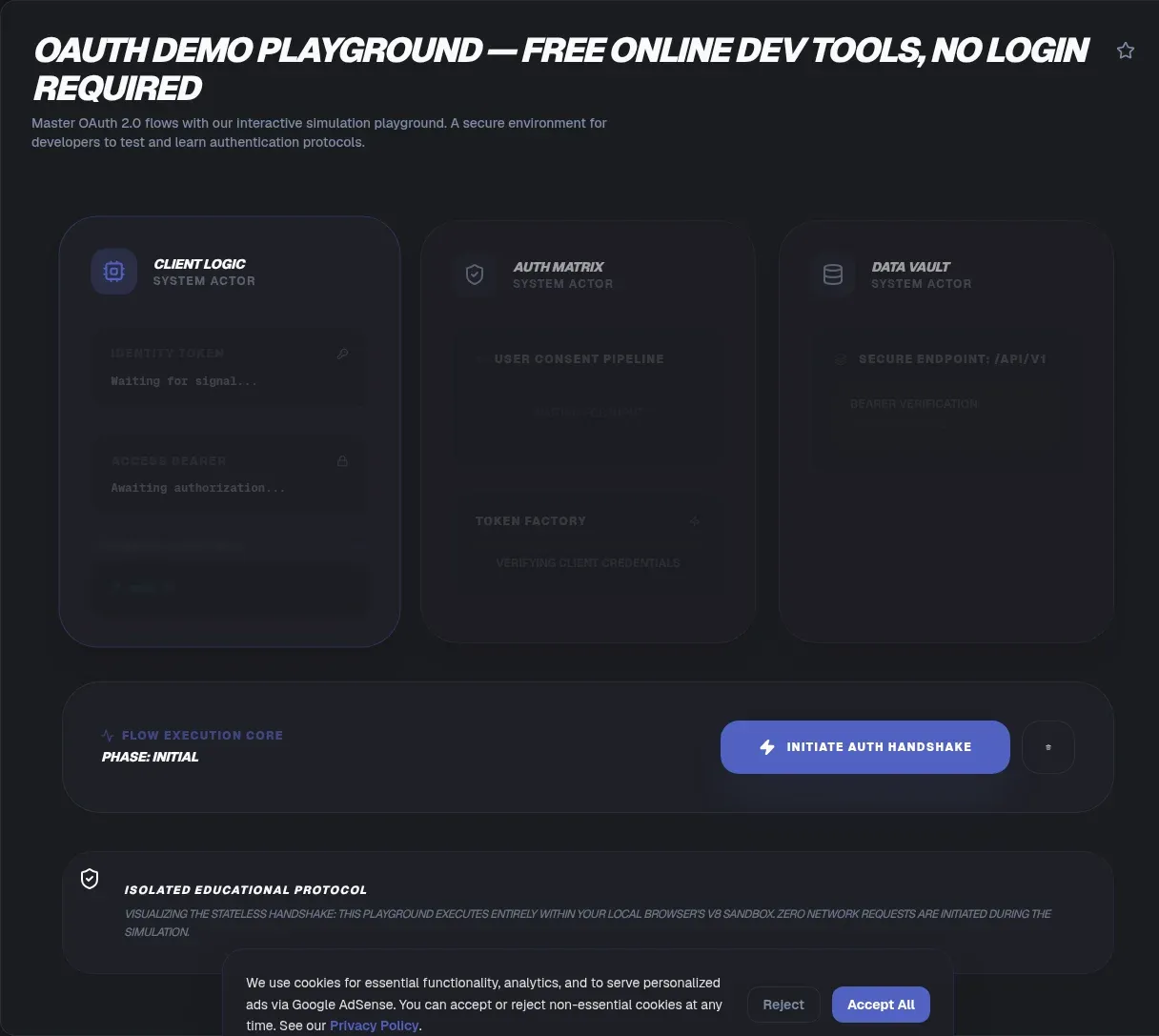
The ToolSura OAuth Demo Playground lets you walk a real OAuth 2.0 handshake in your browser. You supply the endpoints, get redirected to an authorization server, capture the code, exchange it for tokens, and inspect every response without writing application code first.
Because the tool runs client side, nothing is uploaded during your session and no credentials or tokens reach ToolSura. The handshake itself is real, so point it at a test client and use throwaway credentials rather than a secret you care about.
Why OAuth Handshakes Are Hard to Picture
OAuth fails in specific, unglamorous ways: a redirect URI off by one character, a state parameter nobody sent, a code exchanged without proof of possession. Reading the specification tells you the rules, but not what each hop looks like on the wire, which is why developers reach for playgrounds to watch the protocol happen.
A playground turns the abstract sequence into observable steps. You see where you were redirected, what parameters traveled with you, what came back, and exactly which request failed when something goes wrong. That visibility converts configuration errors from mysteries into line items.
The Four Roles in Every Exchange
RFC 6749 defines four roles that every OAuth conversation involves Source. The resource owner is "an entity capable of granting access to a protected resource," which is a person whenever you click a consent screen. The client is "an application making protected resource requests" with that authorization.
On the infrastructure side sit two servers. The authorization server authenticates the owner and issues access tokens; the resource server hosts the protected data and accepts those tokens. Keeping these roles straight explains most architecture debates: the client never sees passwords, the resource server never handles consent, and each party trusts only what the framework says it may.
The Authorization Code Flow, Step by Step
The flow RFC 6749 details in section 4.1 has five steps labeled (A) through (E) Source. In step A, the client sends the user's browser to the authorization endpoint carrying its client ID, requested scope, local state, and redirection URI. Step B is the human moment: the server authenticates the resource owner and decides whether to grant.
Step C redirects back to the client's URI with the authorization code and the state value attached. In step D, the client posts that code to the token endpoint along with its own authentication and the same redirection URI for verification. Step E completes the exchange: the server validates everything and returns the access token plus an optional refresh token. Every one of those hops is visible in the playground's responses.
What This Playground Does
Per the tool page, the playground fully supports Proof Key for Code Exchange and can generate code verifier and challenge pairs for testing secure flows aimed at public clients Source. After the exchange it displays access token, refresh token, and identity token responses side by side for inspection, along with expiry and error details.
Two design choices distinguish it from browser-based alternatives. It drives real redirects rather than simulating an authorization server, so you exercise your actual provider's behavior. As a free OAuth 2.0 service for testing, it asks for no account, sends nothing to a server of its own, and stays available whenever you need to debug a flow mid-integration. And it accepts any custom authorization, token, and callback URLs, so nothing about Google, Auth0, Okta, or a self-hosted IdP is hardcoded. The FAQ documents the practical prerequisite: register the playground's redirect URL with your provider before running.
PKCE Explained Without the Jargon
PKCE exists because of one attack: an malicious app on the same device intercepts your authorization code before your app can redeem it. RFC 7636 calls this the authorization code interception attack and introduces PKCE as the mitigation Source.
The mechanics read like a challenge-response handshake. Your app generates a random secret phrase called the code_verifier, between 43 and 128 characters long. It sends only a hash-derived version, the code_challenge, with the initial request, then reveals the original phrase at the token exchange. An attacker who steals the intercepted code cannot answer the challenge, because the verifier never traveled through the browser. Servers must implement the S256 method, and clients must not downgrade to plain after trying S256.
Grant Types Compared
| Grant | Introduced | Best fit | Status |
|---|---|---|---|
| Authorization Code | RFC 6749 sec 1.3.1 | Web and native apps with a backend | Current standard bearer |
| Authorization Code + PKCE | RFC 7636 | Mobile, SPA, desktop, CLI clients | Mandatory for public clients per BCP |
| Implicit | RFC 6749 sec 1.3.2 | Legacy browser-only apps | Dropped from OAuth 2.1 draft |
| Resource Owner Password | RFC 6749 sec 1.3.3 | Legacy direct-credential apps | Dropped from OAuth 2.1 draft |
| Client Credentials | RFC 6749 sec 1.3.4 | Machine-to-machine services | Retained |
The direction of travel matters for new work. The OAuth 2.1 draft states plainly that features such as PKCE are required while grant types like Implicit and Resource Owner Password Credentials are no longer specified Source. Its latest revision dates from March 2026, targeting IESG submission by December 2026, so treat it as the roadmap rather than finished law.
Why Redirect Mismatch Errors Fail So Hard
The most common playground failure is also the most instructive: the redirect_uri mismatch. RFC 9700, the current best current practice for OAuth security published January 2025, requires authorization servers to apply exact string matching to redirect URIs, with narrow exceptions for localhost ports Source.
That severity has a reason: loose pattern matching enabled documented interception attacks over the years. When your provider rejects the request, the fix is registration-side, not cleverness client-side. Copy the playground's callback URL character for character into your provider's allowlist, including scheme, path, and trailing slash if present, and the error disappears.
Bearer Token Rules Worth Knowing
Access tokens travel under the bearer model defined in RFC 6750, which specifies the Authorization header form and sets hard expectations around it Source. Clients must always use TLS when making requests with bearer tokens, must ensure tokens do not leak to unintended parties, and should keep tokens out of page URLs entirely.
Those rules translate directly into demo hygiene. A token displayed in a playground response is a live credential until it expires or is revoked, so paste it into decoders freely but never into shared documents, screenshots, or issue trackers. Expiry windows exist precisely so short-lived exposure stays contained; respect them instead of requesting longer lifetimes for convenience.
Testing Safely With Throwaway Credentials
All of this assumes one rule: demo tools deserve sandbox credentials, not production ones. Create a test tenant, register a development client, and generate fresh secrets for learning runs. ToolSura's own FAQ makes the same point, advising test or sandbox credentials rather than production secrets in its debugger-safety answer Source.
Client IDs are generally considered public values; client secrets are not, as debugger documentation across the ecosystem notes Source. Rotate anything you pasted into a web page after the session, and prefer providers' dedicated developer sandboxes wherever they exist. None of this diminishes the tool; it simply keeps the blast radius of curiosity at zero.
A Short Standards Timeline
RFC 6749 established the framework in 2012 and still defines the vocabulary. RFC 7636 added PKCE in 2015 for public clients. RFC 9700 consolidated a decade of security lessons into binding best current practice in January 2025. The OAuth 2.1 draft, updated March 2026 at revision 15, rolls all of it into a successor specification expected to reach the IESG before the end of 2026.
Reading order for newcomers: skim 6749 for the model, learn 7636's PKCE properly since it is now mandatory practice, then treat 9700 as the checklist your implementation will be judged against.
How It Compares to Other Playgrounds
oauth.com's playground, built by the Okta team, teaches flows against a simulated authorization server you configure inside the page, covering implicit and device flows alongside the modern ones Source. oauthdebugger.com, an older single-page tool by Nate Barbettini, offers a PKCE toggle and hybrid response types but shows no local-processing statement Source. token.dev complements both: it decodes and verifies JWTs entirely in the browser, though it runs no flows at all Source.
ToolSura's entry occupies the bring-your-own-provider slot: real redirects, custom endpoints, full token inspection, per its page Source. Choose the simulator when you want guided teaching wheels; choose this one when you need to debug how a real provider behaves with your exact configuration.
Key Takeaways
- The authorization code flow has five steps, and watching them execute beats reading about them.
- PKCE protects public clients from code interception using a verifier-challenge pair generated locally.
- RFC 9700 mandates exact string matching for redirect URIs, which is why mismatch errors refuse hints.
- OAuth 2.1 drops the Implicit and Password grants and requires PKCE, so new work should assume that world.
- Demo with sandbox credentials only, and rotate anything pasted into any web tool afterward.
Frequently Asked Questions
Which OAuth flow should I learn first?
Authorization code with PKCE. It is the flow detailed in RFC 6749 section 4.1, best current practice requires PKCE for public clients, and the OAuth 2.1 draft makes it effectively universal. ToolSura's playground supports exactly this combination, so you can watch all five steps execute against a real provider while learning the sequence that modern applications actually ship.
What is PKCE in plain terms?
Your app creates a random secret phrase, sends only a hash-derived fingerprint of it with the first request, and reveals the original phrase only at the token exchange. An attacker who intercepts the authorization code holds something worthless, since the exchange demands the phrase itself. RFC 7636 specifies verifiers of 43 to 128 characters and the S256 hashing method used to derive the challenge.
Is it safe to paste real credentials into a demo tool?
No. Treat anything pasted into any web page as exposed, regardless of privacy claims. Use sandbox accounts, test tenants, and development client registrations for every demo run, exactly as ToolSura's FAQ advises. RFC 6750 puts the underlying duty plainly: implementations must ensure bearer tokens never leak to unintended parties. Rotate whatever you used once the session ends.
What is the difference between authorization and authentication?
Authorization decides what you may access; authentication proves who you are. The current OAuth 2.1 draft draws the line explicitly: OAuth is an authorization protocol, not an authentication protocol, and OpenID Connect layers on top of it to add authentication characteristics. Confusing the two leads teams to treat access tokens as login proofs, which they were never designed to be.
What does the state parameter do?
The state parameter travels with your authorization request and returns unchanged alongside the code, letting your app correlate the redirect with the request it initiated. RFC 6749 includes local state in the step A description. Generate a unique unpredictable value per attempt; the ToolSura suite pairs naturally here, since its UUID generator produces suitable values instantly.
Can I test against my real provider from a browser tool?
Yes, when the tool sends real redirects and accepts custom endpoints, as this one does per its page. Register the playground's callback URL with your provider first, because best current practice requires exact string matching on redirect URIs, leaving no room for approximation. Then run the flow with sandbox credentials and inspect each response as it lands.
Where do JWTs fit into OAuth?
An access token is whatever your authorization server issues, and many providers issue them in JWT format. Decoding one reveals its header, payload, and signature claims, which decoder tools display conveniently. Keep two facts separate though: decoding is inspection, not validation, and signature verification belongs server side. RFC 6749 never mandates any particular token format.
Related Tools
Inspect and prepare every piece of a flow with these companions:
- JWT Decoder unpacks access and identity tokens.
- JSON Formatter & Validator pretty-prints token responses.
- URL Encoder/Decoder untangles encoded redirects and state.
- Base64 Encoder/Decoder reads base64url segments by hand.
- HTML CSS JS Playground builds quick callback test pages.
- UUID Generator mints unique state and nonce values.
When you are ready to stop guessing at handshakes, the OAuth Demo Playground walks a real authorization code exchange with PKCE, start to finish.